Assembly and Installation MATRIX control panel
24 PR-2011-0110-GB • Subject to modifications • R9-03-2016
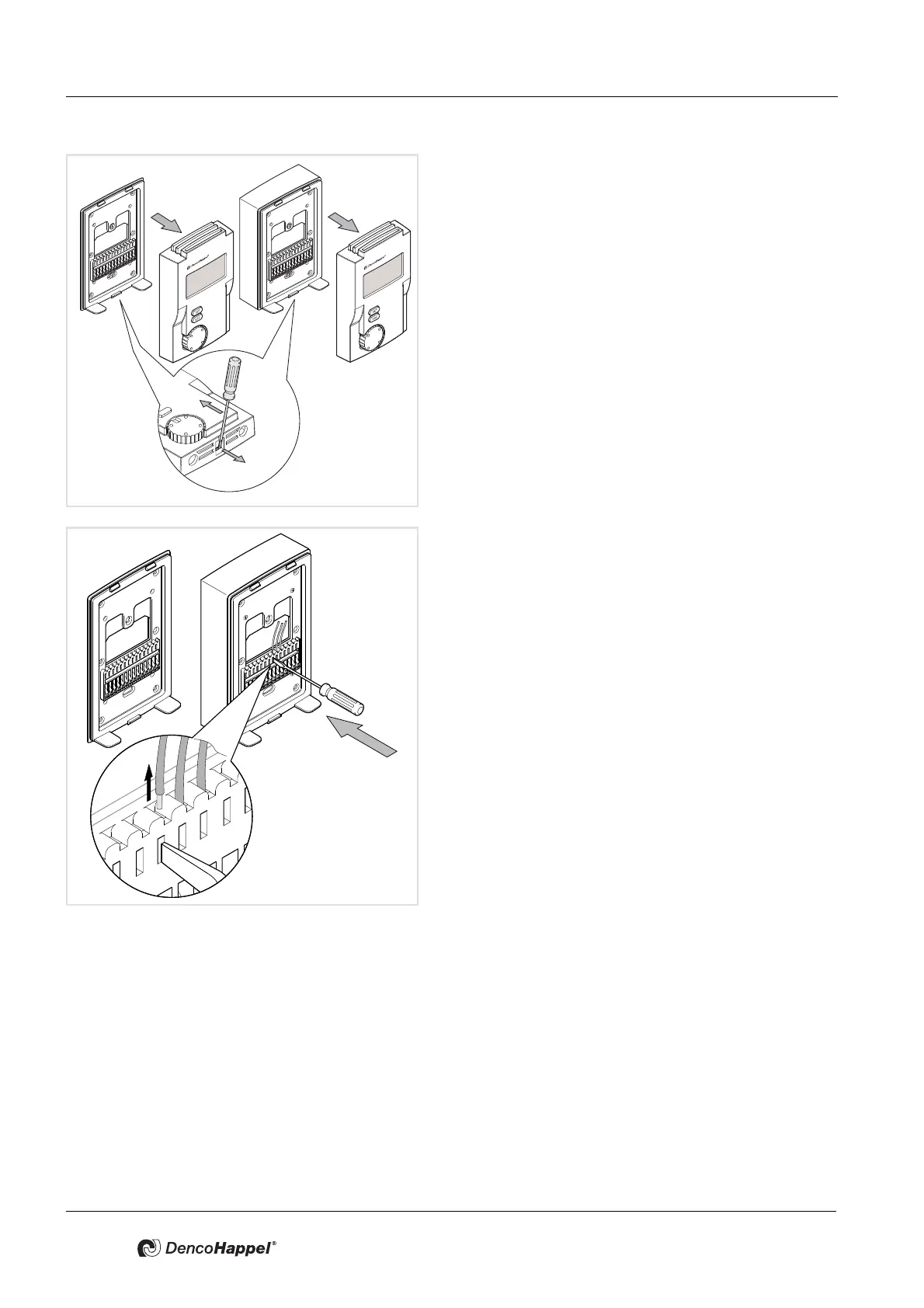
• Use a screwdriver to lock out the front panel and re-
move the latter to top of the mounting plate, as shown
in the picture.
• Press down on the relevant terminals with the screw-
driver and pull out the individual cores.
• Loosen the mounting plate from the wall.
• Finish dismantling the MATRIX control panel.
Additional dismantling for the IP54 casing:
• Unscrew the mounting plate from the surface-mounted
socket.
• Pull the cables out from the membrane grommets.
• Loosen the surface-mounted socket from the wall.
• Finish dismantling the MATRIX control panel.



 To Next Page