Operating MATRIX control panel MATRIX control panel
40 PR-2011-0110-GB • Subject to modifications • R9-03-2016
7.7 Settings for fan speed
The options for setting the fan speed with the control panel depend on the unit. A
distinction is made whether the control panel is connected to a central air handling
unit (compact controls MATRIX 4700) or a decentral unit, e.g. fan-coil unit, unit
heater.
The menu shown by the air handling units depends on the selected type of fan
control. See also the
"Fan submenu" on page 71 in Chapter 7.21.6 Air handling
unit submenu.
7.8 “Fan mode” menu setting
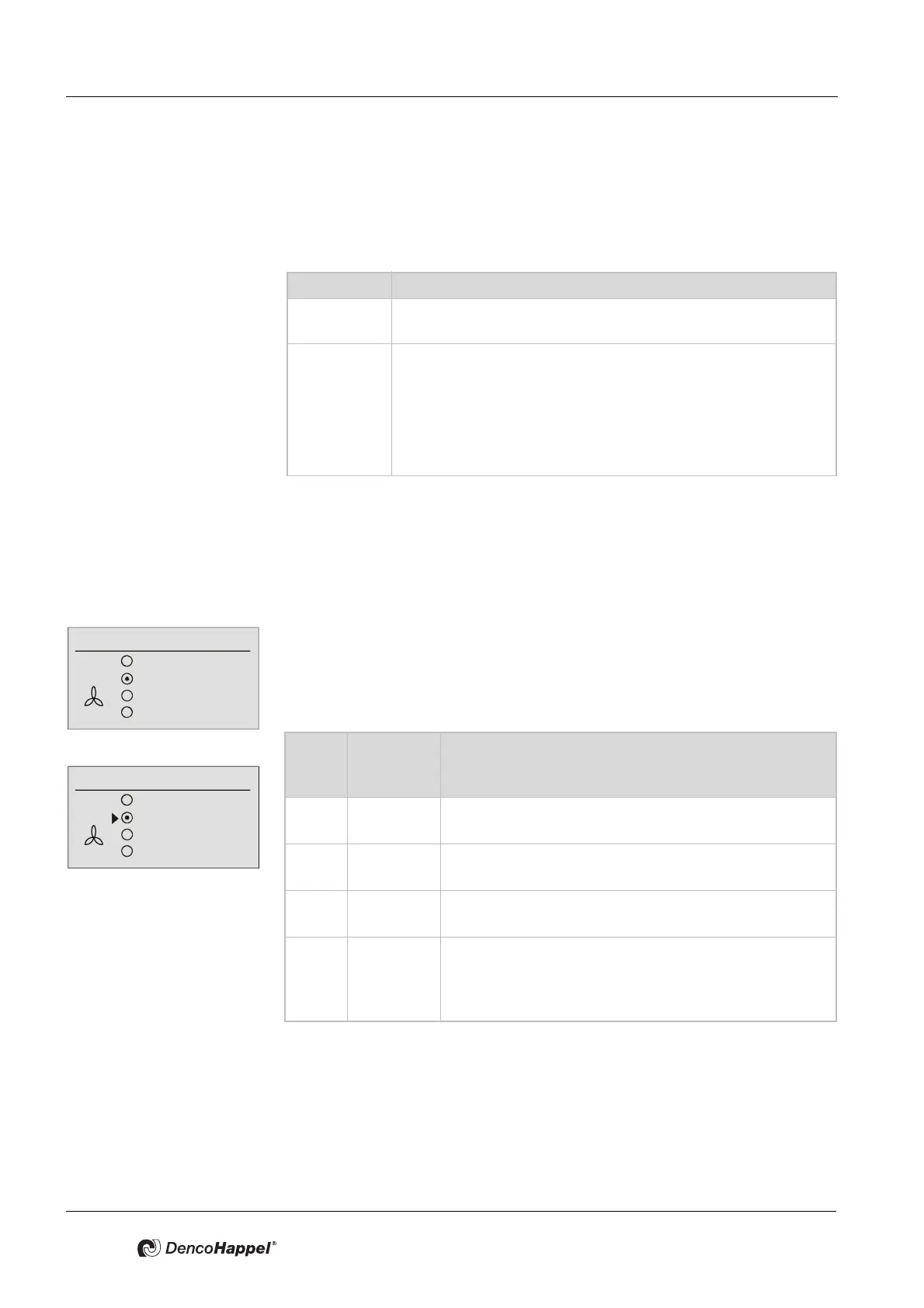
Four menu items can be selected in the menu "Fan mode".
The menu is preassigned with “automatic” as factory setting.
This menu item appears when using the control panel with decentralized devices
or whenever "Temperature controlled" was selected at central devices for the
controlled variable of the fans.
• Switch the functions of the fan mode on or off as described in "Switch ON
functions" on page 36.
Changing speed stages is described below as an example of the setting fixed
speed stages – the setting for 0 – 100% speed (rpm) works in the same way.
Unit type Unit type
Peripheral
unit
Only menu: Fan mode
Air handling
unit
– Menu: Fan mode or
– Menu Plant/fan or
– Menu: Plant/fan + Menu: fan speedor
– Menu: Plant/fan + Menu: Supply air/extract-air air duct pres-
sure or
– Menu: Plant/fan + Menu: Supply air/Extract-air volume flow
Fan mode
Off
Automatic
Automatic (mute)
Speed 70 %
Fan mode
or
Off
Automatic
Automatic mute
Stage
Menu
optio
n
Display Explanation
1 OFF The air handling system is switched off, the room-frost
protection function is active.
2 Automatic The fan speed is set automatically by the control sys-
tem.
3 Automatic
(mute)
The fan works in the “automatic” operating mode but is
disabled at the highest speed or over 80%.
4 Speed
xx%
or
stage
A fixed fan speed (rpm) can be set in a submenu.
Depending on the unit configuration, this setting is car-
ried out in % (from 0 to 100%) or in fixed speed stages
(from 1 to 5).



 To Next Page