Operating MATRIX control panel MATRIX control panel
34 PR-2011-0110-GB • Subject to modifications • R9-03-2016
7.4 Basic operation using the display
The following pages describe the basic operation via the display, based on exam-
ples.
7.4.1 Changing values
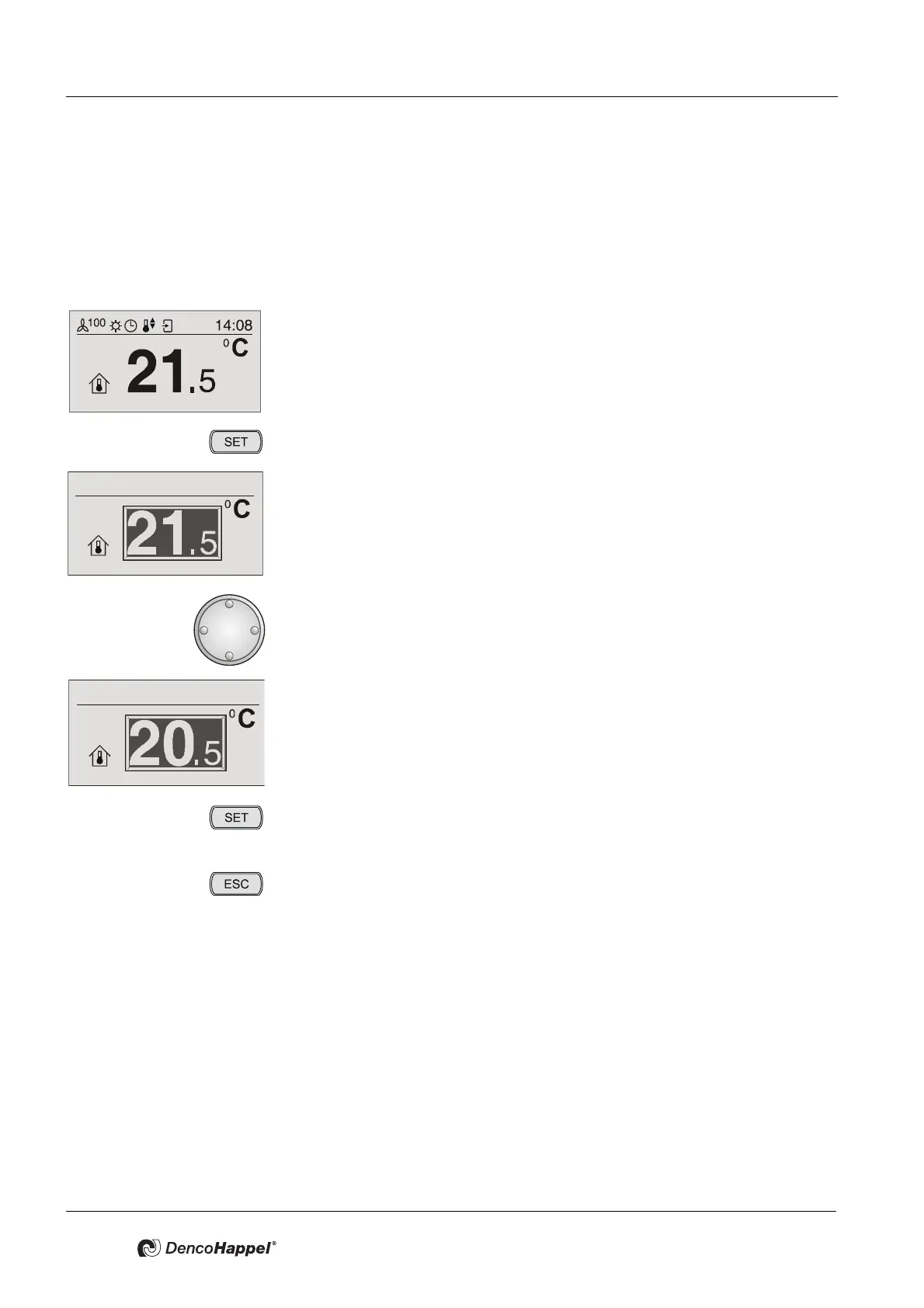
• Select a menu, e.g. “Setpoint room temperature”.
• Press the key "SET".
9 The current room temperature setpoint value is displayed inversely and the
line "change setpoint" appears.
• Turn the navigator to the left (decrease value) or right (increase value) until
the required new setpoint value is displayed.
9 The new setpoint value of the room temperature is displayed.
• Press the key "SET".
9 The new setpoint value is saved. You can see the basic display with the
new setpoint value.
• By pressing the "ESC" button you can always cancel the menu selection.
9 The old setpoint value is retained. You can see the basic display with the
old setpoint value.
9 If you want to change values, always proceed as follows:
Select menu, press “SET”, change value with the navigator and confirm
value with “SET”.



 To Next Page