MATRIX control panel Operating MATRIX control panel
PR-2011-0110-GB • Subject to modifications • R9-03-2016 35
7.4.2 Changing switching times
• Select the “Other menus” menu item.
• Press the key "SET".
• Select the "Clock timer" menu
• Press the key "SET".
• Select the "Week program" menu.
• Press the key "SET".
• Select a menu item, e.g. "All week days".
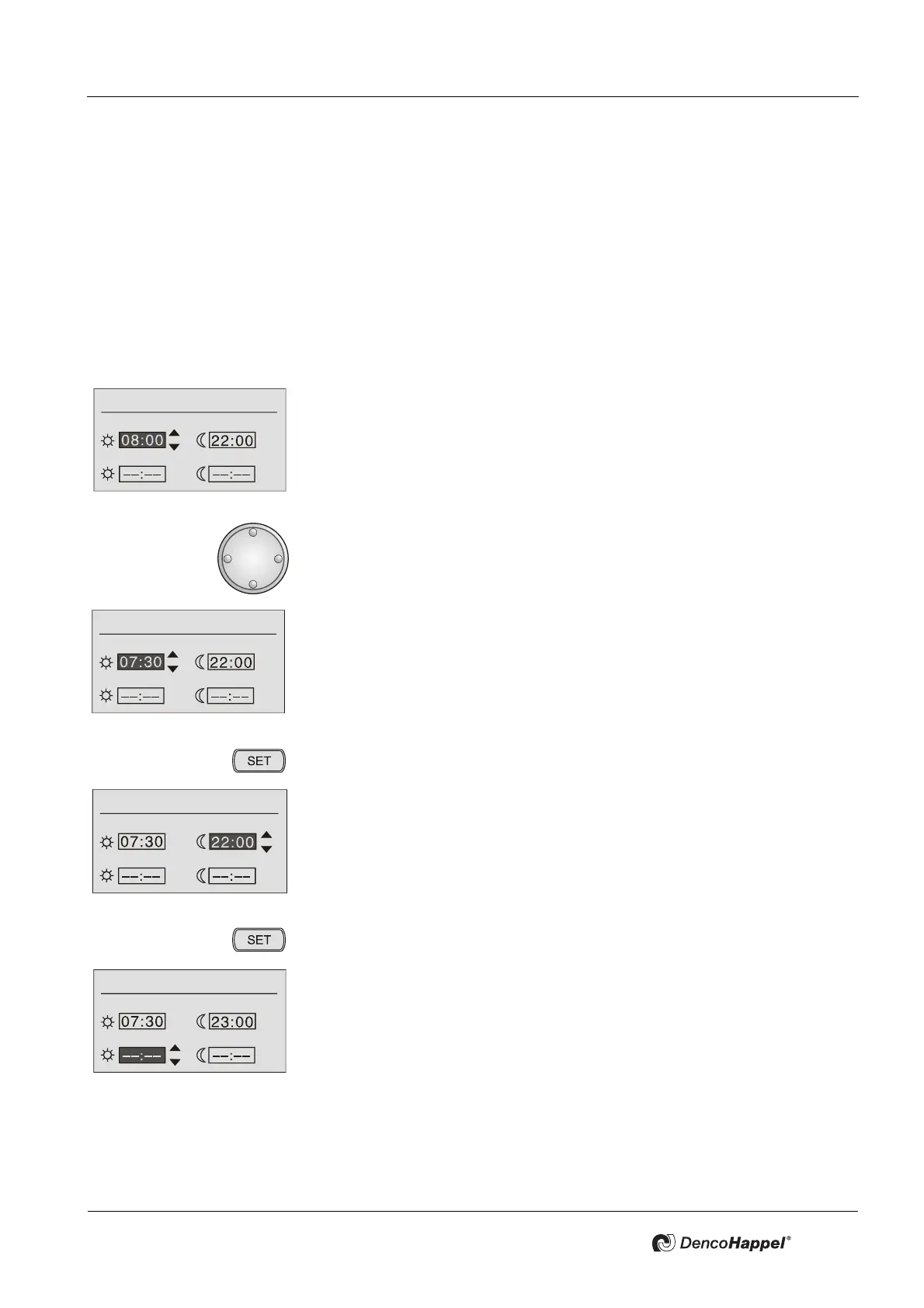
• Turn the navigator until the required time is displayed.
Note!
If you select “--:--”, this switching time is not assigned.
9 The new time is displayed.
• Press the key "SET".
9 The time is saved and the display jumps to the 2nd input field.
• Set the second time just like the first.
9 The new time is displayed.
• Press the key "SET".
9 The display jumps to the third input field.
All week days
1st switching period
2st switching period
All week days
1st switching period
2st switching period
All week days
1st switching period
2st switching period
All week days
1st switching period
2st switching period



 To Next Page