19
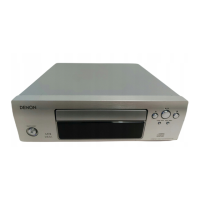
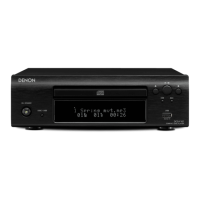
Front panel
wq e r t
y
uioQ0
q Power operation switch (X) ························ (8)
w Power indicator ············································ (8)
e Media mode button (DISC/USB) ················ (8)
r Display
t USB port ························································ (5)
y Skip buttons
(8, 9) ·································· (9, 12, 14, 15)
u Stop button (2) ································ (9, 15, 16)
i Play/Pause button
(1/3) ··········································· (9, 12, 14, 15)
o Disc tray open/close button (5) ············ (8, 16)
Q0 Disc tray ······················································ (20)
Part names and functions
For buttons not explained here, see the page indicated in parentheses ( ).
Display
w
re
q
q Information display
Various information is displayed here, depending
on the operation mode.
w Playback mode indicators
1 :During Playback
3 :During pause
e Total time indicator
Lights when the total number of tracks and total
time of the CD are displayed.
r Play mode indicator
Rear panel
wq e r
q Digital audio output connector
(DIGITAL OUT) ·············································· (4)
w REMOTE CONNECTOR jack ······················· (17)
e AC outlet (AC OUTLET) ································ (6)
r Power cord ···················································· (6)



 To Next Page
 Loading...