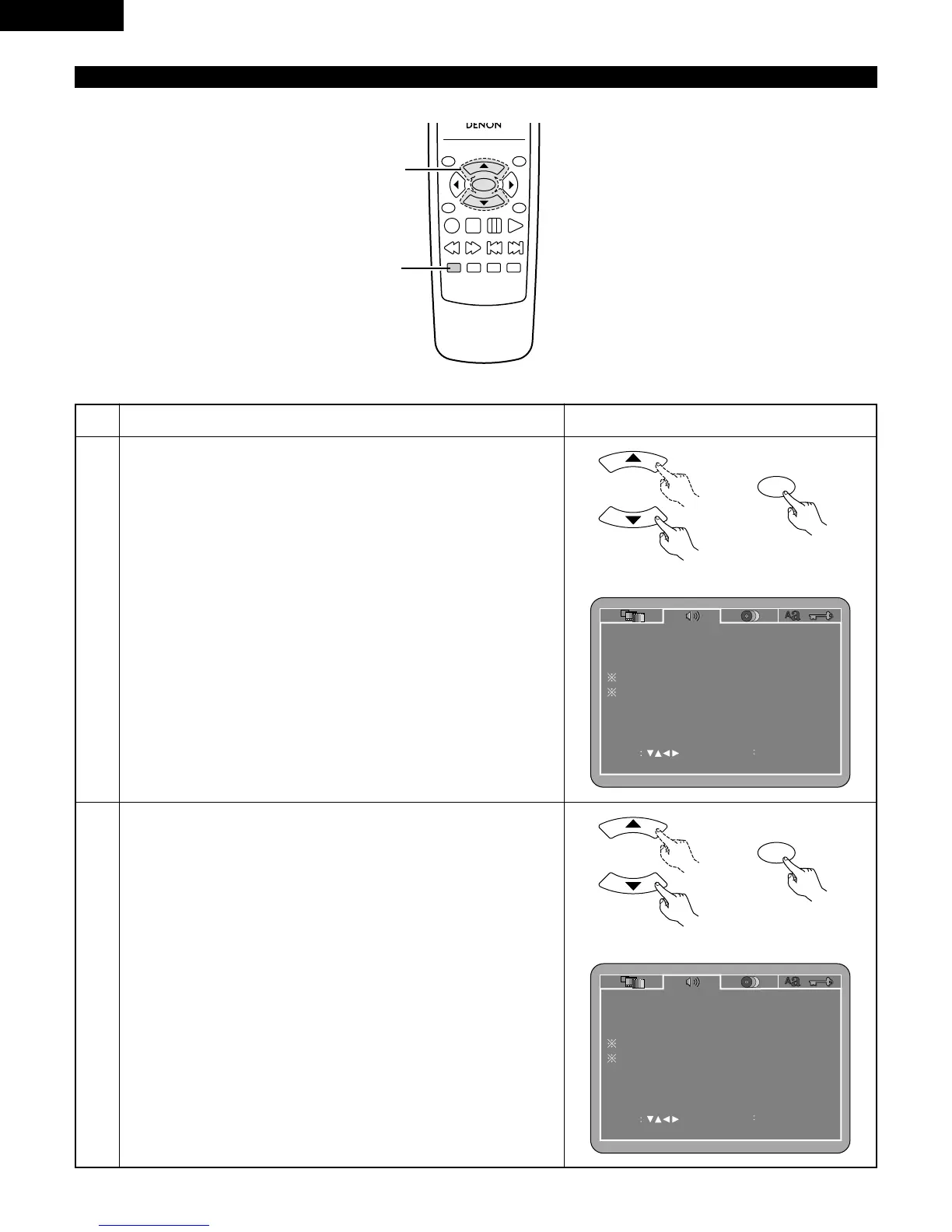
1
2
3
See page 20.
Use the
•
and
ª
cursor buttons to select the desired setting.
DIGITAL OUT
Use this to select the digital output’s signal format.
96k LPCM OUT
Use this to set the digital audio output when playing DVDs recorded in
linear PCM audio.
DOWNMIX
Set this when connecting the unit to a stereo device.
COMPRESSION
Use this to set the dynamic range output when playing discs.
NOTE:
• Downmix and compression are displayed when the “SETUP MENU
MODE” at “SYSTEM SETUP” is set to “EXPERT”.
q
When “DIGITAL OUT” is selected:
Press the ENTER button several times and select the output format.
NORMAL
When playing DVDs recorded in Dolby Digital or DTS, bitstream
signals are output from the digital audio output terminals. When
playing DVDs recorded in linear PCM, linear PCM signals are output.
Select “NORMAL” when making digital connections to an AV
amplifier with built-in Dolby Digital and DTS decoder.
PCM (Factory default)
When playing Dolby Digital bitstream signals or DVDs recorded in
linear PCM, the signals are converted into 48 kHz/16-bit PCM (2-
channel) signals and output from the digital outputs. When playing
DVDs recorded in PCM, linear PCM signals are output.



 To Next Page