63
ENGLISH
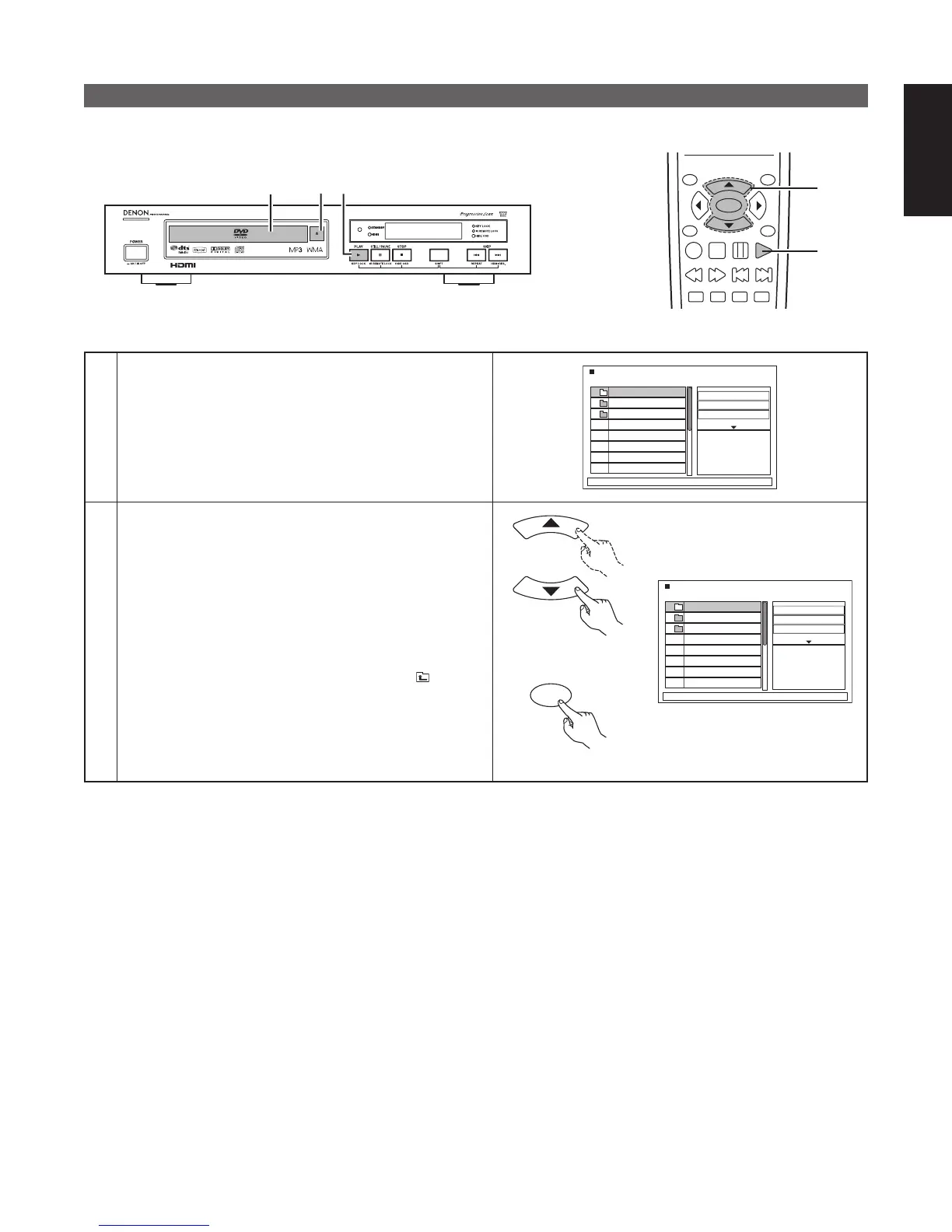
Playing DivX movies stored on CD-Rs/RWs
■ DivX files recorded onto CD-Rs or CD-ROMs can be played back.
1
3
1
TOP MENU
/PBC
MENU
RETURN
ANGLE
DISPLAY
STOP
STILL/PAUSE
PLAY
ENTER
SETUP NTSC/PAL
ZOOM SLIDE SHOW
SLOW/SEARCH SKIP
3
2,3
1
Load the CD-R/RW disc on which the DivX files have
been written into the DN-V210/DN-V310. (See page 19.)
• When the disc is loaded in the DN-V210/DN-V310, the
disc information screen appears.
• If there are multiple folders, proceed to step 2.
• If there are no folders on the disc, proceed to step 3.
DivX_01
DivX_02
DivX_03
View Filter
Repeat
: Off
Mode
: Normal
JPEG Preview
2
Use the 5 and ∞ cursor buttons to select the folder
containing the file(s) you want to play, then press the
ENTER button.
✽ To change the folder
Use the 5 and ∞ cursor buttons to select “
Up..” at
the upper of the screen, then press the ENTER button.
DivX_01
DivX_02
DivX_03
View Filter
Repeat
: Off
Mode
: Normal
JPEG Preview
Remote control unit
ENTER
Remote control unit



 To Next Page