65
ENGLISH
File Menu Functions
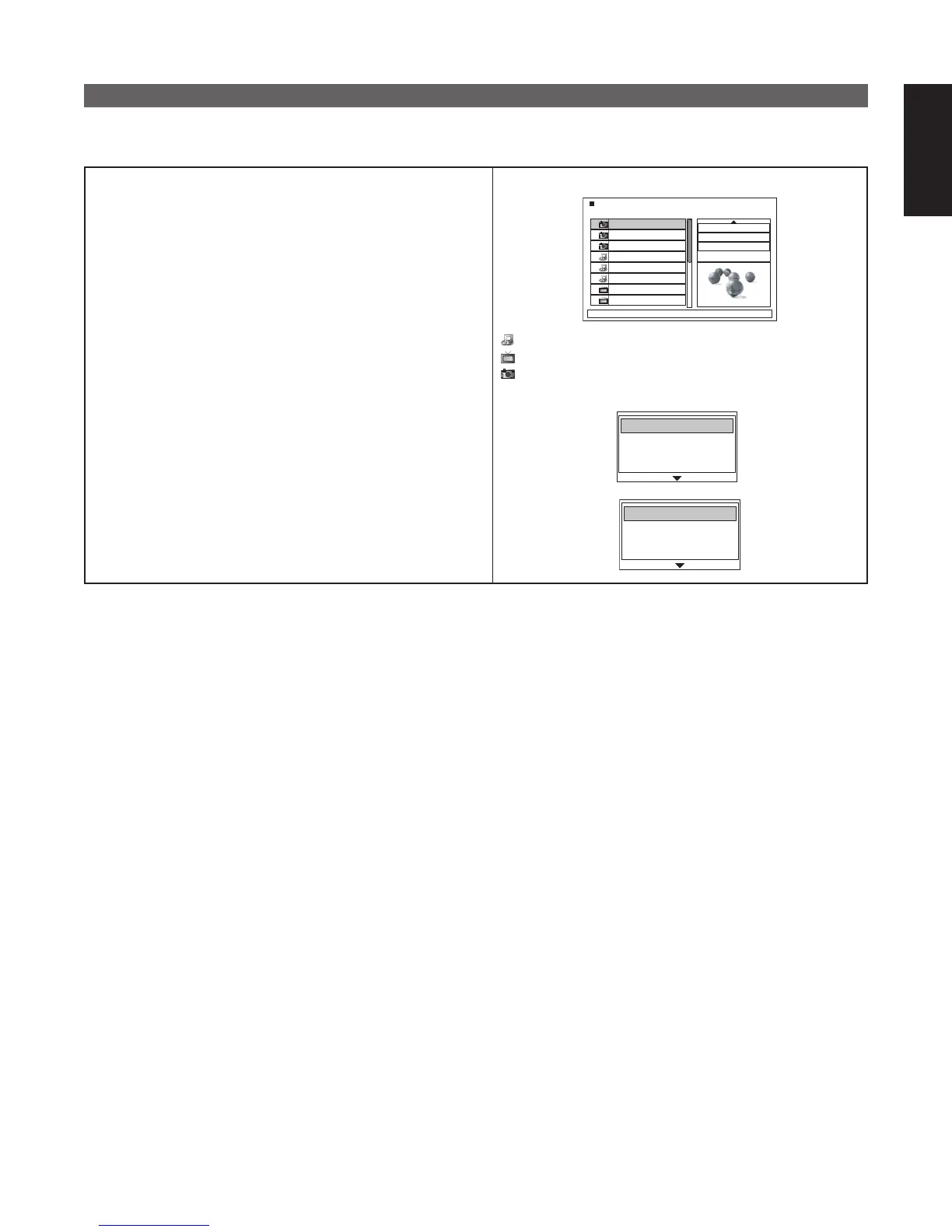
■ MP3/WMA/DivX files and JPEG files are displayed in the file menu. Both file menus are displayed if the CD
contains a mix of MP3/WMA/DivX files and JPEG files.
If you want to display only the MP3/WMA/DivX or JPEG files,
select “View Filter” at the top right as shown below.
Audio : Display MP3 and WMA
Photo : Display JPEG
Video : Display MPEG/DivX
To perform filter settings, line up the cursor to “View Filter”
and press ENTER. When the filter menu appears, select the
required item from Audio/Photo/Video using the 5 cursors and
∞ press ENTER.
After selecting, press the 2 cursor to return to the file menu.
When initializing the settings, select all of the items.
✽ For CDDA, the file menu is displayed. CDs that contain a mix
of CDDA tracks, MP3/WMA/DivX and MPEG files cannot be
used.
001_1
002_2
002_3
003_1
003_2
004_1
005_1
005_2
Edit Mode
: ON
Browser View
Clear Program
W : 1452 H : 995
File Menu
: MP3/WMA files are displayed.
: MPEG/DivX files are displayed.
: JPEG files are displayed.
Filter Menu
Audio files
✔
Video files
✔
✔
Photo files
Audio files
Video files
✔
✔
Photo files



 To Next Page