70
ENGLISH
Serial Remote Control (DN-V310 only)
■ Commands can be sent to the DVD player and the
status requested and sent to the host via RS-232C.
This DVD player can be controlled by a PC. Connect the
player and a serial port on the PC with a 9-pin RS-232C
straight cable. To control this DVD player by a PC, set the RS-
232C switch on the rear panel to RS-232C.
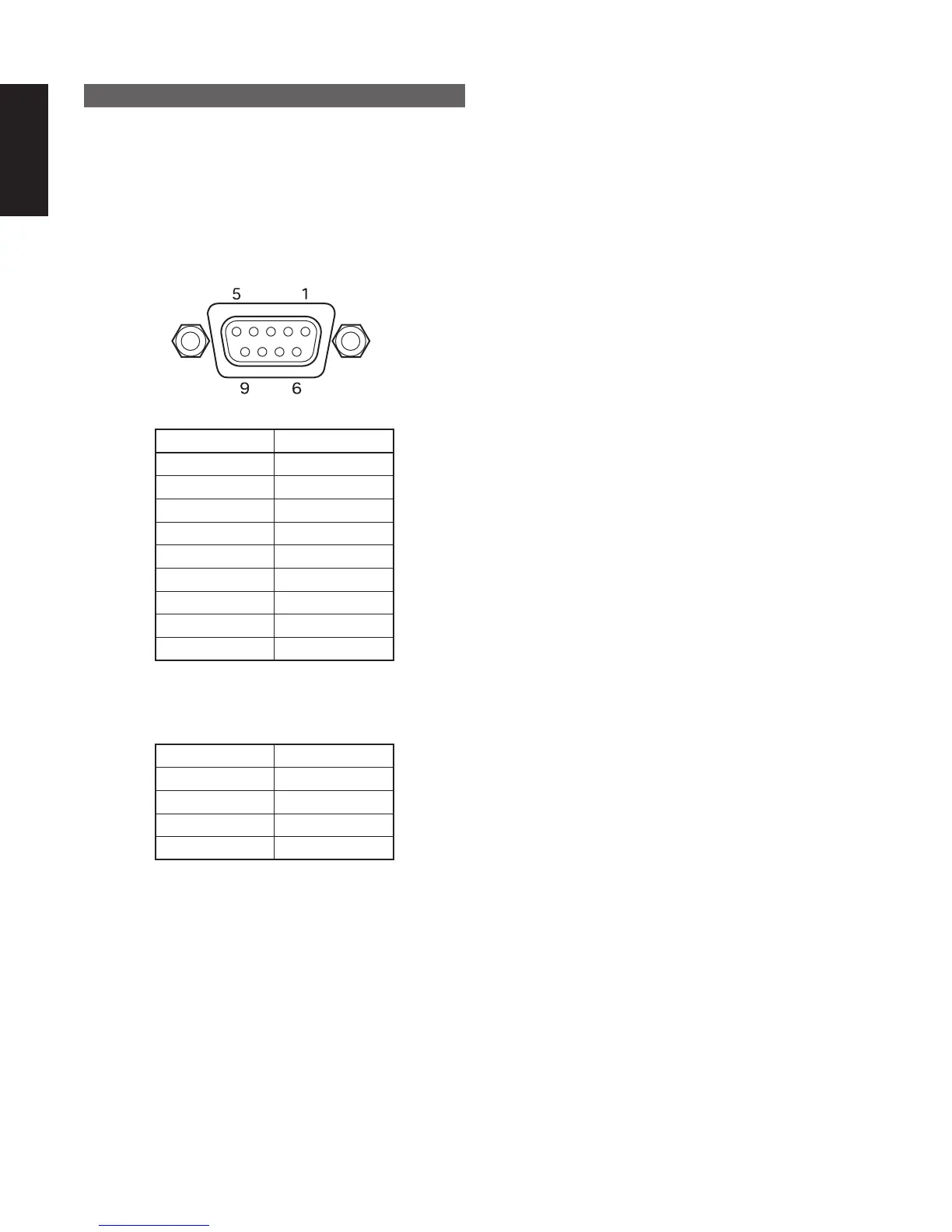
■ RS-232C Pin assignments (DVD player)
Pin no. Signal
1-
2 TXD
3 RXD
4-
5 GND
6-
7 CTS
8RTS
9-
■ Communication conditions
Configure the serial port of the PC as shown below.
Bit Rate 9,600 bps
Data length 8 bits
Parity none
Stop bit 1 bit
Flow control None
■ Basic format
• Command format
[group, command, parameter list]\r
• Response code format
0 : No error
x : Error code x
Example 1:
Player receives : [PC, RC, 66]\r
Player sends : [PC, RC, 0]\r
When the external controller receives the response this
implies that the player has verified the received message
(syntax), and the command will be executed.
Example 2:
Player receives : [PC, PlayT, 16]\r
Player sends : [PC, PlayT, 2]\r
If an internal error occurs and the command cannot
be executed, an error message (Error code 2 : Invalid
parameter) will be send.
• Interval time
When transmitting commands consecutively, put more
than 300 ms blank between commands.
■ System commands
Communication between a DVD controller and the DVD
player consist of 3 different types of information:
• External control commands
• External control status
• Asynchronous responses
The messages between the DVD and the DVD controller
look like:
“[group, command, parameter list]\r”
A group, command and parameter-list between square-
brackets, followed by a carriage return character (\r).
The parameter-list exists of comma separated parameters,
and are case sensitive.
When the player receives a message from the external
controller, it will be acknowledged. This acknowledgment
will be done in 2 different ways.
For external control commands, the acknowledgment will
look like:
• Group : group specified in the received message
(PC)
• Command : command specified in the received
message
• Parameter-list : ReturnValue



 To Next Page