EasyManua.ls Logo

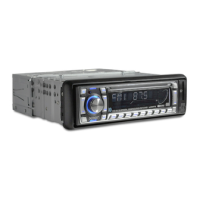
Denver CDB-440BT - User Manual

Denver CDB-440BT
21 pages
Print Icon
To Next Page IconTo Next Page
Loading...
1
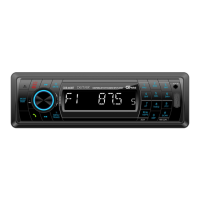
OWNER’S MANUAL
Mobile Audio System
PLL Synthesizer Stereo Radio
Automatic Memory Storing
USB&SD Card Interface
Detachable Front Panel
Auxiliary Input Function
Bluetooth Hands-free function & A2DP (Advanced Audio
Distribution Profile) Stereo Audio Transmission
DAB function

Other manuals for Denver CDB-440BT

Question and Answer IconNeed help?

Do you have a question about the Denver CDB-440BT and is the answer not in the manual?

Summary

INSTALLATION

DIN FRONT-MOUNT (Method A)

Procedures for installing the unit via the dashboard opening.

Removing the unit

Steps to detach and remove the front panel and the main unit.

DIN REAR-MOUNT (Method B)

Procedures for mounting the unit to factory brackets from the rear.

WIRING CONNECTION

ISO CONNECTION

Diagram and pinout for the ISO connector for speaker and power connections.

OPERATION

BASIC OPERATION

Covers switching on/off, faceplate release, sound adjustment, loudness, display, and equalization.

RESET FUNCTION

Procedure for resetting the unit due to malfunction or initial installation.

SYSTEM SETTING

Configuration options for beep, power volume, area, and time format.

DAB OPERATION & ANTENNA INSTALLATION

Procedures for operating DAB radio and installing its antenna.

RADIO OPERATION & STATION SELECTION

How to select frequency bands and tune radio stations.

BLUETOOTH PAIRING

Steps for pairing a mobile phone with the unit via Bluetooth.

BLUETOOTH AUDIO PLAYBACK

Playing stereo music from a paired mobile phone via Bluetooth.

TROUBLE SHOOTING

POWER AND SOUND ISSUES

Solutions for no power, no sound, or sound skipping problems.

OPERATION AND RADIO FUNCTIONALITY ISSUES

Solutions for unresponsive keys, radio not working, or auto-selection failures.

Summary

INSTALLATION

DIN FRONT-MOUNT (Method A)

Procedures for installing the unit via the dashboard opening.

Removing the unit

Steps to detach and remove the front panel and the main unit.

DIN REAR-MOUNT (Method B)

Procedures for mounting the unit to factory brackets from the rear.

WIRING CONNECTION

ISO CONNECTION

Diagram and pinout for the ISO connector for speaker and power connections.

OPERATION

BASIC OPERATION

Covers switching on/off, faceplate release, sound adjustment, loudness, display, and equalization.

RESET FUNCTION

Procedure for resetting the unit due to malfunction or initial installation.

SYSTEM SETTING

Configuration options for beep, power volume, area, and time format.

DAB OPERATION & ANTENNA INSTALLATION

Procedures for operating DAB radio and installing its antenna.

RADIO OPERATION & STATION SELECTION

How to select frequency bands and tune radio stations.

BLUETOOTH PAIRING

Steps for pairing a mobile phone with the unit via Bluetooth.

BLUETOOTH AUDIO PLAYBACK

Playing stereo music from a paired mobile phone via Bluetooth.

TROUBLE SHOOTING

POWER AND SOUND ISSUES

Solutions for no power, no sound, or sound skipping problems.

OPERATION AND RADIO FUNCTIONALITY ISSUES

Solutions for unresponsive keys, radio not working, or auto-selection failures.

Denver CDB-440BT Specifications

General IconGeneral
BrandDenver
ModelCDB-440BT
CategoryCar Receiver
LanguageEnglish

Related product manuals