05/20208 / 296
6159932380
Issue no: 05
3. STARTING-UP
Turn the unit on through the on/o switch on the
back panel.
The unit will perform a general system check
then will show the rst screen.
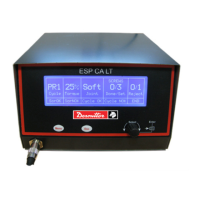
PR 4% Soft 0/5
SCREWS
Done/SetCycle Torque Joint Reject
CycleOKScrOK
1/1
OVER
ENDCycleNOKScrNOK
1
2
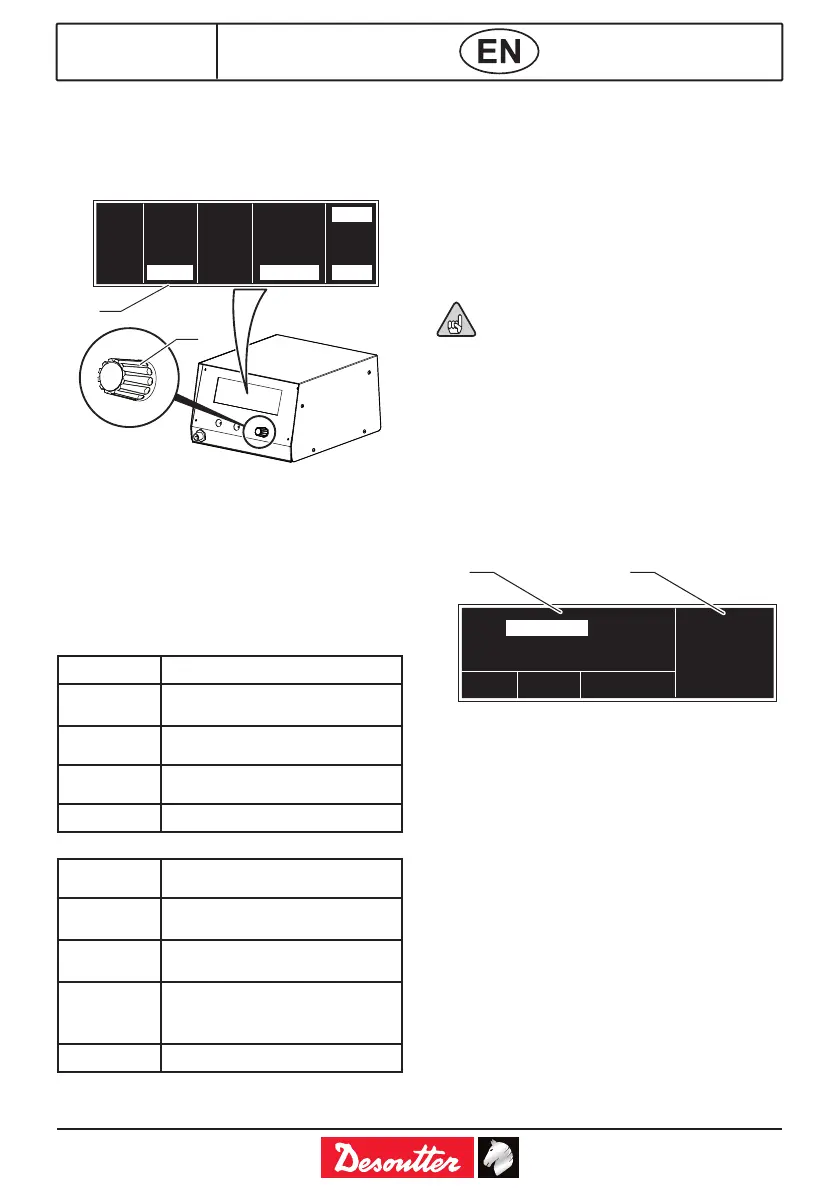
Legend
1 Knob encoder
2 Mains screen
Push MENU button for 1 second and display the
main screen (2) indicating the Program (1 to 8),
the Torque Level, the Joint type (Hard or Soft),
the Screws Done and Set and the Rejected
Screws.
The ve upper elds indicate the setting of the
unit:
PR_ cycle program set, from 1 to 8 or EXT.
% Torque programmed torque as a
percentage
Soft/Hard
Joint
programmed joint.
Screws
Done/Set
screws done on a batch.
Reject number of rejected screws.
The ve lower elds represent:
ScrOK Correct tightening done
between min and max time.
ScrNOK Incorrect tightening done under
min time or over max time.
CycleOK Cycle OK and not exceeding the
programmed reject screws.
CycleNOK Incorrect cycle, one or more
screws have been rejected , or
cycle time have been overtaken.
END End of a cycle or of a sequence.
4. MENU
To enter the password and to move through the
menu, use the knob on the front panel of the
unit:
● To move through the elds, just turn it.
● To enter a eld and modify the value it must
be pushed and turned until you reach the
desired value.
● To save the value, push it again.
● To go back push ESC and to go out push
ESC again.
Values are saved automatically moving
through a screen to another or returning
to the rst screen.
5. PROGRAMMING THE UNIT
To enter the programmable menu push the
MENU button for 5 seconds.
At the rst startup (and every time after the unit
has been switched o) the unit will ask for a
password.
5.1. Enter / modify Password and
Language
ENTER ESCAPE CHANGE PWD
LANGUAGE
ENGLISH
PASSWORD: _ _ _ _
1 2
Legend
1 Password screen
2 Language selection
● Push the MENU button for 5 secs.
● Push the knob and enter the four digits of the
password (default password is: 1111).
Once entered the password, turn the encoder to
ENTER, push it and the unit will show the rst
screen.
To modify the password:
● Enter the old password.
● Select CHANGE PWD.
● Enter the new one and save it pushing the
encoder.
Once entered, to move through the 4
programming screens just push the MENU
button.


 To Next Page
 Loading...