5 Diagnostics
5.1 Alert Info Detail
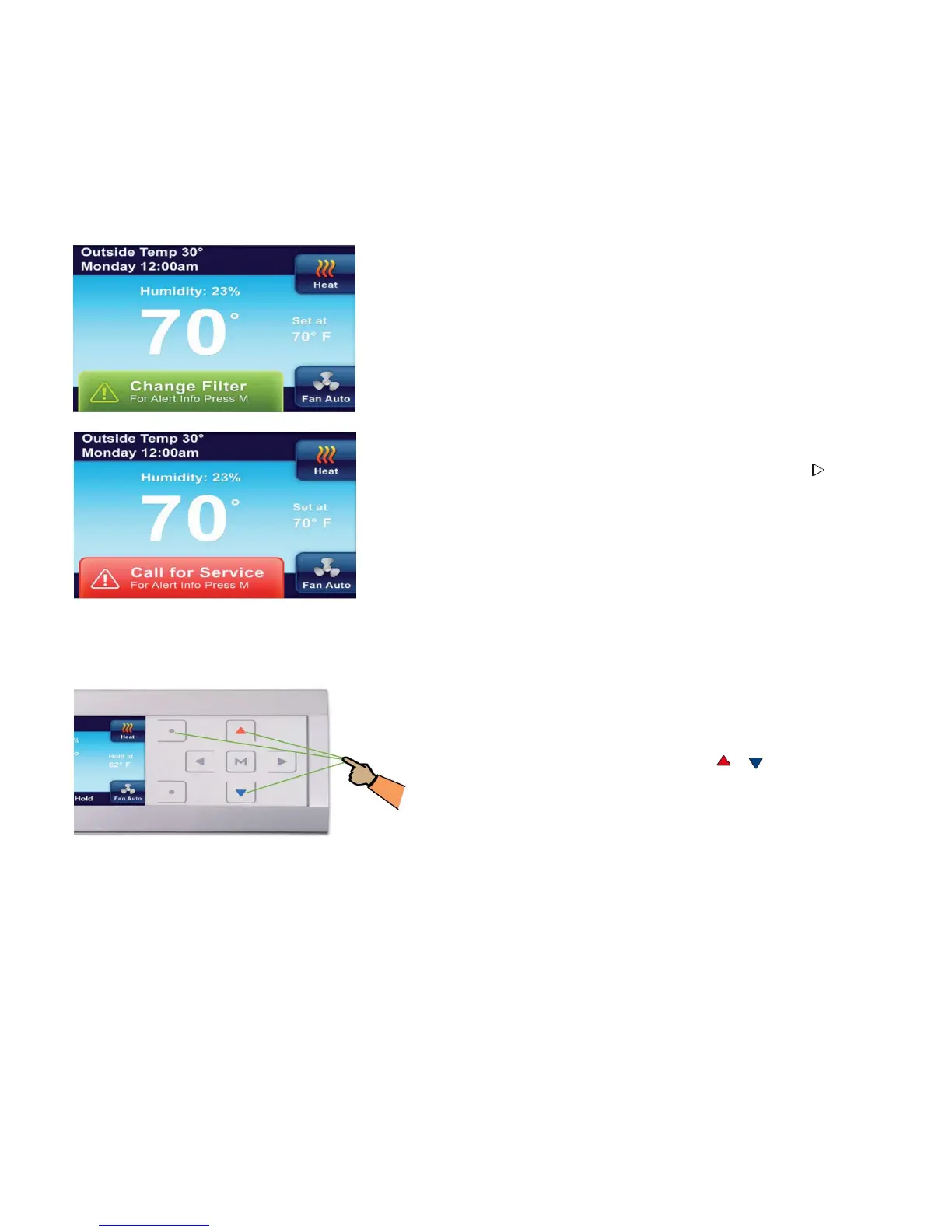
If the thermostat senses trouble with a component of
your system (the heat pump, air handler, furnace or air
conditioner), or a maintenance reminder appears, an alert
will be displayed on the Home screen. Details of any alert
can be found on the Alert Info Detail menu in the main
menu. Your installing dealer contact information may also
be displayed on this screen.
There are two levels of alerts:
• Maintenance Reminder: The maintenance reminder
can be cleared and the timer reset by selecting Clear
Alert Message and reset timer by pressing .
• Critical System Warnings: If a Red system alert
appears, contact your qualified service technician to
have your system serviced.
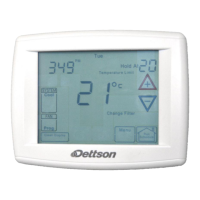
5.2 Reset Operation
If a voltage spike or static discharge blanks out the
display or causes erratic operation of your thermostat,
you can reset it.
To reset the thermostat, press , , and System
button at the same time.
Note: When the thermostat is reset, the Thermostat Settings, time and date, and programming
schedule will be reset to the factory defaults. Refer to the customized settings for your thermostat
recorded at the end of this manual. Use this manual to help restore the desired settings before they
were reset. For your convenience, the factory default settings are shown.
20


 To Next Page