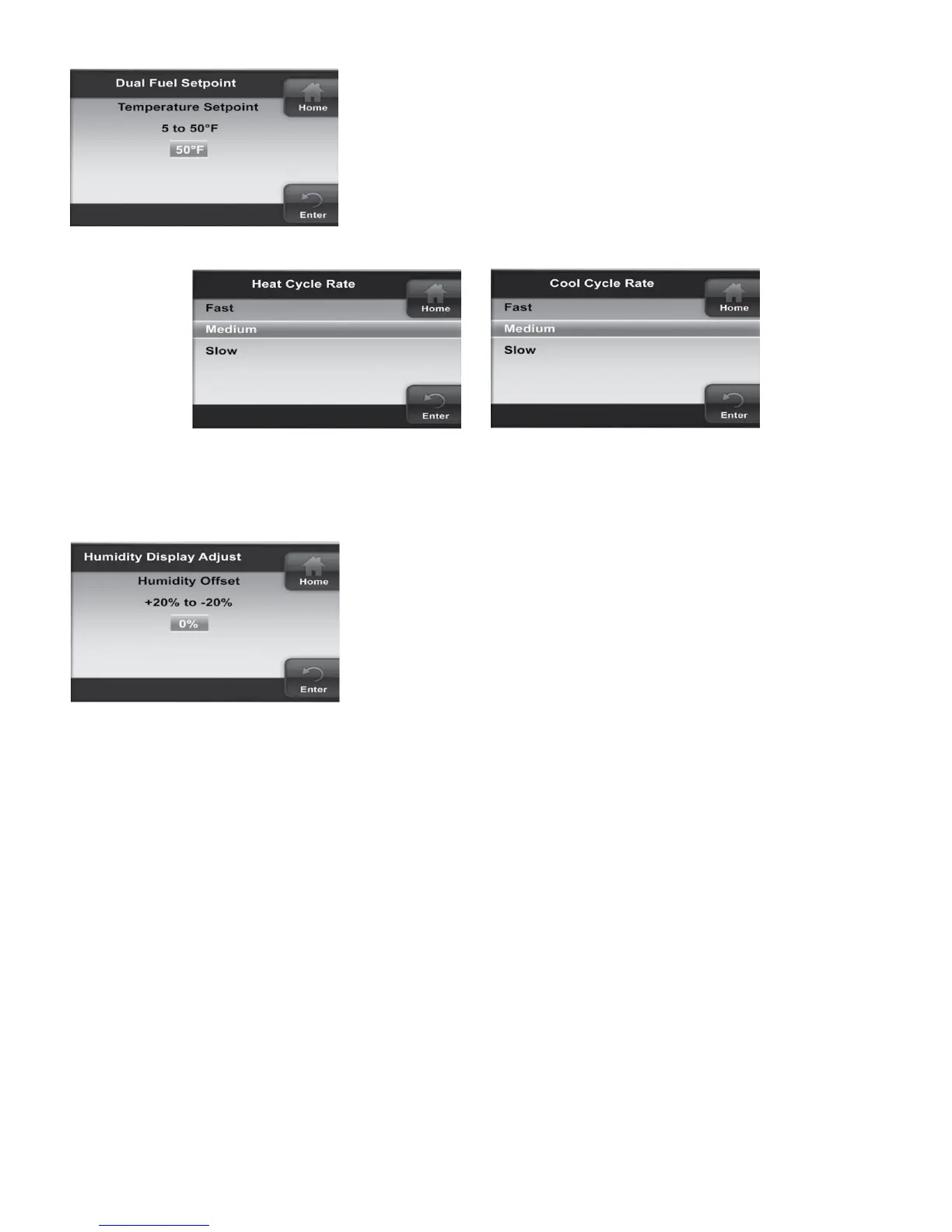
Dual Fuel Setpoint
Similar to the Heat Pump Disable option, but with gas heat. As
long as the outside temperature is above the Dual Fuel Setpoint,
the compressor will operate. When the temperature drops below
the setting, the thermostat will start the gas heat and shut off the
compressor. The Dual Fuel feature eliminates the need for a fossil
fuel kit.
The display will indicate 5°F (default). The temperature can be
adjusted to a value between 5°F to 50°F.
Heat/Cool Cyle Rate
Anticipation for heat/cool cycle can be adjusted. Default setting is Medium. If you wish to have longer cycles, change to
Slow. For shorter cycles change to Fast.
Humidity Display Adjust
Default is 0%. This option allows you to change the humidity displayed
to match other thermostats in your home.
6.1 Equipment User Menu
Equipment operating information and options will be found on the Advanced Installer Menu in Communicating
Devices. Equipment fault status and details will be found in Fault Status.
In the Communicating Devices menu, select the equipment listed that you wish to see information for. The display will
indicate Accessing the Device. The list of parameters for the equipment will appear. Select the parameter you wish to
view.
Each Equipment User Menu has submenus to divide the information into categories. Each piece of equipment has a
different set of submenus, with different parameters depending on the equipment. The submenus and the information
they provide are represented in the following tables.
A X in the following tables indicate alpha or numerical character.
23


 To Next Page