Messages at Thermostat
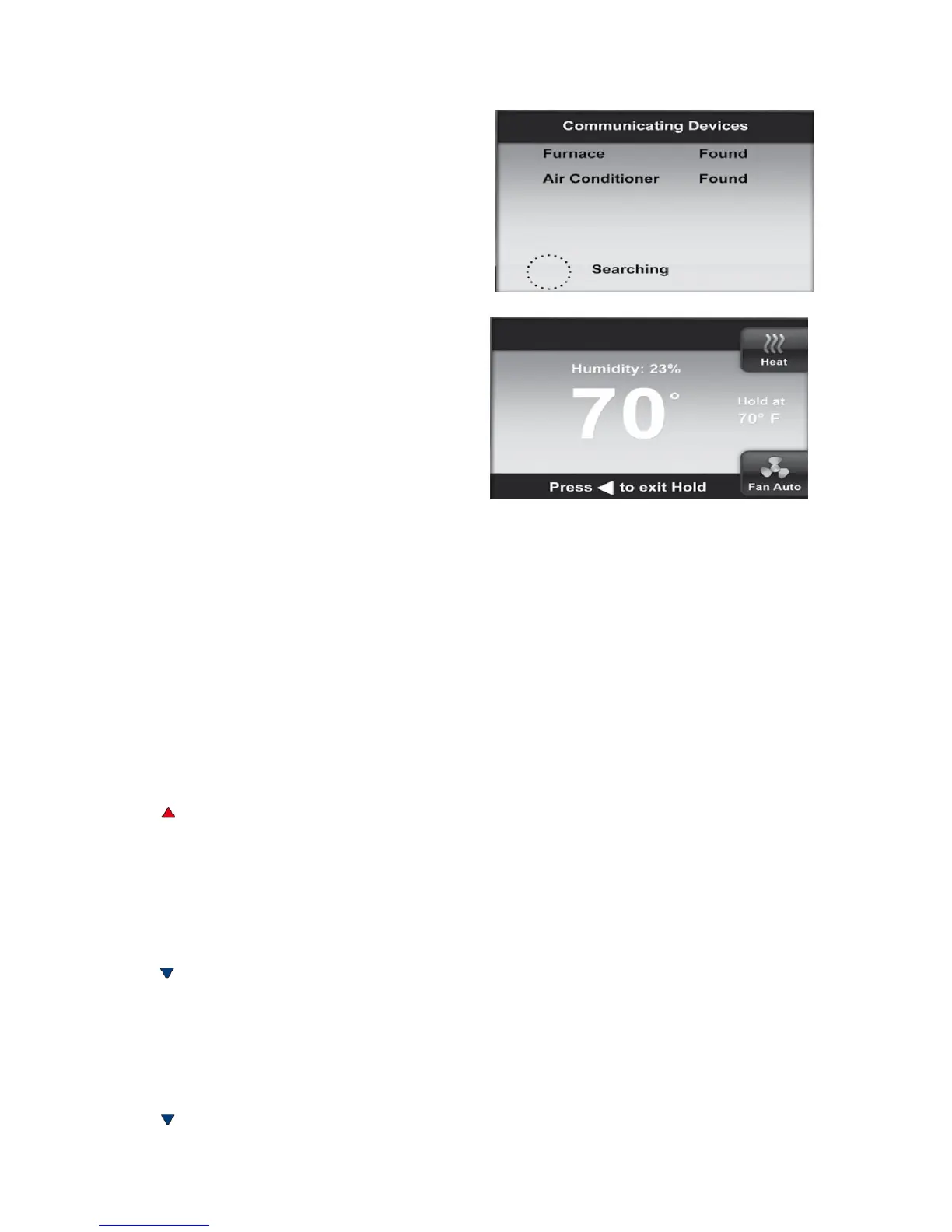
As equipment is found on the network, the
display will show, “device” Found. The
Searching icon will show until all equipment is
found and configured. If no equipment is found
on the network after approximately five minutes,
the home screen will appear and indicate a
Fault.
If the indoor unit is not detected by the network,
“Check System Fault” will be displayed.
Check system wiring if one of these faults occur.
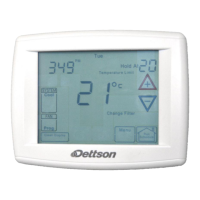
The display will change to Start-up, Hold screen
showing the actual temperature, SYSTEM
position (HEAT) mode, FAN setting (AUTO),
HOLD AT with the setpoint temperature 62 for
heat or 85 for cool and real time clock (hour,
minute, AM or PM, day).
Communications Systems
The ClimateTalk
TM
protocol will set the identification of the individual nodes connected to the
thermostat. The Network Device display will appear during initial power up and when a new device
is found on the network.
2.5 Check Système Operation
Heating System (Heat pump only/Furnace only/Dual fuel)
1. Press SYSTEM button until Heat is displayed.
2. Press to adjust thermostat setting 1°F above room temperature. The heating system should
begin to operate and the display will indicate Heat On.
3. If the heating system has additional stages, adjust the thermostat setting to 3°F (2°C) or more
above the actual temperature. The next heat stage will energize.
Note: To check heat pump systems, it is better to set Aux Lockout Temperature (see section 6)
so indoor heat is not disabled. Be sure to set Aux Lockout Temperature after checking system.
4. Press to adjust thermostat setting below room temperature. The heating system should stop
operating.
Cooling System
1. Press SYSTEM button until Cool is displayed.
2. Press to adjust thermostat setting 1°F below room temperature. The cooling system should
begin to operate and the display will indicate Cool On.
8


 To Next Page