1 Thermostat Overview
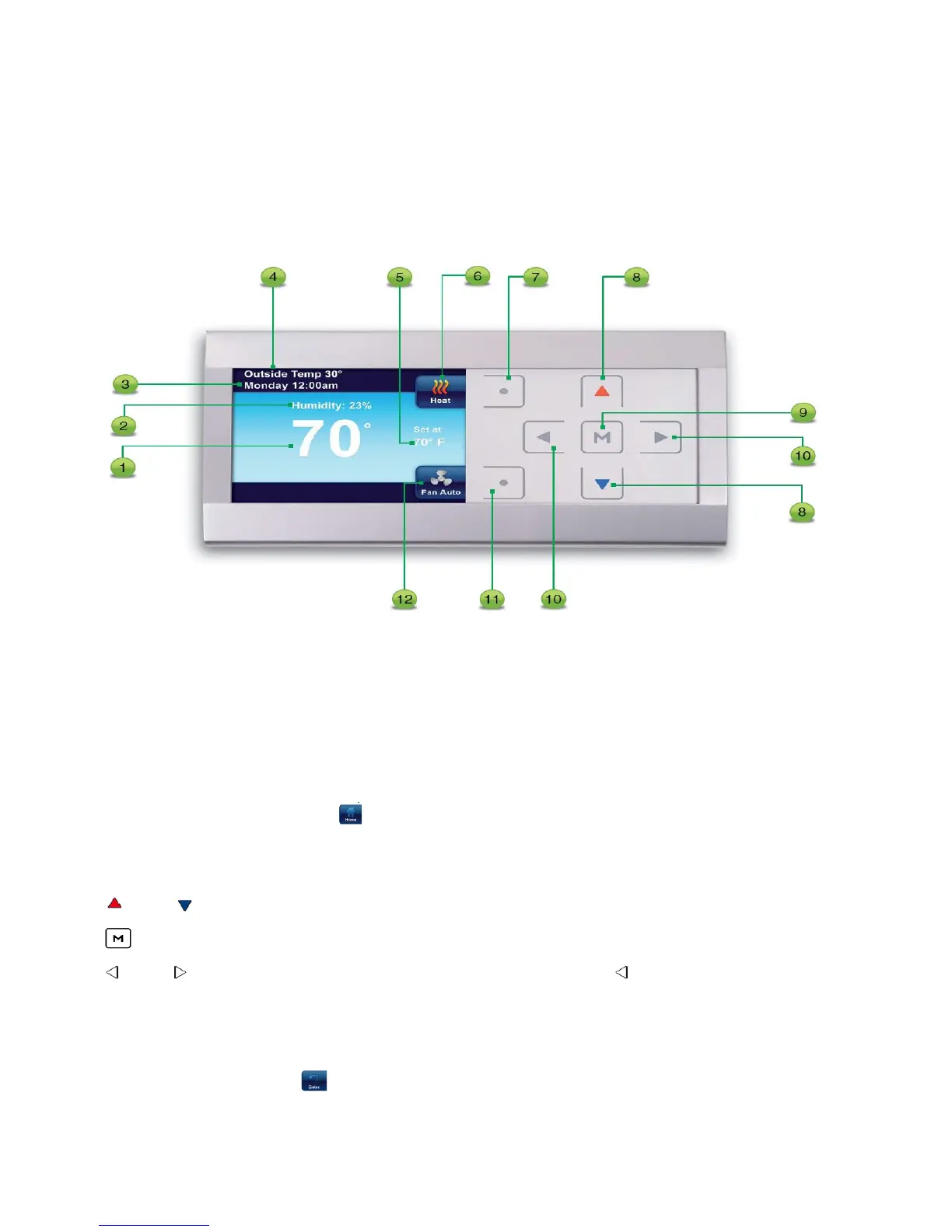
1.1 Display and Controls
1. The indoor temperature
2. The relative indoor humidity
3. The day of the week and the time
4. The outside temperature if outdoor sensor is connected
5. The desired temperature or setpoint
6. Indicates system setting or
7. This button selects system settings Cool, Heat, EM, Auto, or Off. In the menus, this button is
used to display the Home screen
8. and move the temperature up and down. Also used to navigate through menus
9. is used to enter any menu function of the thermostat
10. and used to move through the menu settings. Also, the is used to exit the temperature
hold function
11. This button selects the fan operation On or AUTO. Also the Enter button in the thermostat
menus used to save entries and display previous menu.
12. Indicates Fan mode or
4


 To Next Page