EN - 14
SERVICE AND MAINTENANCE GUIDANCE
Service and maintenance should only be performed by appropriately trained and authorized Drive DeVilbiss personnel and/or service centers.
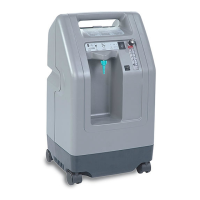
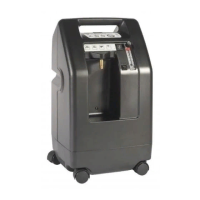
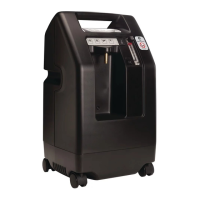
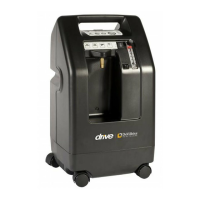
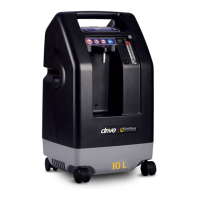
DeVilbiss Oxygen Concentrator Preventive Maintenance/Service Guide
Model
Oxygen
Purity
Verication
Intake
HEPA Filter
Internal
Compressor
Filter
Final HEPA
Filter **
Cabinet Filter
* Sieve Beds **
Compressor Cup
Seals **
525 Series Every 3-years or
between patient
uses, whichever
comes rst
Inspect
between patient
uses. Replace if
needed
Inspect in
conjunction with
compressor
service. Replace
if needed
Inspect in
conjunction with
compressor
service. Replace
if needed
*For models with
a cabinet gross
particle lter,
wash with each
inspection.
Replace if needed
When indicated by device
performance below
specication for oxygen
purity, operating pressures
and/or other indications of
component wear
When indicated by device
performance below
specication for oxygen
purity, operating pressures
and/or other indications of
component wear
* Some models of 525 series concentrator do not require a gross particle lter. This information is noted in the user manual.
** Sieve bed, compressor cup seal, compressor lter and nal HEPA lter service should only be performed by appropriately trained and certied Drive DeVilbiss service centers.
NOTE – This is a suggested maintenance and service schedule for home oxygen providers. Individual maintenance requirements may vary based upon local operating
conditions, regulations, or other circumstances.
Initial Inspection
1. Upon receiving, examine the unit for external damage. If the unit appears to have external damage, please contact DeVilbiss for assistance.
2. Check to be sure the cabinet air lter (if applicable) and the intake lter are in place.
3. Plug the unit into an electrical outlet, turn the unit “ON” and check the audible/visual alarms. When the unit is turned ON, as part of the normal start-up process, all three
lights (Service Required, Low Oxygen and Normal Oxygen) on the front panel should illuminate and the audible alarm should sound. If the ANY of the lights on the front
panel DO NOT illuminate or the audible alarm DOES NOT sound, this indicates the alert system is not functioning properly. Refer to the Troubleshooting chart on
page 10 or contact DeVilbiss for assistance.
4. Set the ow meter at the maximum recommended ow rate and allow the unit to run for 20 minutes. The internal oxygen sensor monitors the oxygen purity. If the oxygen
is within specication, the Green Normal Oxygen light will be illuminated. If the Yellow Low Oxygen light is illuminated, refer to the Service Manual or contact DeVilbiss
for assistance.
5. With unit still running, unplug to test the power fail alarm. If the power fail alarm does not provide an audible alert, refer to the Service Manual or contact DeVilbiss for
assistance.
Oxygen Provider Preventive Maintenance Guidance
NOTE – Scheduled maintenance should be performed in accordance with the Preventive Maintenance/Service Guide table above or Between Patient Uses.
1. Discard all oxygen tubing, cannula/mask, oxygen outlet connector and humidier bottle.
2. Replace cabinet air lter (when applicable) and follow the Cleaning and Disinfection Instructions in the IFU.
3. Clean the concentrator cabinet and inspect/replace lters in accordance with the table above.
4. Inspect all plugs, cords, and components. Replace any damaged or worn components.
5. Check oxygen concentration with a calibrated oxygen analyzer and record the oxygen percentage. If the concentration is not within specication, refer to troubleshooting
section of the IFU or the Service Manual.
6. Record the unit hours of use.
7. Verify Audible Alert and Indicator Lights at each service at startup and while operating.
8. With unit still running, unplug to test the power fail alarm. If the power fail alarm does not provide an audible alert, refer to the Service Manual or contact DeVilbiss for
assistance.
SE-525KS-1







 To Previous Page