EasyManua.ls Logo

Dexcom g4 - Page 145

Dexcom g4
156 pages
Print Icon
To Next Page IconTo Next Page
To Previous Page IconTo Previous Page
Loading...
Dexcom G4 User’s Guide | 145
What will I see
on the receiver
screen?
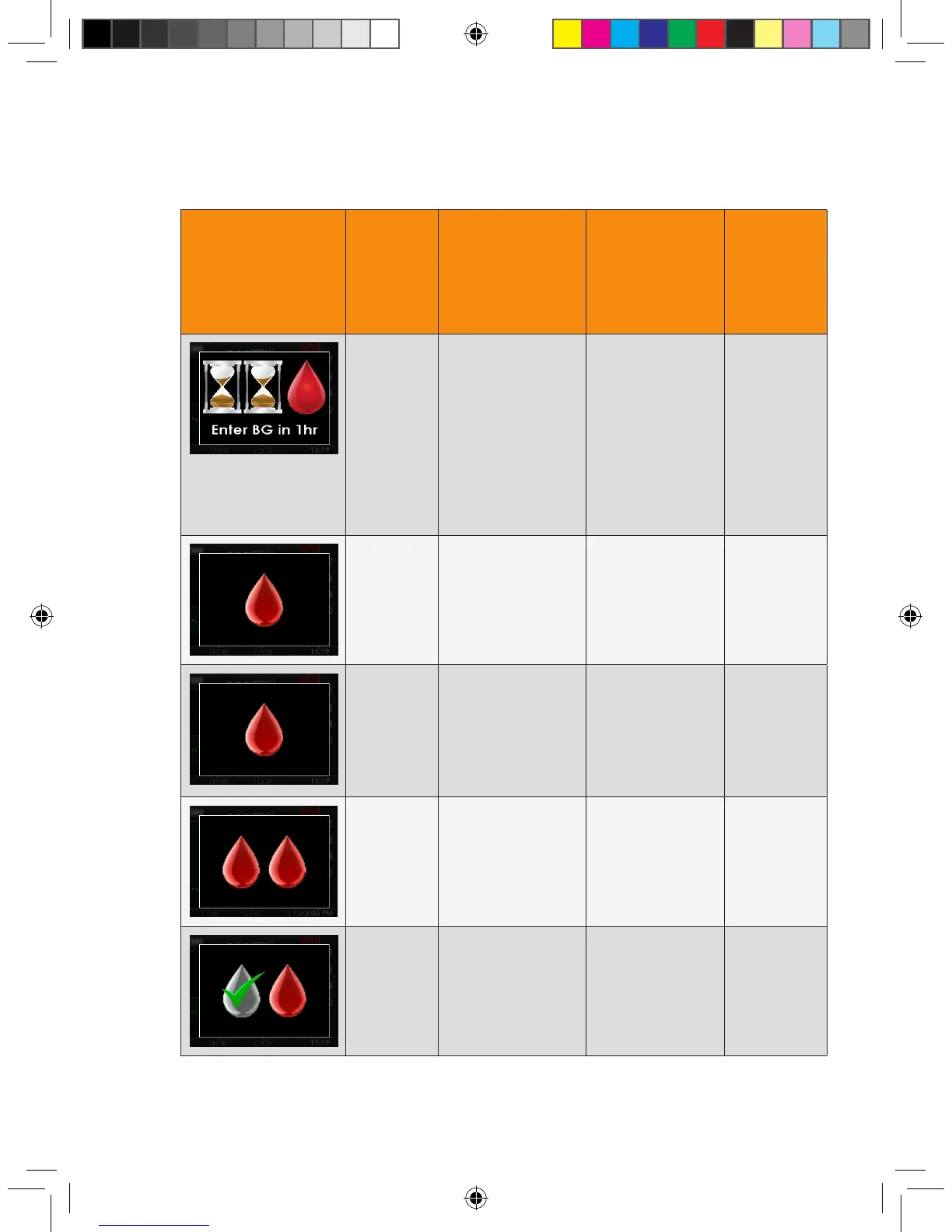
Prompt,
alert or
alarm?
What does this
mean?
How will the
receiver notify
me?
(vibrate and/or
beep)
Will the
receiver
re-notify
me?
1 hour
calibration
error alert
The sensor cannot
calibrate. Wait a
minimum of 1 hour
then enter 1 more
blood glucose value
for calibration. If
no sensor glucose
readings appear
on the receiver, the
sensor needs to be
replaced.
1 vibrate then
vibrate/beep every
5 minutes until
conrmed.
No
12 hour
calibration
prompt
The receiver needs
a blood glucose
value entered to
calibrate.
Prompt screen
only.
Yes, every
15 minutes.
Additional
calibration
prompt
The receiver needs
a blood glucose
value entered to
calibrate. Sensor
glucose readings
will not be displayed
at this time.
1 vibrate then
vibrate/beep every
5 minutes until
conrmed.
Yes, every
15 minutes.
Startup
calibration
prompt
The receiver needs
2 blood glucose
values entered to
calibrate.
1 vibrate then
vibrate/beep every
5 minutes until
conrmed.
Yes, every
15 minutes.
Additional
startup
calibration
prompt
The receiver needs
1 additional blood
glucose value to
complete startup
calibration.
1 vibrate then
vibrate/beep every
5 minutes until
conrmed.
Yes, every
15 minutes.

Table of Contents

Related product manuals