30 | Dexcom G4 Continuous Glucose Monitoring System
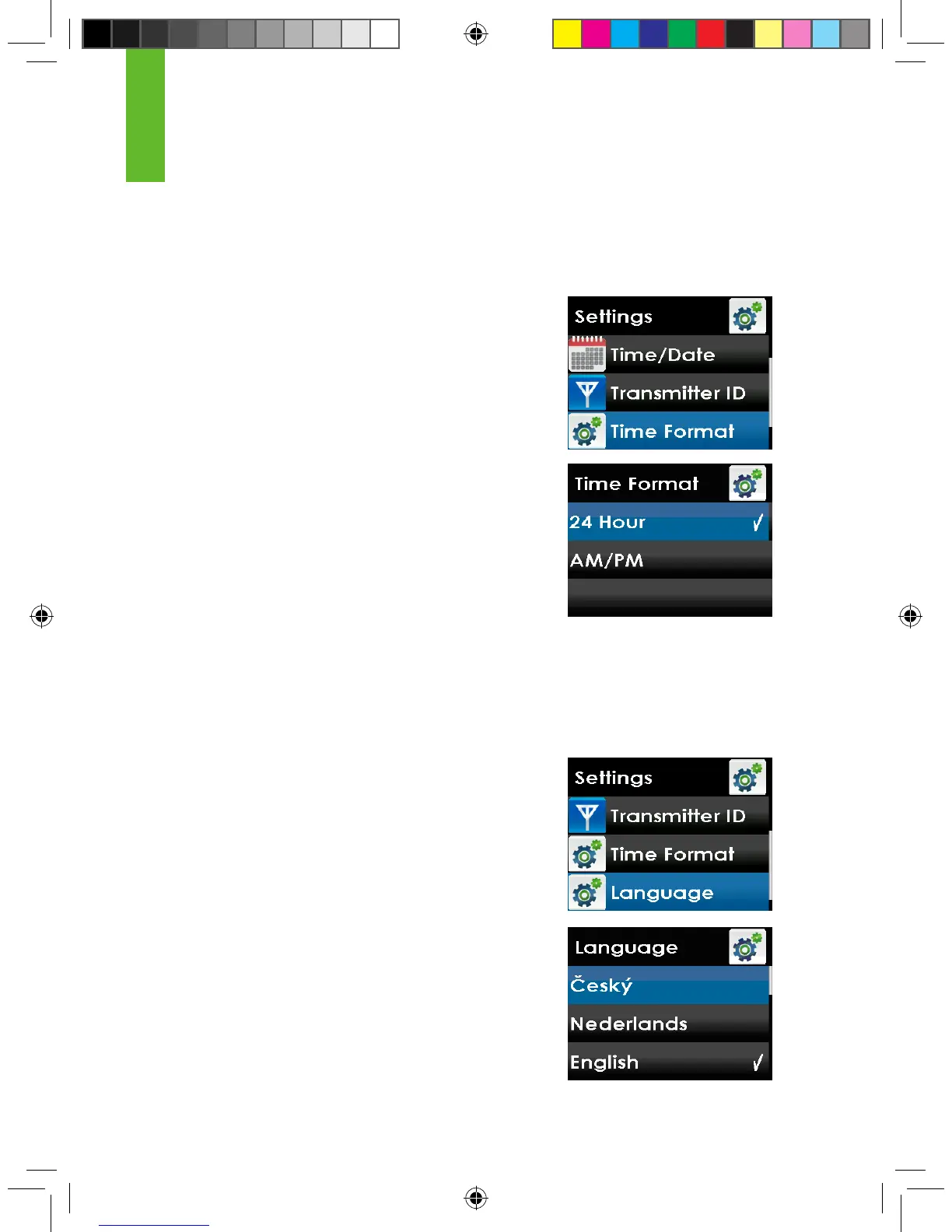
2.2.5 SELECTING YOUR RECEIVER LANGUAGE
To select your receiver language follow the steps below.
1. From the Settings menu, press the UP or DOWN
button to scroll to “Language” and press the
SELECT button.
2. Press the UP or DOWN button to scroll and
highlight your desired language.
3. Press the SELECT button to set the highlighted
language. You will return to the settings menu.
2
2.2.4 SETTING YOUR RECEIVER TIME FORMAT
To set your receiver time format (24-hour or AM/PM) follow the steps below.
1. From the Settings menu, press the UP or DOWN
button to scroll to “Time Format” and press the
SELECT button.
2. Press the UP or DOWN button to scroll and
highlight your desired time format.
3. Press the SELECT button to set the highlighted
time format. You will return to the settings menu.



 To Next Page