94 | Dexcom G4 Continuous Glucose Monitoring System
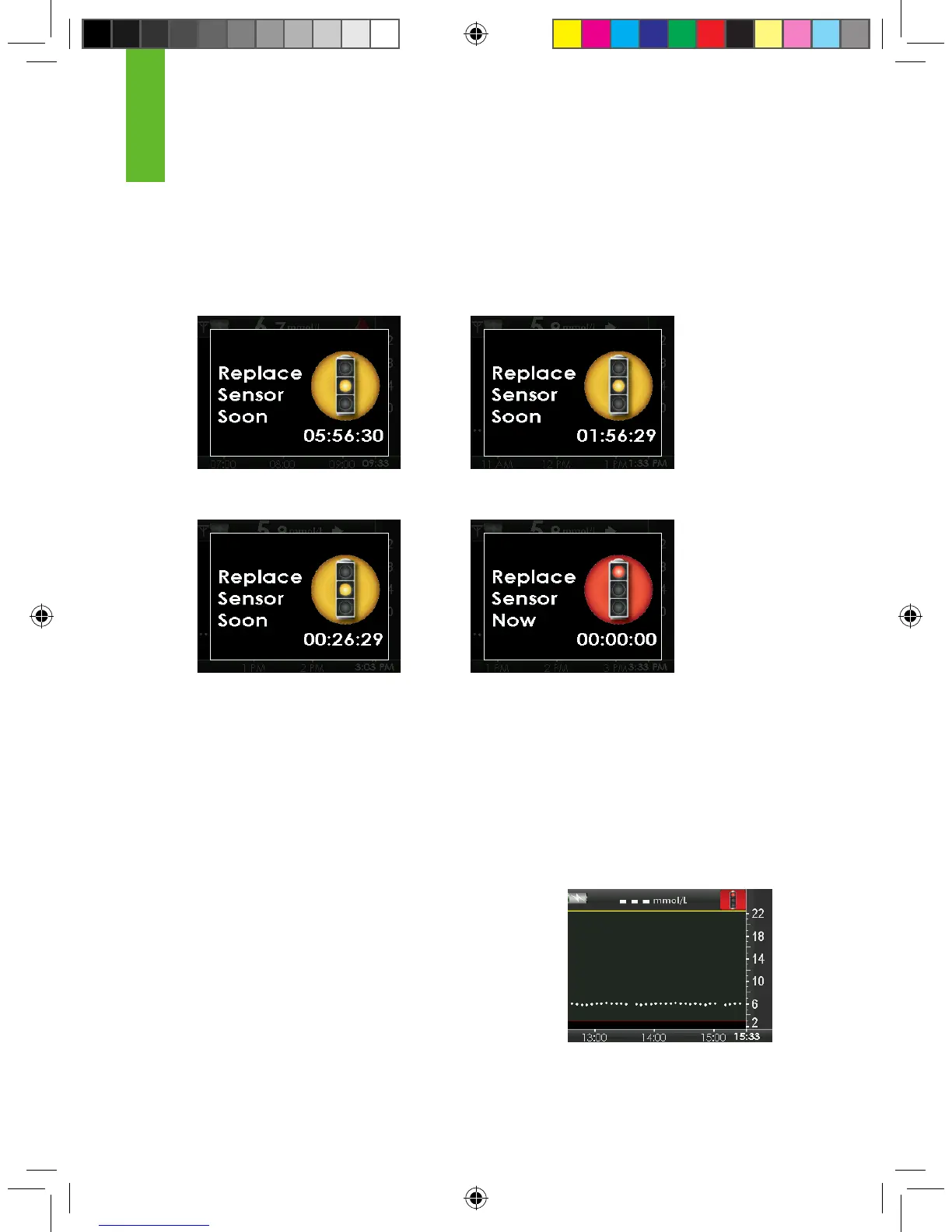
You can set the receiver to alert you with these displays using the proles setting
(see Chapter 6, Section 6.3, Alert Prole Details, “All Other Alerts”). After the
6-hour, 2-hour, and 30-minute reminders, you will continue to receive sensor
glucose readings. You can clear these screens by pressing SELECT on the
receiver. You must remove your sensor after the nal sensor expiration screen
(00:00:00) appears.
Once your sensor session has ended, sensor glucose
readings will no longer be shown on the receiver. The
trend graphs will indicate that the sensor session has
ended by displaying a red stoplight symbol at the top
as shown in the screen to the right.
You will need to remove your sensor and insert a new
sensor.
Sensor expiration notication
end of session screen
30-minute sensor expiration
notication screen
8.1 AUTOMATIC SENSOR SHUT-OFF
The receiver will tell you how much time you have remaining until your sensor
session is complete. The sensor expiration screen will appear at 6 hours, 2
hours and 30 minutes before your 7-day sensor session ends.
6-hour sensor expiration
notication screen
2-hour sensor expiration
notication screen
8



 To Next Page