28 | Dexcom G4 Continuous Glucose Monitoring System
2
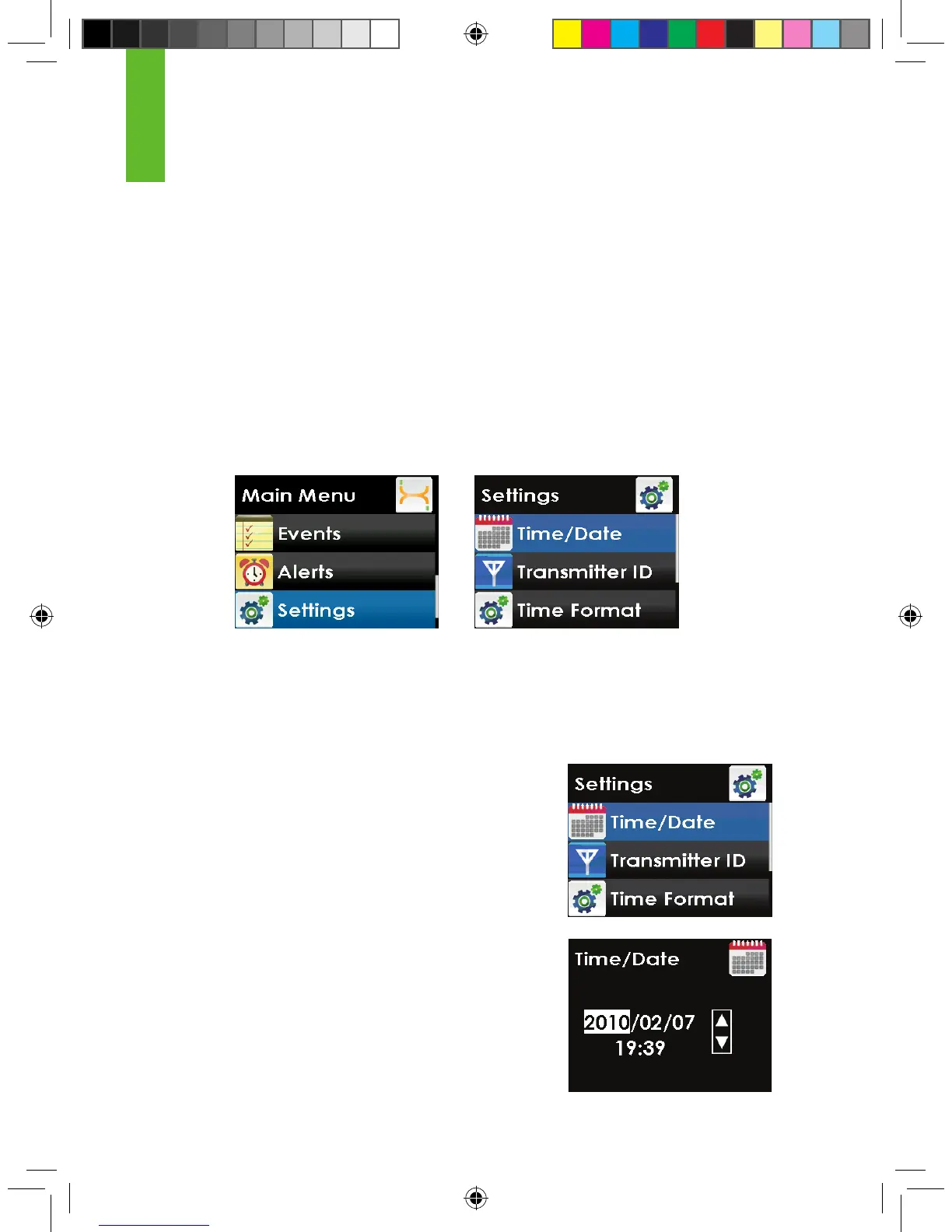
2.2.2 SETTING YOUR RECEIVER TIME AND DATE
To set the time and date follow the steps below.
1. From the Settings menu, press the UP or DOWN
button to scroll to “Time/Date” and press the
SELECT button.
2. Press the RIGHT button to highlight each value in
the date and time. Then, press the UP or DOWN
button to make any adjustments and then press
the RIGHT button to move to the next value. The
date format is YYYY/MM/DD. After choosing the
time, press the SELECT button. You will return to
the settings menu.
2.2 THE SETTINGS MENU
The settings menu shows you how to change the time, date or transmitter ID
after you have already completed the Setup Wizard.
2.2.1 GETTING TO THE SETTINGS MENU
1. Press the SELECT button to turn on the receiver. The 3-hour trend graph will
appear.
2. Press the SELECT button to display the Main Menu.
3. From the main menu, press the UP or DOWN button to scroll to “Settings”
and press the SELECT button. The settings menu will appear.



 To Next Page