76 | Dexcom G4 Continuous Glucose Monitoring System
6
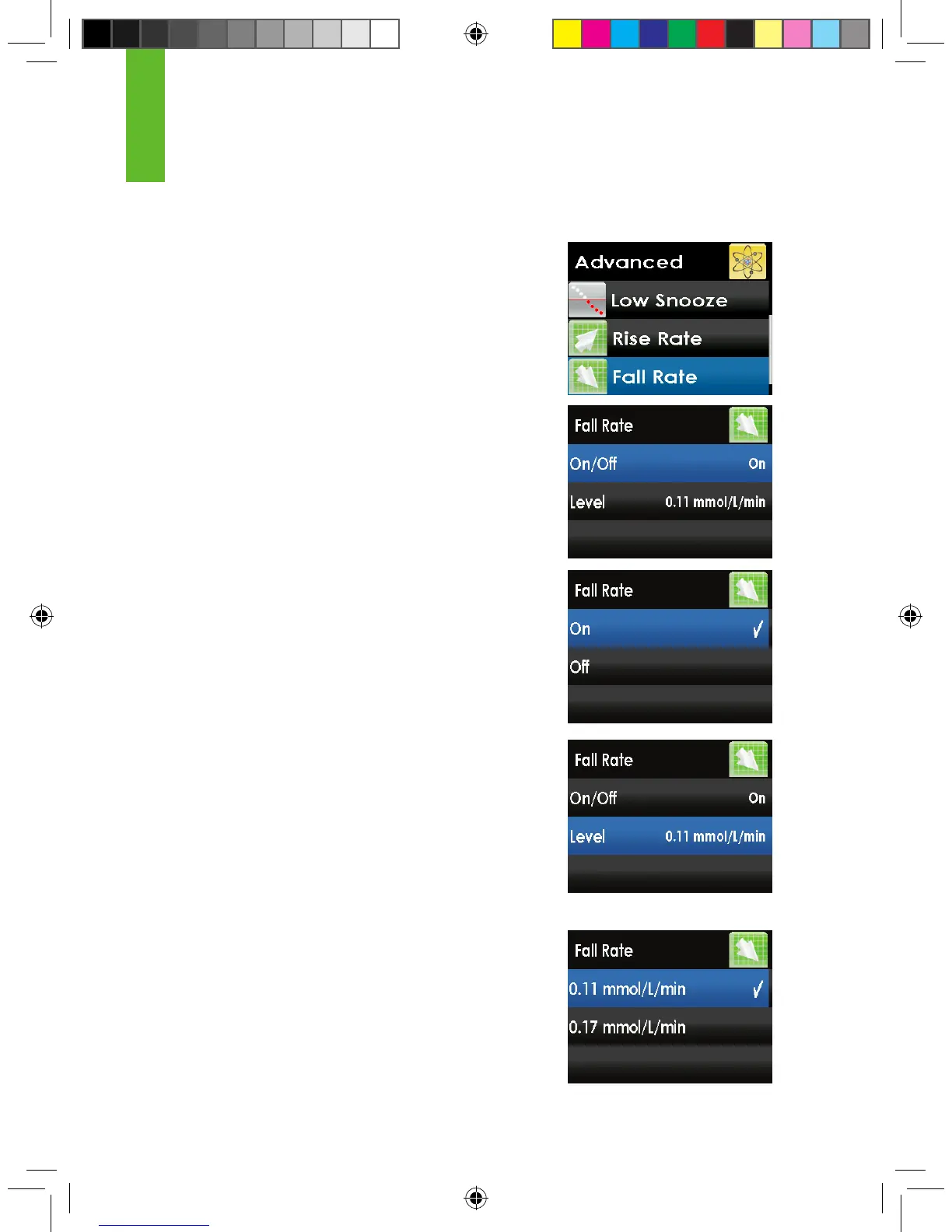
The following steps show you how to change your rise or fall rate alert settings.
1. Press the UP or DOWN button to choose “Rise
Rate” or “Fall Rate” and press the SELECT button.
2. Press the UP or DOWN button to highlight
“On/Off,” then press the SELECT button.
3. Press the UP or DOWN button to choose “On”
or “Off.” Then, press the SELECT button to select
“On” or “Off.”
4. Press the LEFT button to go back to the previous
screen. Press the UP or DOWN button to select
“Level” then press the SELECT button. Choose
whether the alerts should be delivered when
your glucose levels are rising/falling either “0.11
mmol/L/min” (0.11 mmol/L or more per minute)
or “0.16 mmol/L/min” (0.16 mmol/L or more per
minute). Press the SELECT button.
5. When nished, press the LEFT button to return to
the alerts menu.



 To Next Page