Dexcom ONE User Guide
16
Display device screens
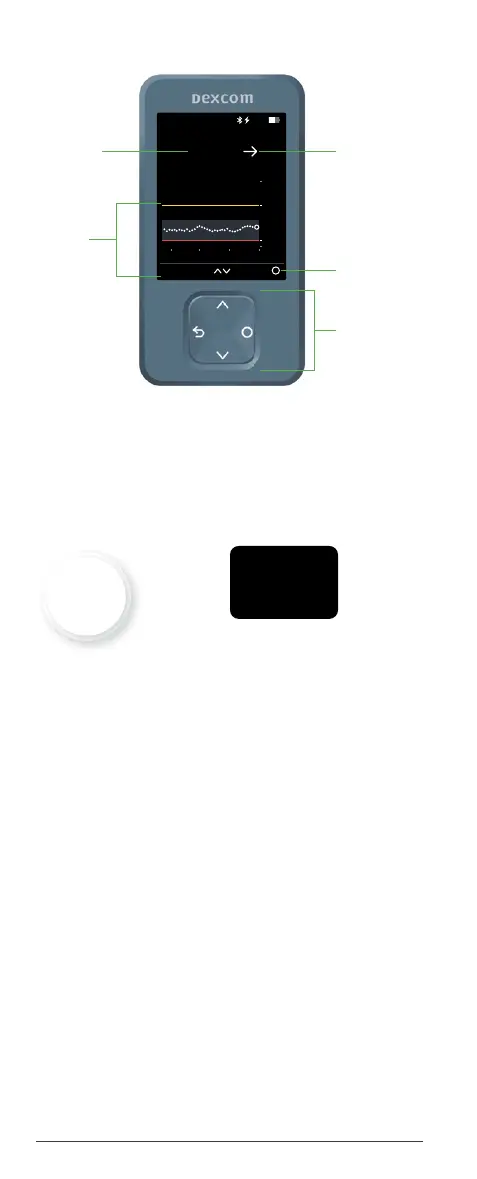
Receiver home screen
Sensor readings
The number at the top of your home screen is your
current sensor reading. It updates every 5 minutes.
App Receiver
If alerts are OFF, the app background and receiver
text will always be white.
When you turn on your:
• Low Alert: Color changes to red when your
glucose goes too low.
• High Alert: Color changes to yellow when your
glucose goes too high.
2
3.9
14.0
22
Now
mmol/L
8.3
Menu3 Hours
10:30 50%
8:00 9:00 10:00
Menu
Navigation
Sensor
reading
Trend
graph
Trend
arrow
8.5
mmol/L



 To Next Page