Dexcom ONE User Guide
49
Troubleshooting
Receiver
1
Go to Menu
2
Select Stop Sensor Session
Remove the sensor and transmitter. Go to
Chapter 6 for more information.
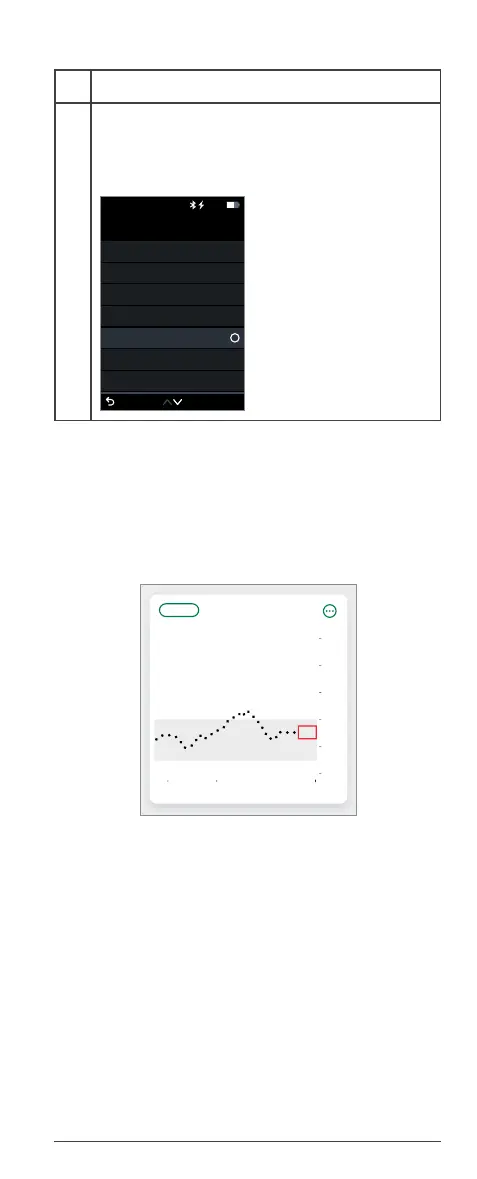
A.8 Gap in graph
Your graph may show a gap if you are not getting
readings. When readings resume, Dexcom ONE can
fill in up to 3 hours of missed readings.
A.9 Technical support
For help with the Dexcom ONE CGM system,
contact Technical Support at dexcom.com, or
contact your local Dexcom representative.
Any serious incident that has occurred in relation to
this device should be reported to the manufacturer
and the competent authority of the Member State in
which you are established.
Menu
Reports
Settings
Information
Help
Power Off
Replace Sensor
Stop Sensor Session
Back
10:30 50%
3 Hours612 24
Now11:0010:009:00
2
6
10
14
18
22



 To Next Page