EasyManua.ls Logo

Dexcom one - Low;High Glucose Alerts and Customization

Dexcom one
92 pages
Print Icon
To Next Page IconTo Next Page

To Previous Page IconTo Previous Page
Loading...
Dexcom ONE User Guide
24
Alerts
4.1 Low and high alerts
What You See What It Means
App
Receiver
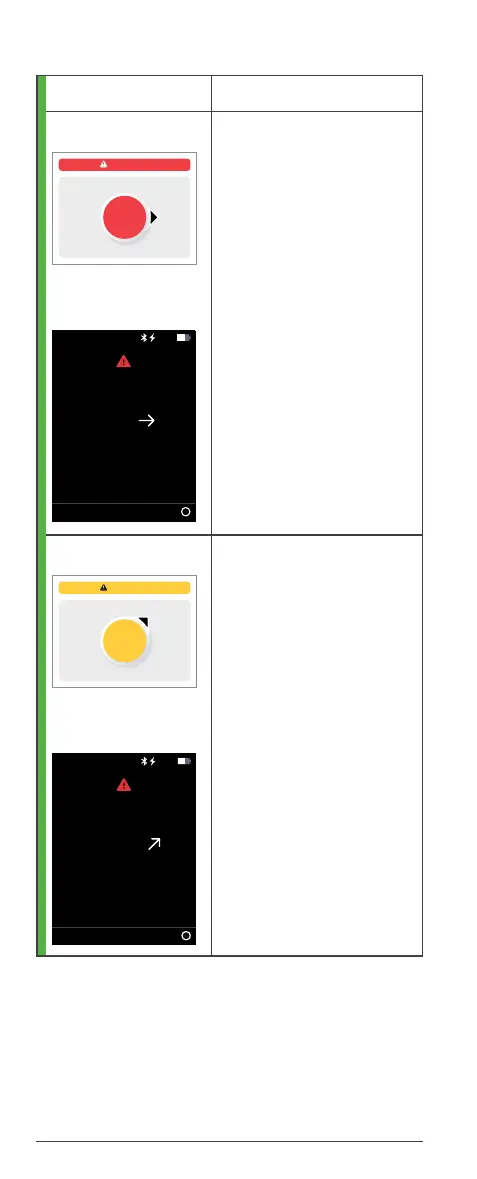
Low Glucose Alert
(Low Alert)
Lets you know your
Dexcom ONE sensor
reading is below your Low
Alert level.
Turn on your Low Alert
during setup.
Change it in the app
by going to Settings
> Alerts.
Change it in receiver
by going to Menu >
Settings > Alerts.
You can choose your
alert level and tone.
App
Receiver
High Glucose Alert
(High Alert)
Lets you know when
your Dexcom ONE sensor
reading is above your High
Alert level.
Turn on your High
Alert during setup.
Change it in the app
by going to Settings
> Alerts.
Change it in receiver
by going to Menu >
Settings > Alerts.
You can choose your
alert level and tone.
OK
Low Glucose
3.8
mmol/L
Low Glucose Alert
OK
3.8
mg/dL
10:30 50%
High Glucose
OK
18.5
mmol/L
High Glucose Alert
OK
18.5
mg/dL
10:30 50%

Table of Contents

Other manuals for Dexcom one

Related product manuals