Dexcom ONE User Guide
48
Troubleshooting
Issue
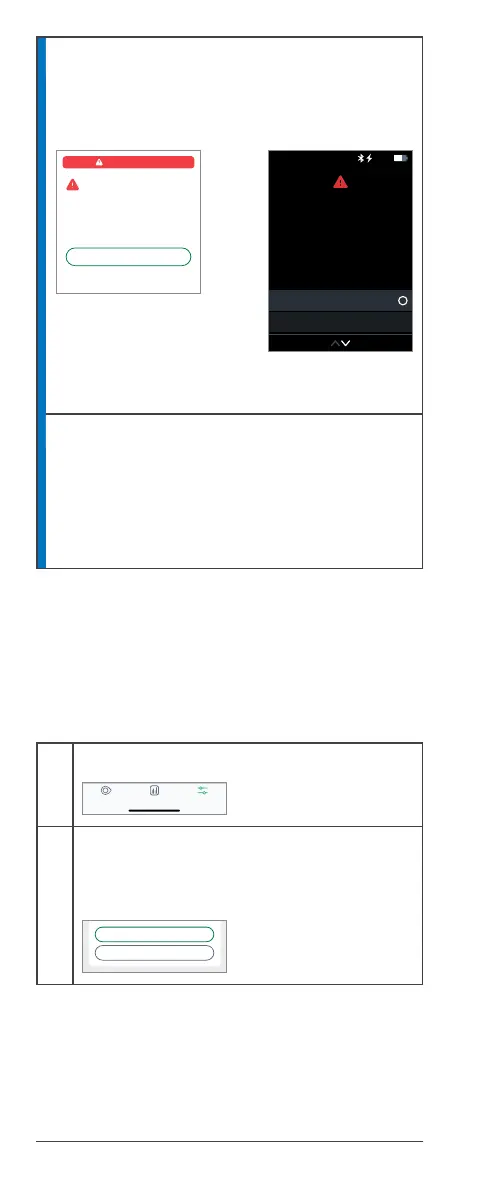
Transmitter failed
App Receiver
Transmitter not working. Sensor session
automatically stops.
Solution
To report this issue and get a replacement,
contact Technical Support at dexcom.com, or
contact your local Dexcom representative. No
alerts or sensor readings until replaced. Use
your BG meter for treatment decisions.
A.7 End sensor session early
You might want to end your sensor session early.
Once you stop your sensor session, you will not be
able to restart it.
App
1
Tap Settings
2
Tap Stop Sensor Session
Remove the sensor and transmitter. Go to
Chapter 6 for more information.
No Alerts
Remove Sensor Now
Replace the old and pair a new
transmitter with a new sensor.
OK
Sensor Removal Instructions
Transmitter Failed
Transmitter Failed
Pair New Transmitter
Dismiss
No readings or alerts.
Remove sensor and
transmitter now. Pair a new
transmitter with a new
sensor.
10:30 50%
SettingsReportsGlucose
REPLACE SENSOR
STOP SENSOR SESSION



 To Next Page