Dexcom ONE User Guide
15
Display device screens
Chapter 3
Display device screens
This chapter describes the Dexcom ONE glucose
information and navigation features on your display
device.
3.1 Home screen
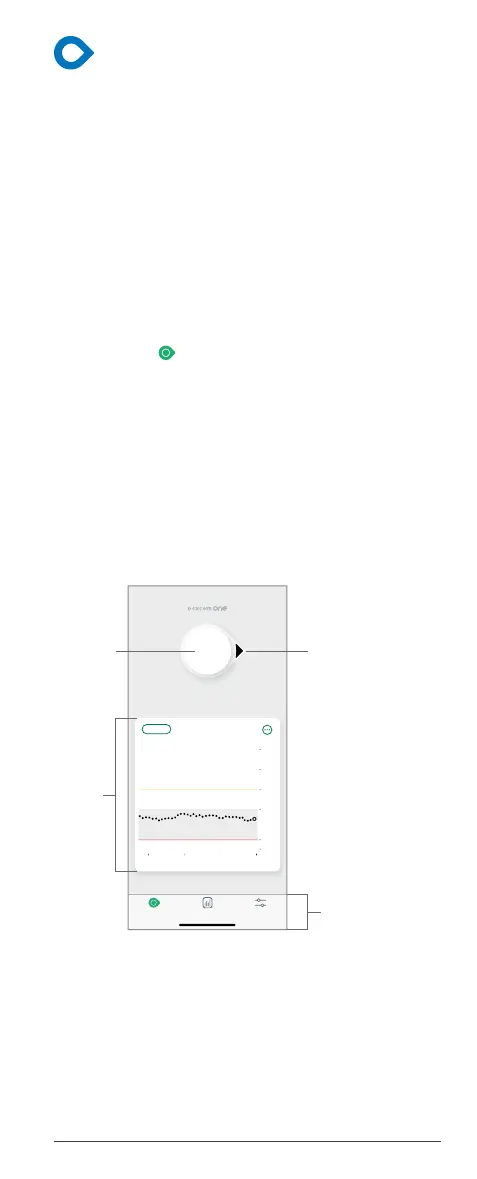
You spend most of your time on the home screen. It
shows your sensor readings (readings) and glucose
trend information. In the app, the home screen is
called the Glucose screen. Access it by tapping the
Glucose icon in the navigation menu.
Overview
The home screens have 3 main sections:
1. Sensor reading (number) and trend arrow
2. Trend graph
3. Navigation menu or Menu
App home screen
SettingsReportsGlucose
Now11:0010:009:00
2
3.9
10
14.0
18
22
3 Hours 61224
8.5
mmol/L
Navigation
Sensor
rend
Trend
arrow



 To Next Page