71
8514-300-001 REV PR
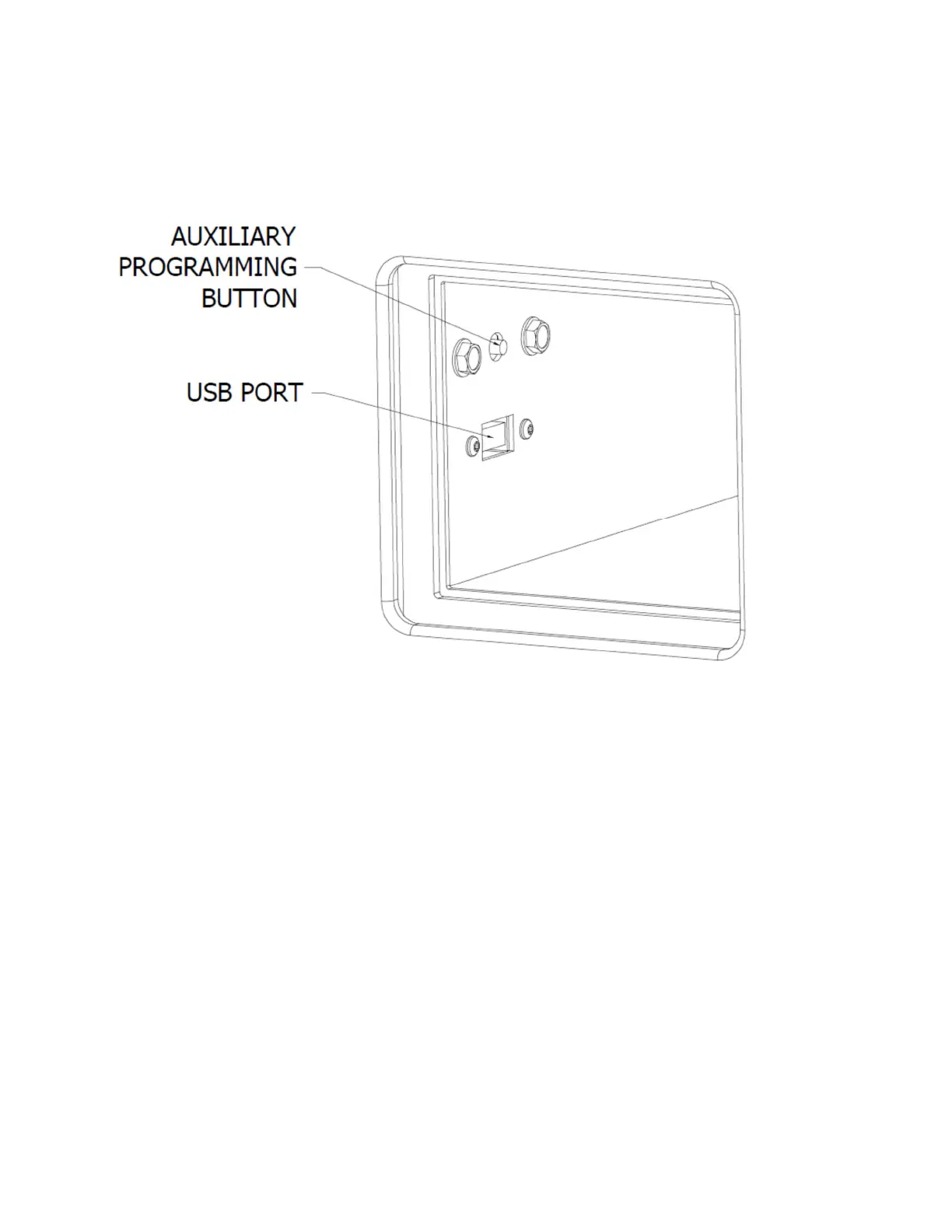
To enter the manual programming mode, for SWDs, the programming button needs to be
pressed for 1 second. The control should display “PROGRAMMING”. There are two
programming buttons on this washer. One is on the control board behind the front panel and
an auxiliary button is inside the coin vault.
Figure 7-42 SWD Locaon of Programming Buon (Locaon of programming buon and USB port inside of the coin vault)










 To Next Page