EasyManua.ls Logo

Dexter Laundry T-900 - User Manual

Dexter Laundry T-900
340 pages
Print Icon
To Next Page IconTo Next Page
Loading...
1
8514-300-001 REV PR
Original Instrucons
Please read this informaon and retain for reference.
Dexter Laundry, Inc.
2211 West Grimes Avenue
Fairfield, Iowa 52556 - USA
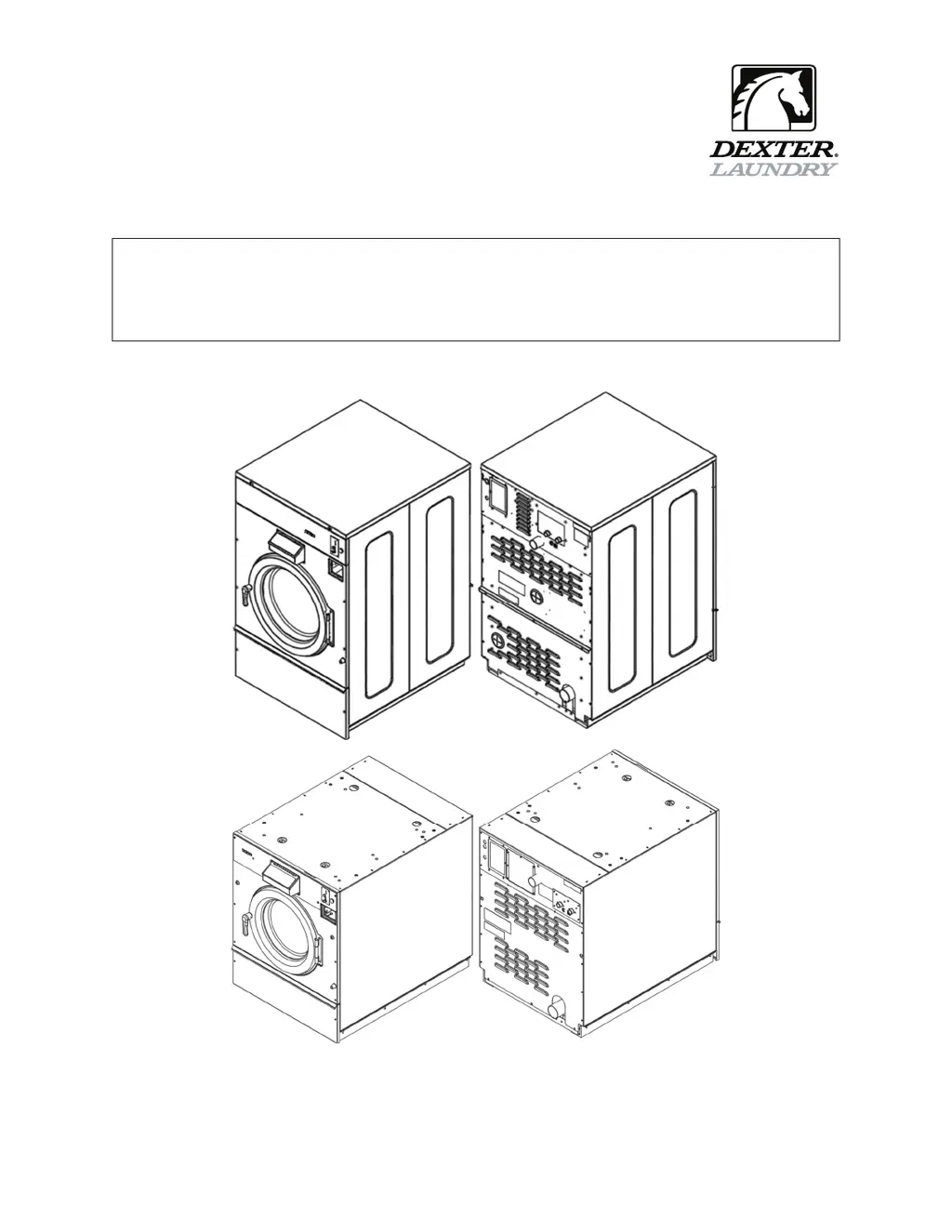
OPERATOR’S MANUAL
INSTALLATION & OPERATION INSTRUCTIONS
FOR COMMERCIAL WASHERS

Table of Contents

Other manuals for Dexter Laundry T-900

Questions and Answers

  • E
    Erin DownsDec 1, 2025
    Why my Dexter Laundry T-900 does not start?
    • K
      Karen MartinezDec 1, 2025
      If your Dexter Laundry Washer does not start, several factors could be at play. Start by examining the power supply, checking circuit breakers, voltage, power leads, and connections, and see if the front display LED shows a dollar amount. Then, check the door switch for continuity when closed; adjust or replace it if there's none. Also, inspect the control breaker or fuse (1.5 amp, or 2.5 amp for T-1200) for continuity, replacing it if needed. Verify the control transformer's voltage output (120VAC), replacing the transformer if incorrect. Make sure that all wire connections of PCB board and Relay PCB are firmly in contact. Check the wiring between PCB, unplug the data cable phone type connectors and VFD and replug with power removed. Finally, confirm 120V power reaches the door solenoid w...
  • C
    Christine FernandezSep 7, 2025
    What to do if cold water does not enter the tub in wash cycle of my Dexter Laundry T-900?
    • S
      Savannah Glass MDSep 7, 2025
      If cold water isn't entering the tub during the wash cycle of your Dexter Laundry Washer, start by checking the water valve coil for continuity at the terminals and replace it if there's no continuity. Also, check for 24 VAC (50 Hz) power from the main relay PCB. Inspect the water inlet screens for blockage and clean them if necessary. Ensure that the water supply is turned on and operating correctly. Finally, check the black and white wire at the Molex plug on the main PCB controller P21 connection and at the PCB relay board P20 connection, and examine the pressure switch continuity between terminal contacts. If no continuity, check the pressure switch hose for obstruction. If the hose is okay then change the pressure switch.
  • F
    fmuellerSep 1, 2025
    Why no cold water to tub in wash for Dexter Laundry T-900 Washer?
    • B
      briansuttonSep 1, 2025
      If cold water isn't entering the tub during the wash cycle of your Dexter Laundry Washer, start by checking the water valve coil for continuity at its terminals; replace it if there's no continuity. Next, inspect the water inlet screens for blockages and clean them if necessary. Ensure that the water supply is turned on and operating correctly. Check the black or white wires at the Molex plug on the PCB at the main controller and at the relay PCB. Lastly, test the pressure switch for continuity between terminal contacts; if there's no continuity, check the pressure switch hose for obstructions, and replace the switch if the hose is clear.
  • M
    Michele JonesSep 23, 2025
    How to troubleshoot Dexter Laundry Washer that does not start?
    • J
      Jeffery HudsonSep 23, 2025
      If your Dexter Laundry Washer isn't starting, several components could be the cause. Begin by examining the circuit breakers, voltage supply, power leads, and power connections at both control transformers. Ensure the door switches have continuity when the door is closed; adjust or replace any faulty switches. Inspect the 1.5 amp fuse (or 2.5 amp for 75 lb models) and replace it if it lacks continuity. Verify the voltage input and adjust the transformer tap accordingly, ensuring a 120VAC output from the control transformer. Finally, check all wire connections, the wiring between PCBs, the data cable connectors, and connections P4, P15, and P17 for secure contact.
  • Q
    qclementsNov 24, 2025
    Why my Dexter Laundry T-900 tumbles in only one direction?
    • J
      Justin PopeNov 24, 2025
      If your Dexter Laundry Washer tumbles in only one direction, check the blue and orange wires on the variable frequency drive for alternating 0V to 24 VDC for forward and reverse direction from the Input/Output PCB. Also, check wire connections at the drive. If there's no voltage, check the Input/Output PCB for alternating or Input/Output PCB red output lights for forward #13 and reverse #14. If no red output lights illuminated, check the single red light on the CPU board. If the CPU tests okay, change Ribbon Cables between CPU and Input/Output PCB. If the forward #13 and reverse #14 output lights on the Input/Output PCB are illuminated, check to ensure that 0VDC is going from the Input/Output PCB to the variable frequency drive (only when the lights are on). When lights are off, check to e...
  • J
    Julie ThompsonSep 12, 2025
    What does it mean if my Dexter Laundry T-900 Washer machine does not stop?
    • R
      rebeccasimpsonSep 12, 2025
      If your Dexter Laundry Washer machine does not stop, this could be due to the main PCB, which controls the cycle time and end of cycle. Also, check the braking resistors for continuity and verify the ohms resistance at the braking resistors with the wires removed.
  • T
    Tanner RogersSep 13, 2025
    Why Dexter Laundry Washer machine does not turn?
    • L
      Lisa ThomasSep 14, 2025
      To troubleshoot why your Dexter Laundry Washer isn't turning, begin by checking the VFD (Variable Frequency Drive). Remove the inspection panel and note any numbers or letters displayed. If there's no display, turn off the power to the machine at the breaker for two minutes, then turn it back on to reset. If the issue persists and there's still no display, consider replacing the VFD.
  • F
    farrellmelissaSep 23, 2025
    What to do if the door will not open on Dexter Laundry Washer/Dryer?
    • R
      Robin MurraySep 23, 2025
      If the door on your Dexter Laundry Washer/Dryer won't open, check if the thermoactuator(s) and its mechanism are stuck or binding, preventing the door lock solenoid from opening. Ensure the locking thermoactuator isn't receiving 120VAC during the last 1 1/2 minutes of the cycle and that the unlocking thermoactuator is receiving 120VAC during the last minute. If the thermoactuators don't receive voltage at the correct times, change the timer. If the timing and voltage are correct, replace the thermoactuator.
  • B
    Brooke YoungAug 29, 2025
    Why water does not flush softener compartment of Dexter Laundry T-900 Washer?
    • M
      Michael SextonAug 29, 2025
      If water does not flush the softener compartment of your Dexter Laundry Washer, check to ensure that the water valve is operating. If not, check for 120VAC to the water valve from the Input/Output PCB. If there is 120VAC, change the water valve. If there is no voltage check the Input/Output PCB. Also, check all screens for obstructions and clean them. Ensure that the water is turned on and operating.
  • J
    Justin GeorgeAug 28, 2025
    What causes water comes in but level does not rise in Dexter Laundry T-900?
    • C
      cruzmatthewAug 28, 2025
      If water comes into your Dexter Laundry Washer but the level does not rise, check the drain valve for blockage and the drain valve motor and gear train. If there is power but the drain valve does not close, replace the valve. Check for power to the drain valve; if there's no power, check the (brown/yellow) circuit for power. Also, check or replace the water valve diaphragms.

Summary

Safety Information

General Safety Warnings and Precautions

Crucial safety information covering personnel, installation, operation, and hazards.

Hazard-Specific Warnings

Details on shock, cut, burn, explosion, fire, and other specific hazards.

Servicing and Troubleshooting Safety

Safety advice for maintenance, repair, and troubleshooting procedures.

Safety Symbol Meaning

Explanation of Safety Symbols

Defines warning, danger, informative, and reminder symbols used in the manual.

Introduction

Product Overview and Definitions

Details model identification, washer characteristics, and technical terms.

Unit Specifications

Washer Technical Specifications

Comprehensive technical data for various washer models.

Instructions

Installation Procedures

Guidance on mounting, anchoring, plumbing, and electrical setup.

Operation and Usage Guidelines

Steps for starting, running, programming, and using the washer.

Maintenance and Troubleshooting

Routine upkeep, fault diagnosis, and repair guidance.

Accessories and Parts Information

Details on installation parts, common service parts, and fuses.

Disposal of Unit

WEEE Symbol and Disposal Guidance

Information on the WEEE symbol and proper product disposal.

Declarations of Conformity

Manufacturer Compliance Statements

Certifications and declarations regarding product standards.

Dexter Laundry T-900 Specifications

General IconGeneral
BrandDexter Laundry
ModelT-900
CategoryWasher
LanguageEnglish

Related product manuals