www.dfi .com
11
Chapter 2 Hardware Installation
Chapter 2
Backlight Power Select
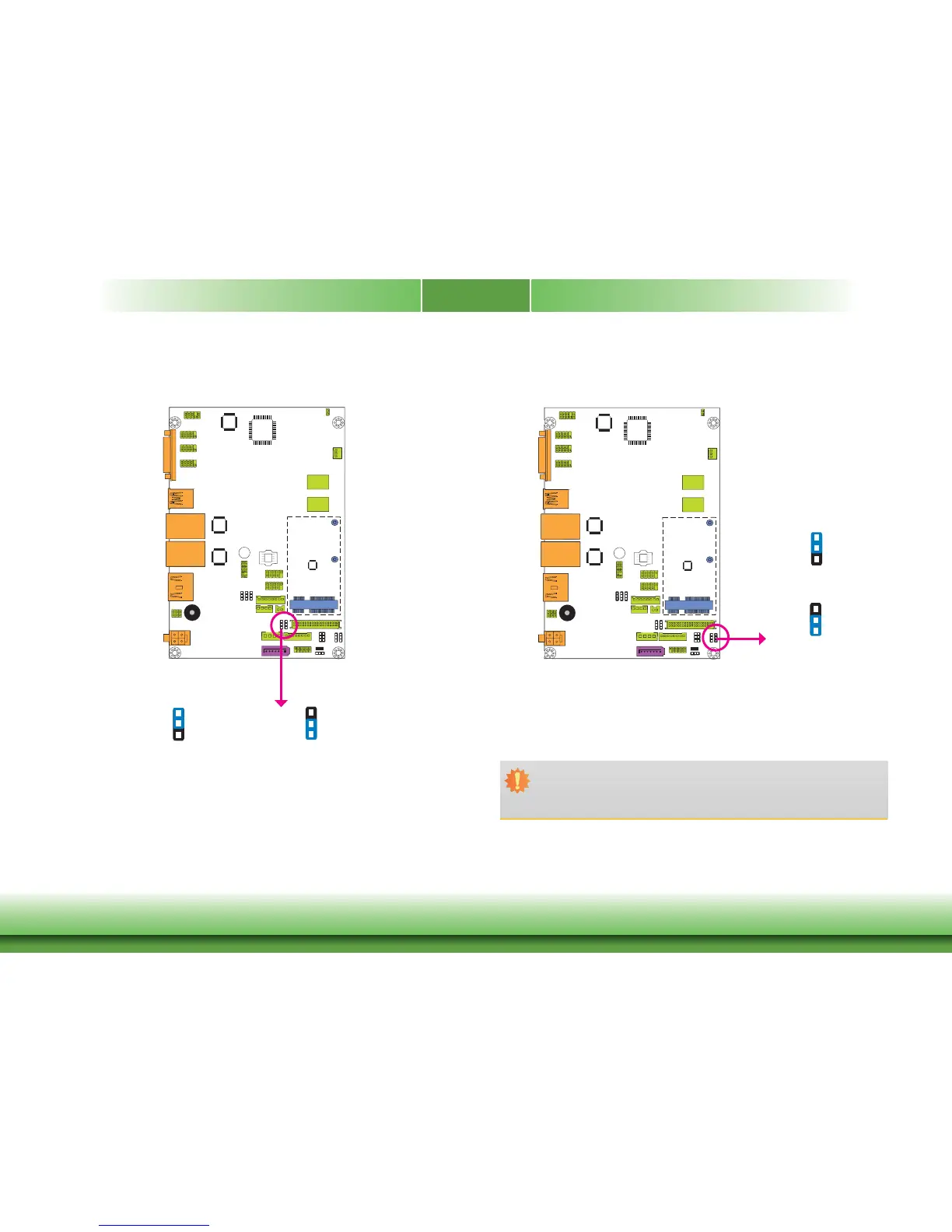
JP7 is used to select the power level of backlight brightness control: +3.3V or +5V.
Important:
Before powering-on the system, make sure that the power settings of JP7 match the
power specification of backlight control. Selecting the incorrect voltage will seriously
damage the backlight.
1-2 On: +3.3V
(default)
2-3 On: +5V
JP7
3
1
2
3
1
2
Auto Power-on Select
1-2 On:
Power-on via power button
(default)
2-3 On:
Power-on via AC power
JP4 is used to select the method of powering on the system. If you want the system to pow-
er-on whenever AC power comes in, set JP4 pins 2 and 3 to On. If you want to use the power
button, set pins 1 and 2 to On.
When using the JP4 “Power On” feature to power the system back on after a power failure
occurs, the system may not power on if the power lost is resumed within 5 seconds (power
flicker).
JP4
3
1
2
3
1
2



 To Next Page