Chapter 6 - Install Windows 7 32-bit into eMMC Storage Devices
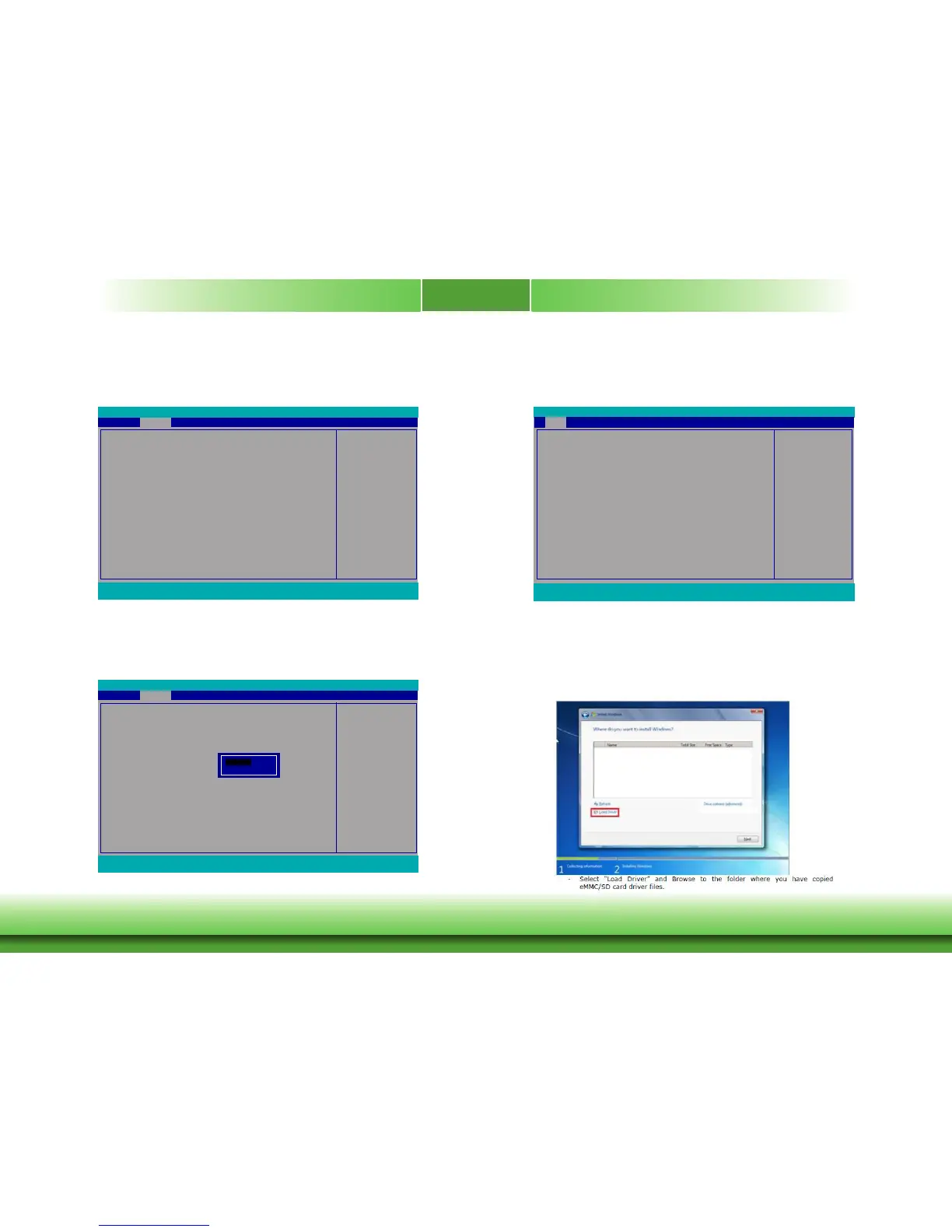
1. Enter the Advance menu and select Boot Configuration.
Congures Boot Settings
Boot Conguration
PCI Express Conguration
Audio Conguration
Miscellaneous Conguration
Security Conguration
Video Conguration
SATA Conguration
SIO NUVOTON6106D
Main
Advanced
F1 Help ↑↓ Select Item F5/F6 Change Values F9 Setup Defaults
Esc Exit ←→ Select Menu Enter Select
SubMenu F10 Save and Exit
InsydeH20 Setup Utility
ExitSecurity Power Boot
Rev. 5.0
2. Select EMMC Install Windows 7 and change the setting to Enabled. Then, save the
change.
EMMC Install Windows 7
Boot Conguration
Numlock <On>
EMMC Install Windows 7 <Disabled>
Advanced
F1 Help ↑↓ Select Item F5/F6 Change Values F9 Setup Defaults
Esc Exit ←→ Select Menu Enter Select
SubMenu F10 Save and Exit
InsydeH20 Setup Utility Rev. 5.0
Enabled
Disabled
3. After step 1 and 2, make sure the memory size has been changed to 2GB on the main
menu.
This is the help for the
hour, minute, second
eld. Valid range is from
0 to 23, 0 to 59, 0 to 59.
INCREASE/REDUCE:
+/-.
InsydeH20 Setup Utility
ExitSecurity
F1 Help ↑↓ Select Item F5/F6 Change Values F9 Setup Defaults
Esc Exit ←→ Select Menu Enter Select
SubMenu F10 Save and Exit
Project Name
BIOS Version
Processor Type
System Memory Speed
Cache RAM
Total Memory
Channel A - SODIMM 0
Channel B - SODIMM 0
System Time
System Date
BT55x
5A.16A
Intel(R) Celeron(R) CPU J1900 @1.99GHz
1333 MHz
2048 KB
2048 KB
2048 KB
[Not Installed]
[13:54:54]
[12/24/2015]
Advanced
Power Boot
Main
Rev. 5.0
4. Enter the WIN7 install screen and follow steps below to load the IO driver.
Installation:
- Prepare any removable media.
- Copy eMMC/SD driver files (Driver location on Bay Trail Driver CD item “eMMC install OS
file”) to any removable media (e.g Windows installation USB).
- Continue the procedure until you reach the screen below.



 To Next Page