www.dfi .com
49
Chapter 4 Supported Software
Chapter 4
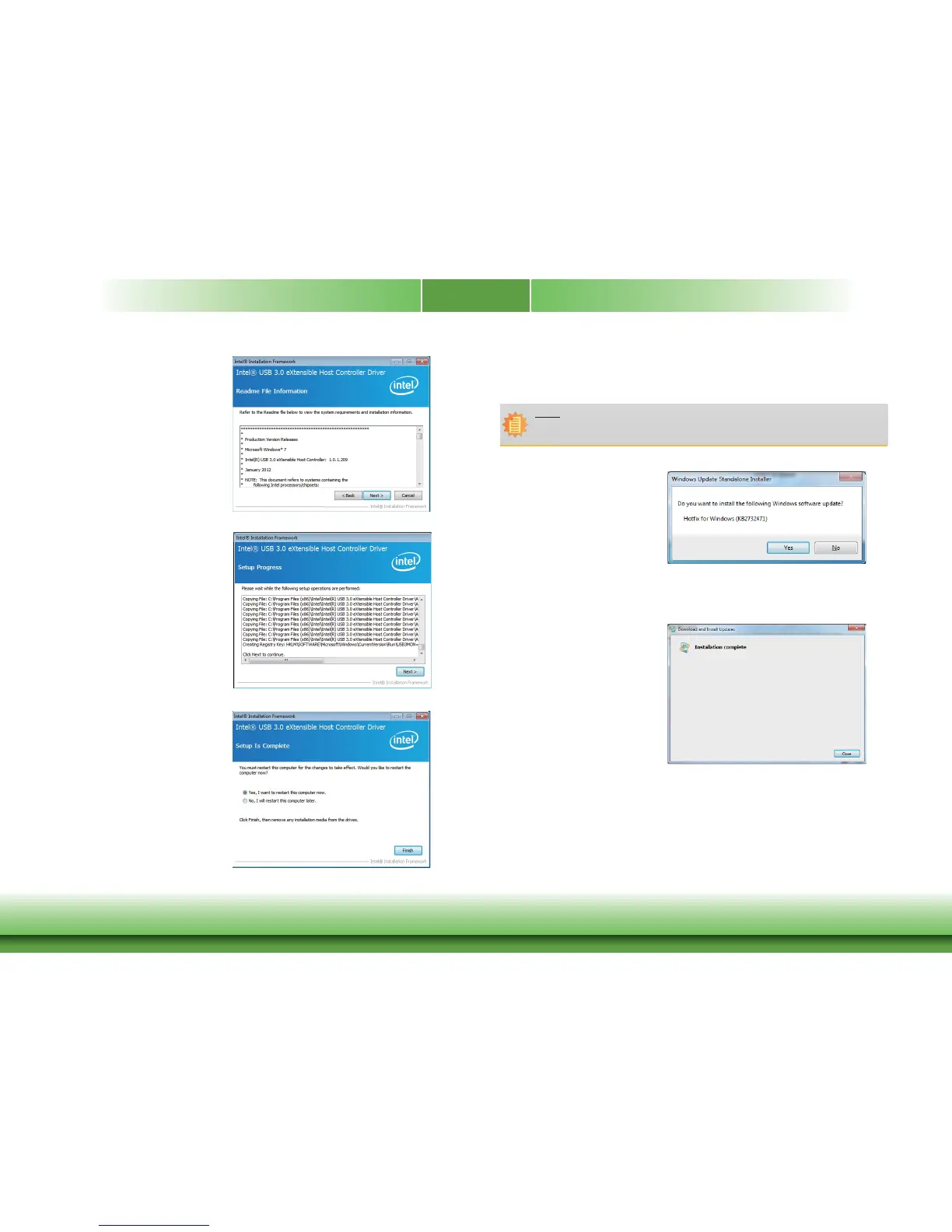
3. Go through the readme docu-
ment for more installation tips
then click Next.
4. Setup is currently installing the
driver. After installation has com-
pleted, click Next.
5. After completing installation, click
Finish.
IO Driver Patch (For Windows 7 - 64bit Only)
To install the driver, click “IO Driver Patch” on the main menu.
1. Click “Yes” to install the driver
update.
2. After the installation is complete,
click “Close“.
Note:
When you have problems in using the IO Driver on Windows 7 - 64bit, you need
to follow the setps to install the IO Driver Patch.



 To Next Page