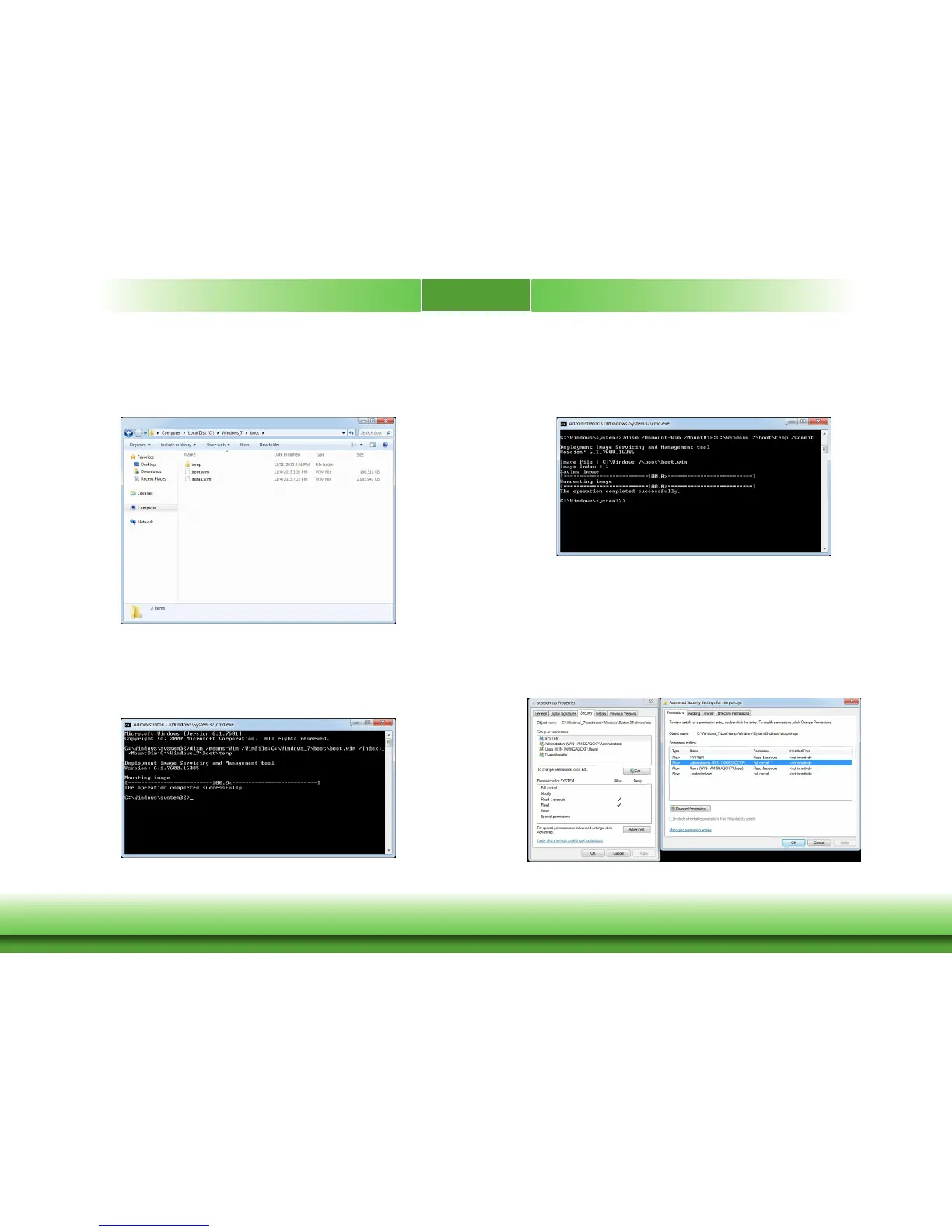
Adjust the Original Windows 7 SP 1 iso
1. First, you need to take the iso from Windows 7 64bit SP1 CD driver and then take boot.
wim and install.wim from the Source folder in iso.
2. Use the administrator authority to open the command prompt and key in: dism /mount-Wim
/WimFile:C:\Windows_7\boot\boot.wim /Index:1 /MountDir:C:\Windows_7\boot\temp to mount
the wim file.
3. Use storport.sys that you get in Step 2 to overwrite storport.sys in Windows\System32\driv-
ers\ of the mounted temp folder.
4. Close the temp folder and then key in dism /Unmount-Wim /MountDir:C:\Windows_7\boot\
temp /Commit into the command prompt to unmount the wim file.
5. Repeat Step 2 to Step 4, and change /Index:1 to /Index:2 in Step 2.
6. Use the administrator authority to open the command prompt and key in:
dism /mount-Wim /WimFile:C:\Windows_7\boot\install.wim /Index:1 /MountDir:C:\Windows_7\
boot\temp to mount the install.wim file.
7. Enter temp\Windows\System32\drivers, but you have no authority to overwrite storport.sys
in the install.wim file.
8. Right click on storport.sys and select “Properties” to enter the “Security” settings. Then,
click “Advanced” for further settings.



 To Next Page