Celeris User Manual
14770-A || ECN # 844 || ECN Date: 28 July 2017 Page 15 of 23
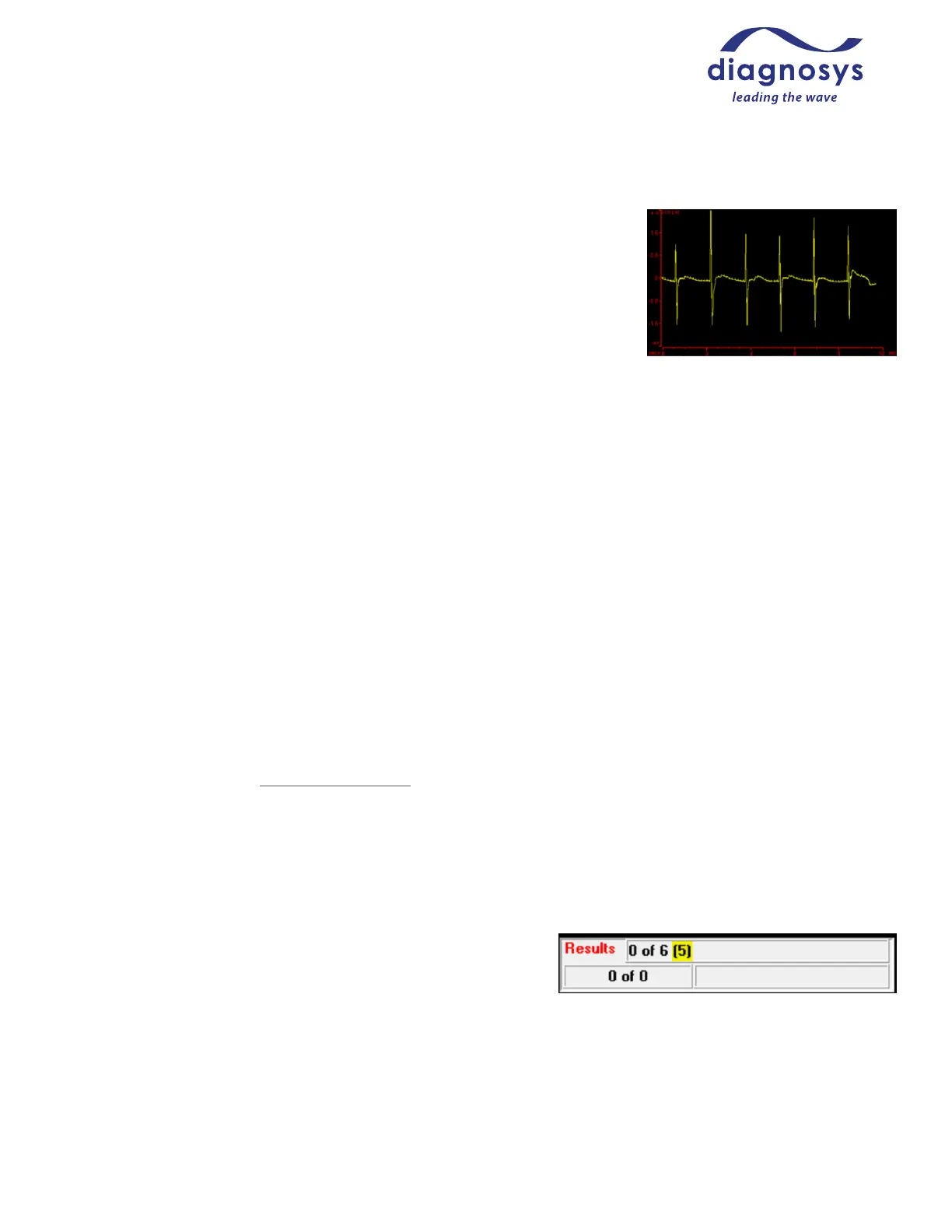
Problem: Respirations and/or heartbeat appearing in the trace
Occasionally, heartbeats and respirations may contaminate a response. While
not typically an issue, respirations can cause very large deviations in signal
(see Figure 22, right, which is scaled at 800 uV/division and recorded for 10
seconds). When using gas anesthetics, large gasping respirations can indicate
too deep a level of anesthesia, and adjusting the gas mixture may reduce this
effect.
Adjusting electrode placement (particularly reference electrodes in
ACTIVE/REF/GND protocols), and careful use of wetting solution can also help
minimize these biological artifacts. The use of thinner wetting solutions (such as saline) can require frequent re-
wetting of the eye, which can cause the fur of the face and chest to get wet, creating a conductive path between
the heart and the ERG electrode. Using smaller amounts of thicker solutions can prevent this from occurring.
Problem: No signal when one is expected
If you are not getting an ERG response when you would expect one, ensure that the stimulus is being presented
and that the flash intensity (if a full-field stimulus) is not outside the specifications of your stimulator, or that the
pattern stimulus is visible through the stimulus viewing window immediately above the electrode/stimulus
aperture. If the stimulus is being presented, ensure that the electrodes are correctly positioned and plugged into
the amplifier, and that the animal’s eye is clear and free of cataracts. If you still are not getting a response, try
another animal – sometimes mice that should be normal aren’t!
Problem: High unexpected inter-ocular variability
The main cause of variability in ERG testing is incorrect electrode placement. Make sure that the electrode is
placed properly (refer to Setup Tips and Tricks for further information on electrode placement). If the variability
persists after re-placing the electrodes, try “hot swapping” the stimulus electrodes – unplug them from all
connections and switch which eye they are stimulating. If the eye with the higher response stays the same
the problem is likely with the animal – try testing the next animal to see if the problem persists. If the larger
response switches to the other eye, contact Diagnosys for further troubleshooting.
Problem: Test is running and running but doesn’t appear to record anything
If the test is running and does not appear to be progressing, the
auto-reject window may be enabled and set too tightly. In the
Results button of the navigation bar, the results tab will report the
number of traces recorded (0 of 6 in Figure 23, right) out of the
number of responses desired (6), and the number of responses
rejected as being outside of the auto-reject window (5). The auto-reject window can be adjusted by pressing
Channels Eye, and adjusting the auto-reject window or disabling the auto-reject entirely. Press Ok to save, and
be sure to make changes to “all real” channels.



 To Next Page