Celeris User Manual
14770-A || ECN # 844 || ECN Date: 28 July 2017 Page 5 of 23
Mice, rats, gerbils and guinea pigs
• 2-channel, fully differential, 32-bit amplifiers have 1 nV resolution over a
4V input range, which provides the highest resolution in the industry
• Ultra-low noise
• 5V input range, ensures amplifier will not saturate
• Common mode rejection ratio (CMMR): >100 dB
Temperature: 99°F / 37° C, ± 1°C
Red (670 nm) and infrared (940 nm) LEDs
Exports natively to .csv, .txt, or to clipboard for easy import into data processing
software such as Excel, SIGMAPLOT, or MATLAB
Flat tabletop covered with waterproof membrane makes cleanup simple and easy
Infrared camera available
Photopic and Scotopic ERG testing
Scotopic Threshold Testing
Flash VEP
Pattern ERG
Bright: .0003 cd.s/m
2
through 700 cd.s/m
2
(extended range available)
Dim: 10
-7
cd.s/m
2
through 10
-1
cd.s/m
2
Computer operating
system
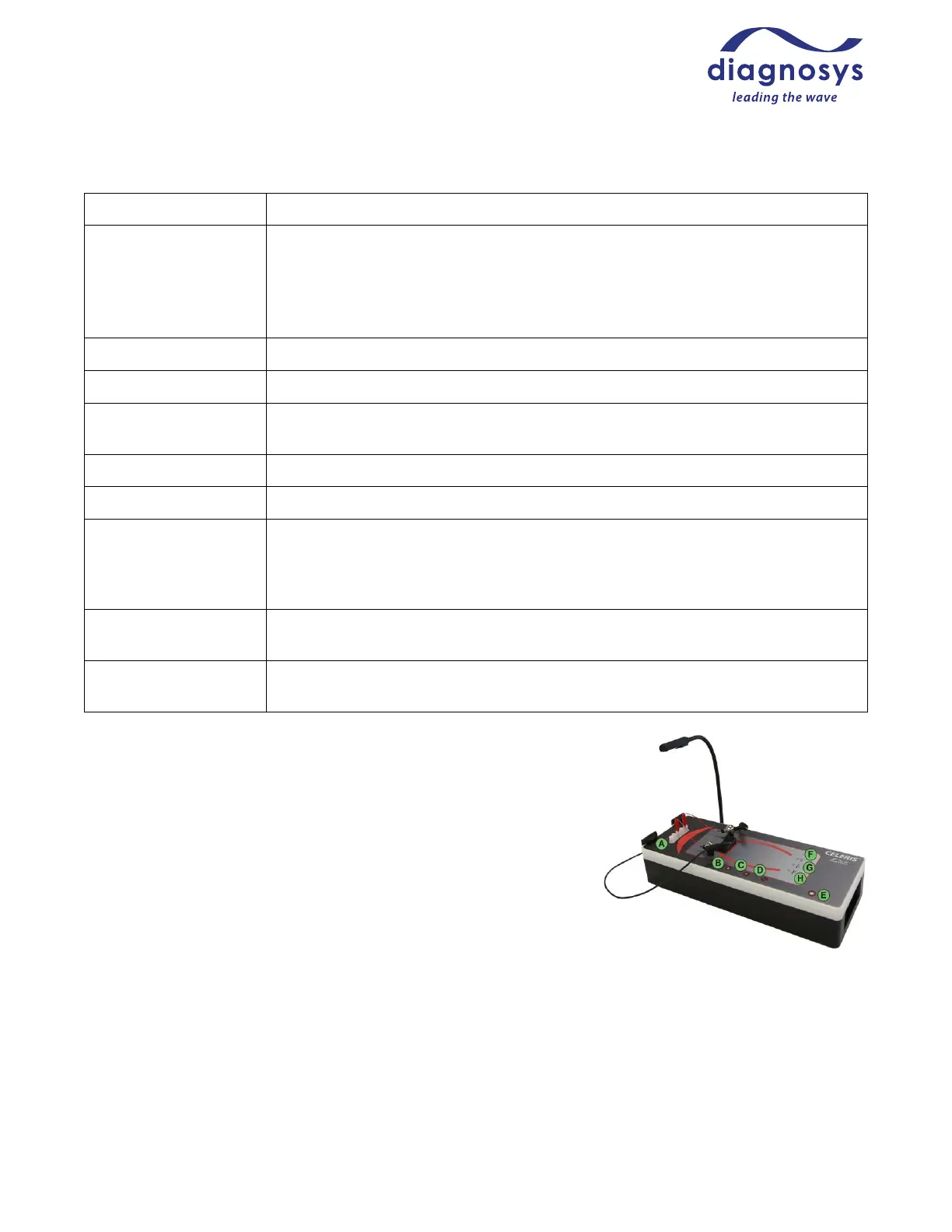
Console Buttons and Status Lights
A: Amplifier inputs
B: Run
C: Pause/Preview
D: Stop/Check Impedance
E: Toggle Safety Light/Set Safety Light Intensity
F: Warming Table Power Indicator
G: Warming Table Below Temperature Indicator Light
H: Warming Table Above Temperature Indicator Light (error state)
Dimensions and Weight
Celeris (height to table top): 15.7 x 6.9 x 5.3 inches (399 x 175 x 135 mm)
Celeris heating table: 6.1 x 4.0 inches (155 x 102 mm)
Celeris weight: 10 lbs (4.5 kg)
Figure 1 - Console control buttons and status lights



 To Next Page