
 Need help?
Do you have a question about the DIALAB DIAcheck C1 and is the answer not in the manual?
Explains standard symbols used in the manual.
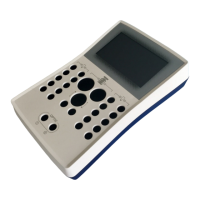
Describes the physical components and features of the DIAcheck device.
Lists essential consumables and optional accessories for the DIAcheck series.
Details the purpose and scope of the DIAcheck series for in-vitro diagnostics.
Provides comprehensive safety guidelines and risk information.
Details the contents included in the standard delivery package.
Specifies the ambient, electrical, storage, and hygienic conditions for operation.
Guides through the initial setup and installation procedure.
Explains how to power the instrument on, off, and use standby/sleep modes.
Information on applying the display protection foil.
Requirements and installation for the external thermal printer.
Requirements and installation for the external barcode scanner.
Details the requirements and installation procedure for TECAM SMART software.
Instructions for registering the instrument online for warranty and service.
Describes the main operating screen and its UI elements.
Explains how to input patient identification (PID) into the system.
Guides on how to select tests to be performed on the DIAcheck series.
Details the measurement screen and interpretation of results.
Explains how to configure system settings like Auto PID, double determination, and countdown.
Covers configuration of test parameters like LOT, expiry, units, and incubation.
Describes how to navigate, print, and reset measurement results.
Provides a step-by-step guide for performing PT determination.
Provides a step-by-step guide for performing PT-B determination from finger blood.
Provides a step-by-step guide for performing APTT determination.
Provides a step-by-step guide for performing FIB determination.
Instructions for logging into the ticket system via the web.
Details on entering voucher information for ticket system.
Procedure for transferring ticket codes to the instrument.
Explains how to use TECAM SMART software with the ticket system.
Displays system version, SIN, PIN, and operational status.
Performs a check of the instrument's optic system and LED intensity.
Generates and displays a comprehensive system report.
Procedure for adjusting and verifying the instrument's temperature settings.
Guides through the process of updating the instrument's firmware.
Provides a diagram and explanation of the mainboard components.
Lists common malfunctions, their causes, and troubleshooting measures.
Procedure to reset the instrument to its factory default settings.
Instructions on how to log into the system as an administrator.
Details on modifying test parameters and protocols.
Provides general guidelines for cleaning the instrument.
Procedures for decontaminating the instrument and working area.
Information on regular maintenance requirements for the instrument.
Specifications and accepted codes for barcode labels.
Lists the technical specifications and performance data of the DIAcheck series.
 General
| Memory | 500 test results |
|---|---|
| Display | LCD |
| Measurement Principle | Photometry |
| Measurement Parameters | Glucose |
| Sample Type | Capillary Blood, Venous Blood |
| Sample Volume | 10 µL |
| Power Supply | 4 x AA batteries |
| Humidity | 10% to 85% RH |
| Wavelengths | 505 nm, 660 nm |

 To Next Page
