Dialab GmbH
Operator's Manual DIAcheck series Rev-4 Page 52
8. WORKING WITH TECAM SMART
Detailed information about installation and operation be be read in the online
manual of TECAM. This is just a quick overview.
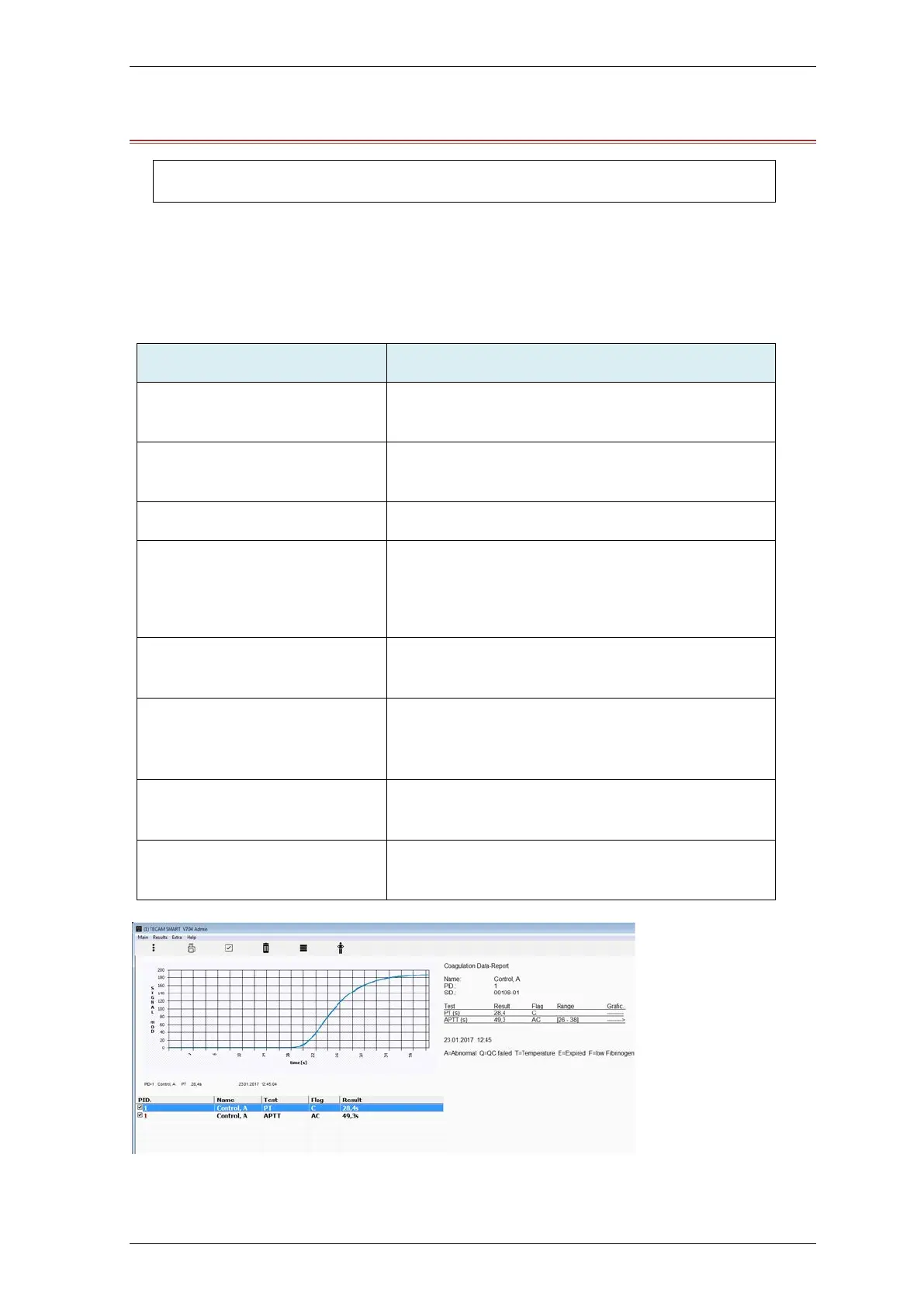
TECAM software is a small local LIS and combines laboratory data management, quality control and
research purpose in one. It connects the DIAcheck to the “big” LIS and and manange results in an
own local database. Flexible filters allow QC with Levey-Jennings graph and Westgard analysis. Each
result can be traced back to reagent lot and calibration.
Receive result from analyser
The results can be reported and manage in a locl
database
Receive reaction curve
Visualize the optical reaction for research, result
verification or failure anaylsis
Connect Patient-ID with name and other information.
LIS communication
Talk to LIS with ASTM-1394 standard protocol
Receive from LIS: Patient information
Send to LIS: Results
Statistical analyze (QC)
Power filters allow quality evey-Jennings graph and
Westgard analysis for controls as well as for patients
integrated TECMONI
This is a powerful research tool to visualize raaction
curve in real time. It is a great tool for reagent
development or adapting nee tests to instrument
Mirror print
Instead of expensive portable thermo printer, use
TECAM as printer
Ticket system
Activation of cuvette in its easiest way. Connect to
ticket system, receive ticket and send to instrument
FIGURE 29: TECAM SMART


 To Next Page
 Loading...