DA16600 FreeRTOS Getting Started with EVK
© 2021 Dialog Semiconductor
8.2 Bootloader Image
<Bootloader image> is also known as the second bootloader and is the first thing loaded into
memory for a factory-created DUT (for example with an empty flash).
Know that this image has SFDP information, which is important sflash type information, so always
load this image before loading the other images.
If you get a new SDK, then you always load the <Bootloader image> first.
1. Power on the DA16600 board.
2. At the [/DA16600] prompt, type reset to go to the Mask ROM prompt [MROM]. See Figure 14.
Figure 14: Mask ROM
3. At the [MROM] prompt, type loady boot. See Figure 15.
Figure 15: Bootloader Prompt on Command Window
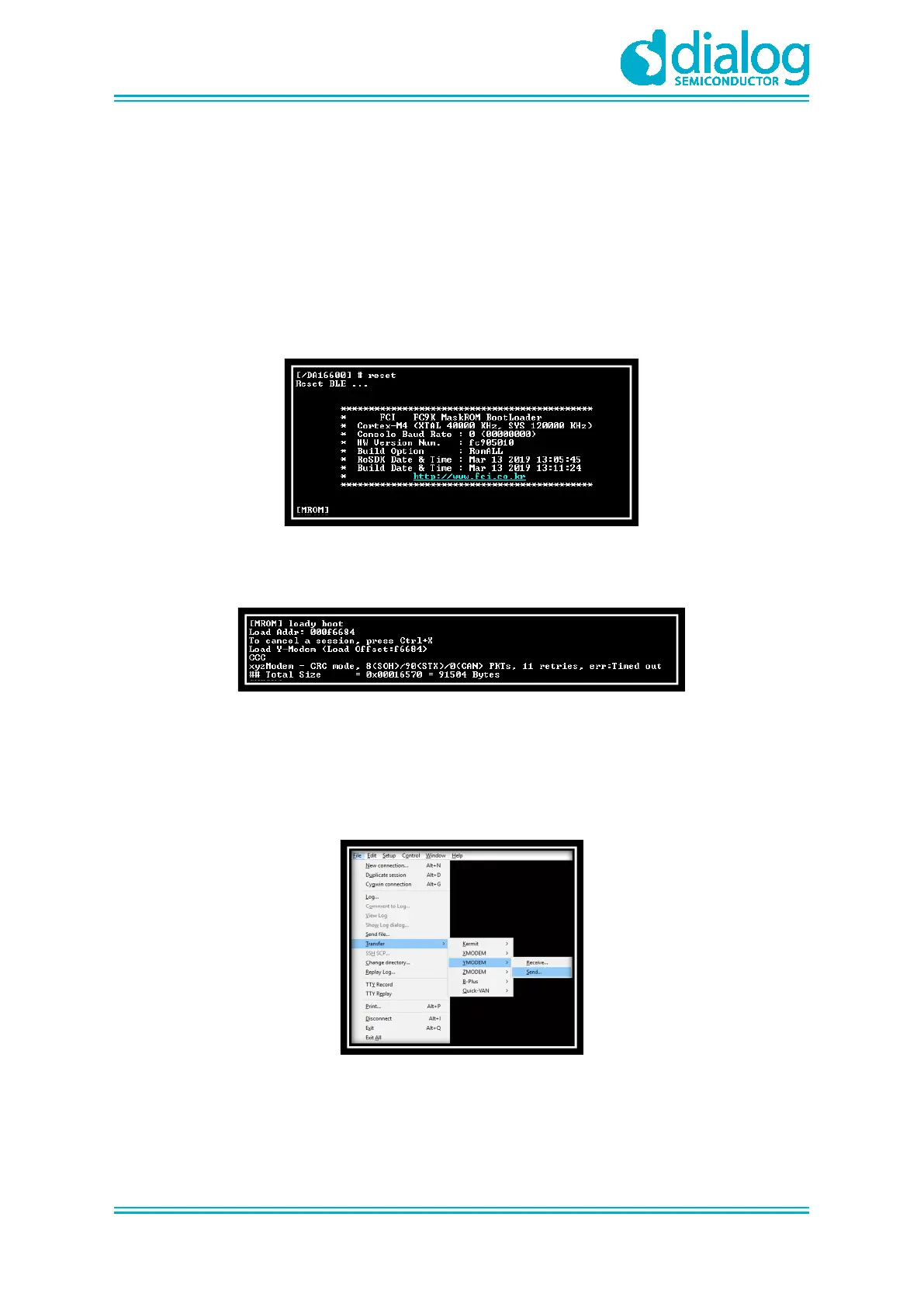
4. Go to File > Transfer > YMODEM > Send to select the image file for the Bootloader. See
Figure 16.
○ For example: DA16600_FBOOT-GEN01-01-xxxxx-xxxxxx_AT25SL321.img
○ The result is printed at the end of the transfer. Ignore any messages like “err:..”
Figure 16: Load Image File
8.3 Main RTOS Image
This <Main image> contains RTOS, Wi-Fi libraries, and system/user applications.



 To Next Page