EasyManua.ls Logo

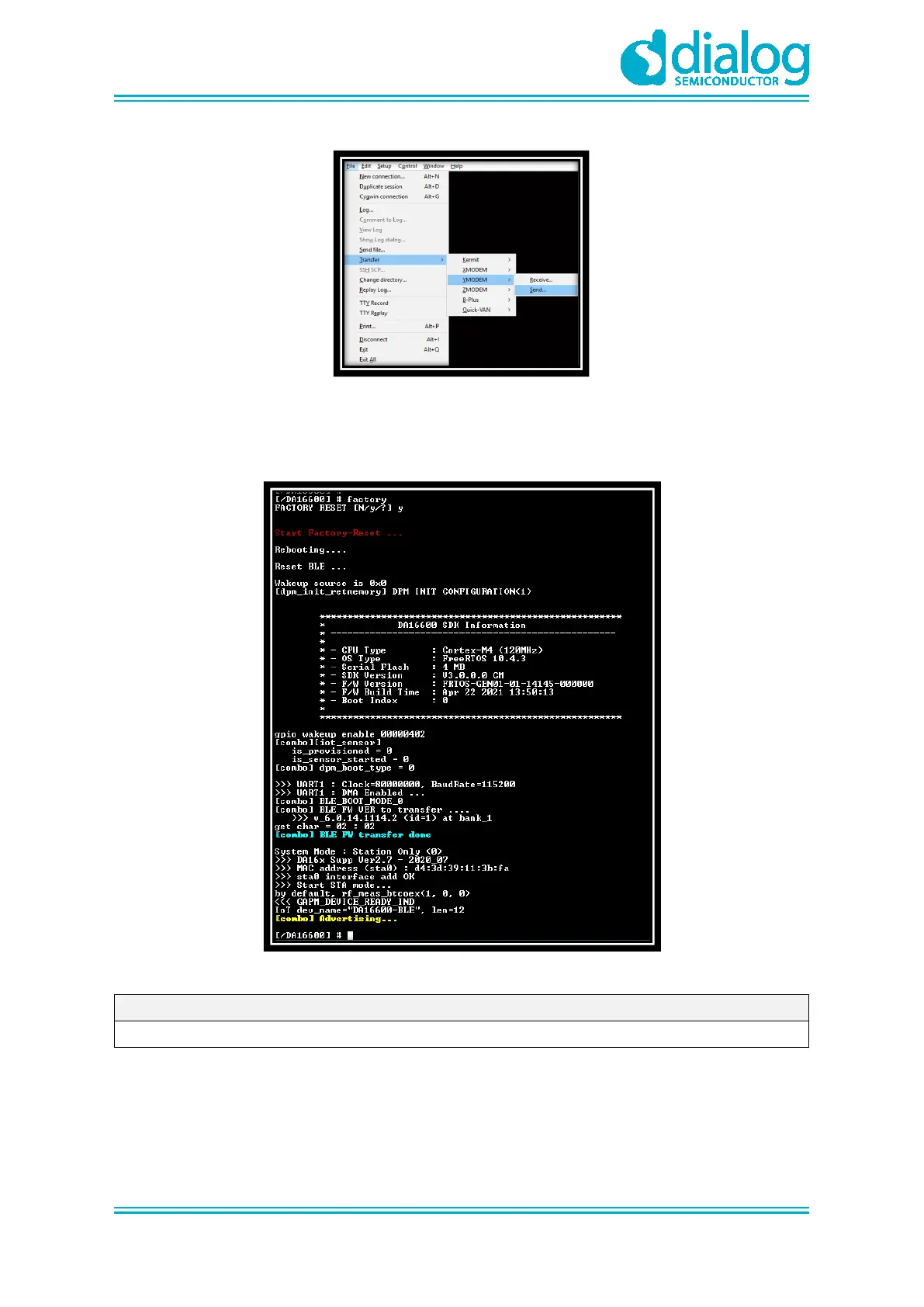
Dialog Semiconductor DA16600 - Figure 20: Load Image File; Figure 21: Factory Mode Prompt on Command Window

Default Icon
25 pages
Print Icon
To Next Page IconTo Next Page
To Previous Page IconTo Previous Page
Loading...
UM-WI-051
DA16600 FreeRTOS Getting Started with EVK
User Manual
Revision 1.0
17-May-2021
CFR0012
17 of 25
© 2021 Dialog Semiconductor
Figure 20: Load Image File
3. If the three images are loaded, then at the[MROM] prompt, type boot to boot your images.
4. Run factory reset as shown in Figure 21.
Figure 21: Factory Mode Prompt on Command Window
NOTE
Now all three required images are loaded.

Table of Contents