DA16600 FreeRTOS Getting Started with EVK
© 2021 Dialog Semiconductor
8.5 Download Image with Script (Macro)
It is possible to download all images automatically with the use of a script.
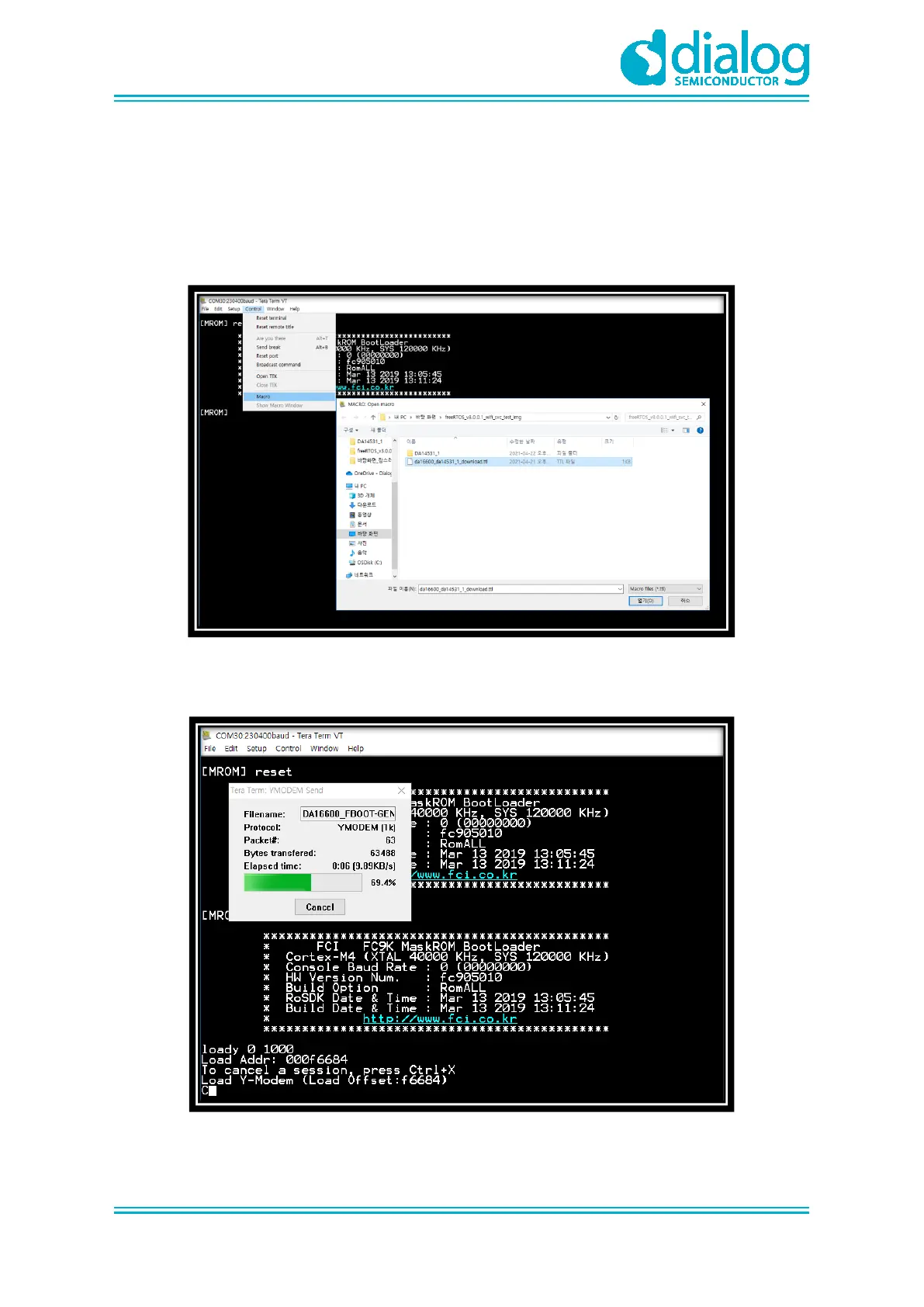
1. In the Control menu, select Macro.
2. In the MACRO: Open macro dialog window, select DA16600_download.ttl file. See Figure 22.
The file path depends on the user`s image storage space.
Figure 22. Load Macro
3. The download starts with the bootloader image. See Figure 23.
Figure 23. Download Bootloader



 To Next Page