1 Introduction
ECO 9099 SOP05-5090F Rev.00 Effective Date: 12/20/18 Page 27 of 58
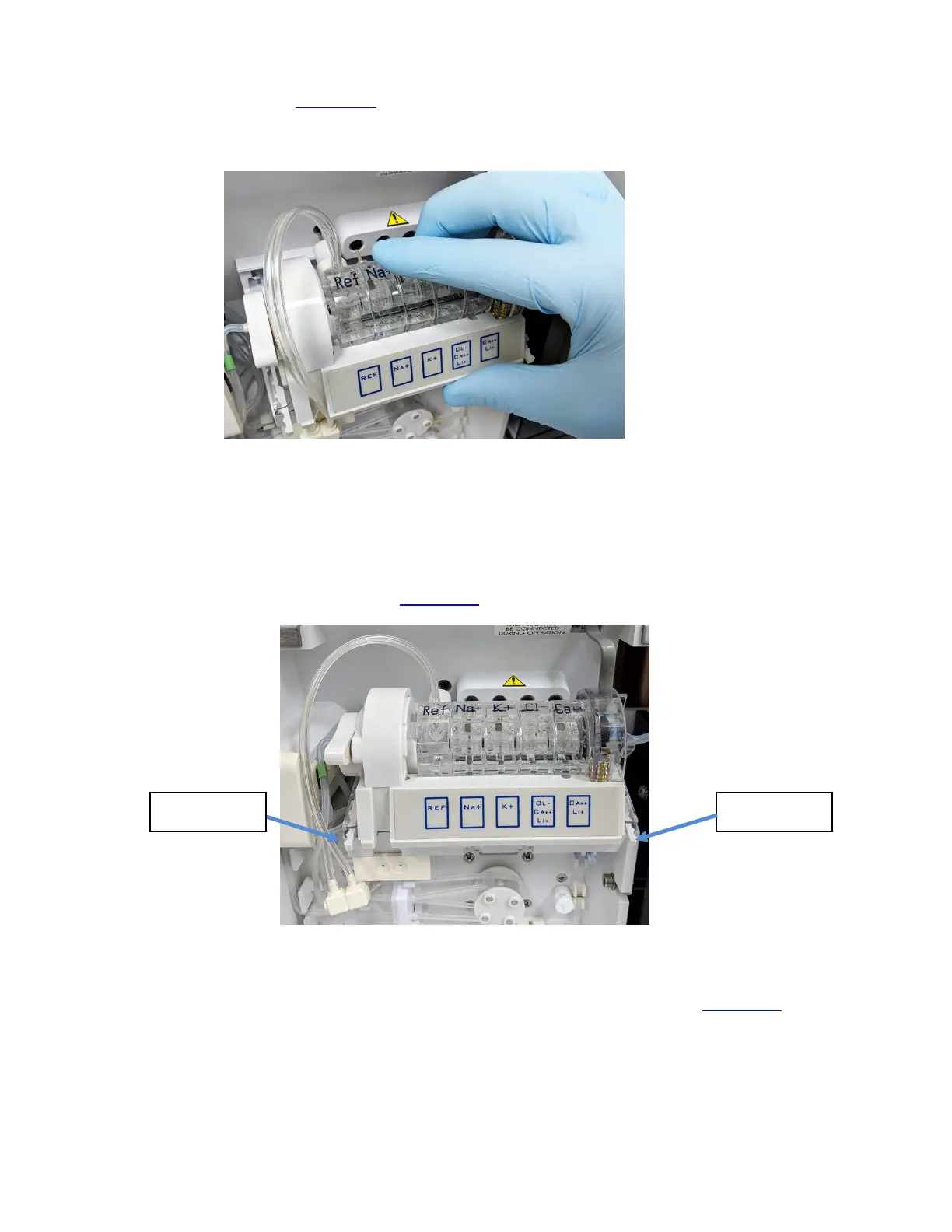
7. At same time, place fingers over the electrodes and thumb below the electrode tray, pull the
tray towards. (Figure 1-33
) The Electrode Tray should slide out easily and electrode pins will
be out of the mating holes.
Figure 1-33 Pulling Electrode Tray Towards you
8. Use each hand to press the plastic tabs on the right and left side of the electrode tray
assembly towards the center of the tray.
9. Slide the Electrode Tray towards you to completely release the tray and remove the
assembly from the analyzer. (Figure 1-34
)
Figure 1-34 Electrode Tray Locking Tabs
The sample sensor (on the right) and the electrode locking mechanism (on the left) can be
removed and replaced by removing the screws on the underside of the tray. (Figure 1-35
)
Plastic Tabs Plastic Tabs



 To Next Page