1 Introduction
ECO 9099 SOP05-5090F Rev.00 Effective Date: 12/20/18 Page 38 of 58
1.3.1.14. Display Board (CN-A4406)
The Rear Panel and CPU board, referenced in Section 1.3.1.2 must be removed to gain
complete access to the display board. To remove the display board;
1. Follow the steps for removing the Rear Panel in Section 1.3.1.2
2. Then follow all steps for removal of the CPU board.
3. Unplug the sample sensor cable from the front.
Figure 1-55 Valve Board, Front
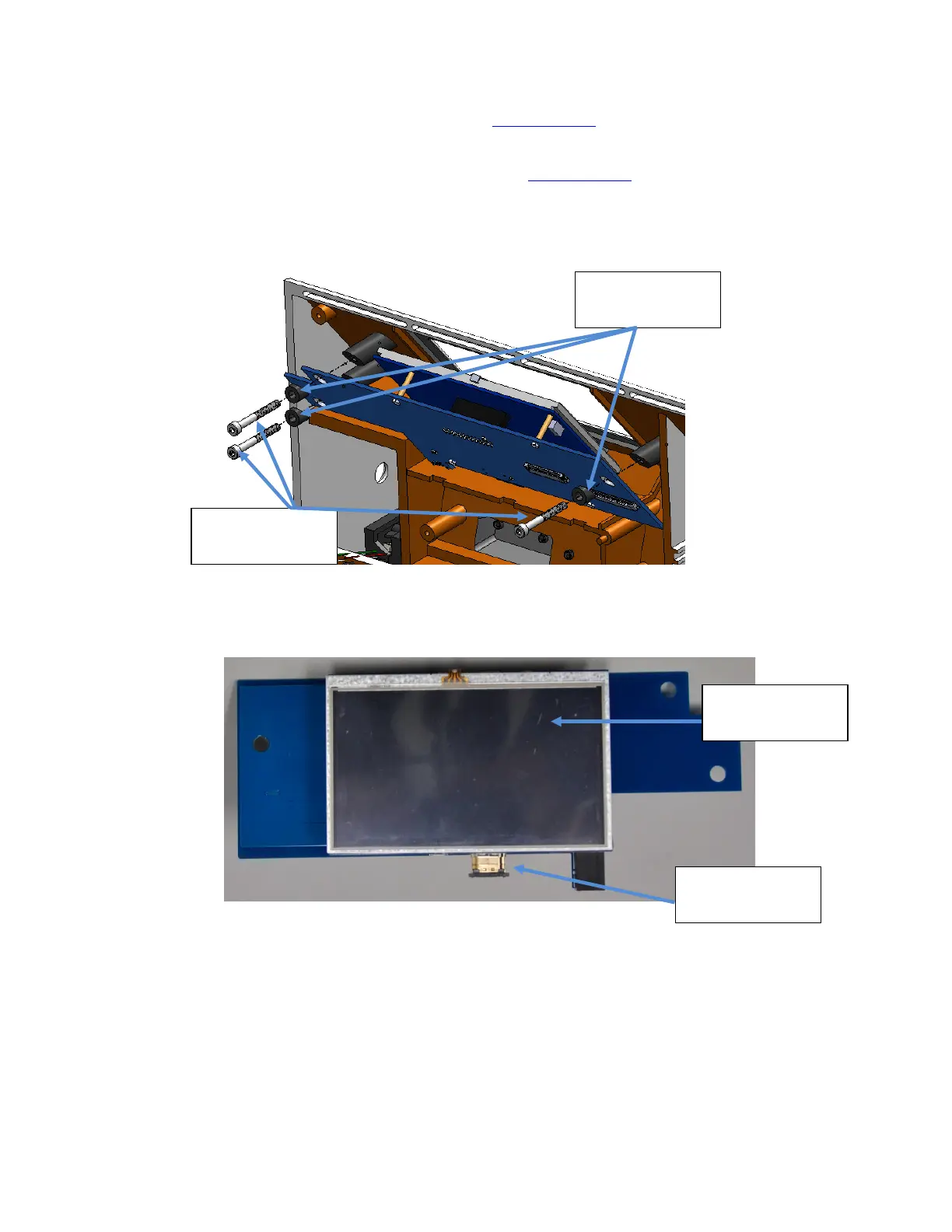
4. Then remove three screws and each of the 50 degree spacers to remove the display board.
Figure 1-56 Valve Board, Front
Display Screen
Sample Sensor
Connector
Display Screws
Display Spacers



 To Next Page