1 Introduction
ECO 9099 SOP05-5090F Rev.00 Effective Date: 12/20/18 Page 35 of 58
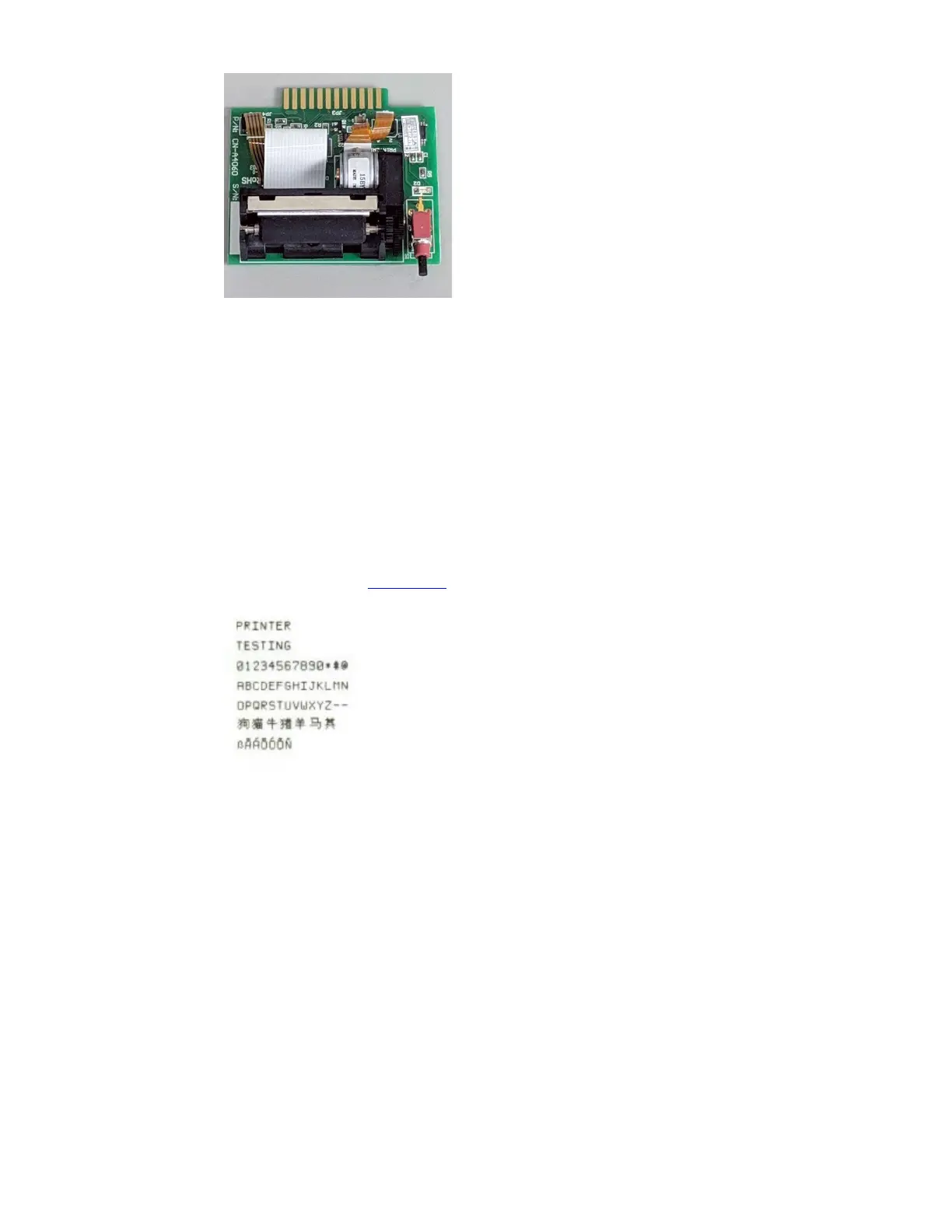
Figure 1-49 Printer Assembly, CN-A4060
Removal of the printer should be performed for replacement and for removal of a paper jam. To
replace the printer;
1. Ensure the instrument is off.
2. Locate the printer board guiding tracks and slide a printer onto the analyzer.
3. Press the printer firmly into place to ensure proper connection to the CPU board.
4. Verify the printer is working by running a printer test under the Diagnostic Menu.
(Main Operations Menu>>>Diagnostics>>>Check Printer)
5. Compare the print out to Figure 1.50
to verify correct function.
Figure 1-50 Pinter test
Note: Never attempt to dislodge paper from the printer with a paper clip or similar object
to avoid damage to the print head or printer platen.



 To Next Page