DI-5000_DP-5000_DPS-5000 Service Manual Edition 2
75
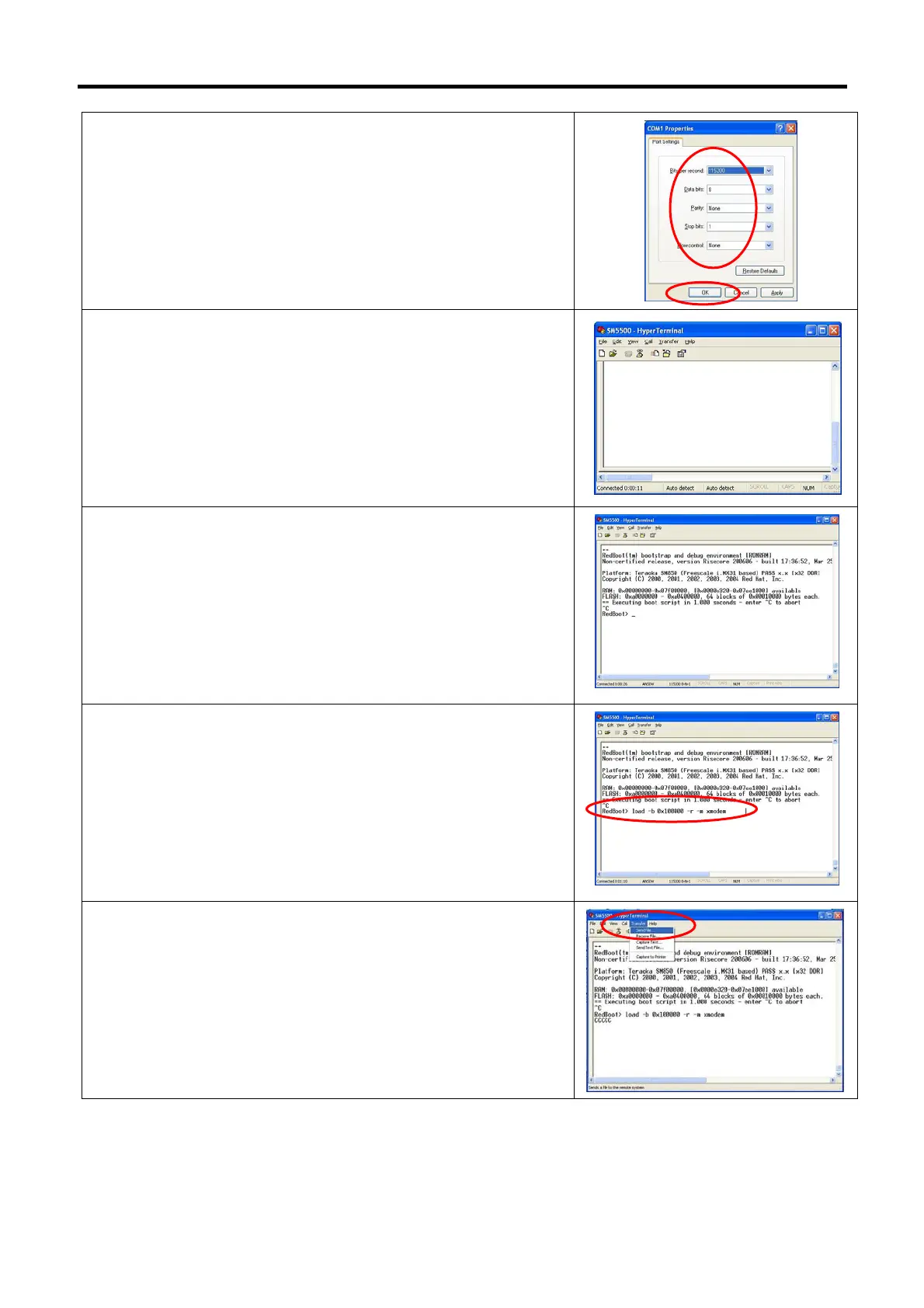
4) Change the Port Settings as below, and then click [Apply] follow
by [OK].
Bits per second: 115200
Data bits: 8
Parity: None
Stop bits: 1
Flow control: None
5) The Hyper Terminal application is ready.
6) Turn “ON” the machine power then press [Ctrl] [C] on the
keyboard. (Monitor will show RedBoot>)
Note: Ctrl C must be press within 1 second. (approx.) after turn
“ON” the machine.
Note: From step 6 ~ 18 is procedure to downloading
bootloader_kernel.bin
7) Keying the command [load –b 0x100000 –r –m xmodem] and
press keyboard [Enter] button.
8) Select [Transfer] [Send File…].



 To Next Page
 Loading...
