DI-5000_DP-5000_DPS-5000 Service Manual Edition 2
76
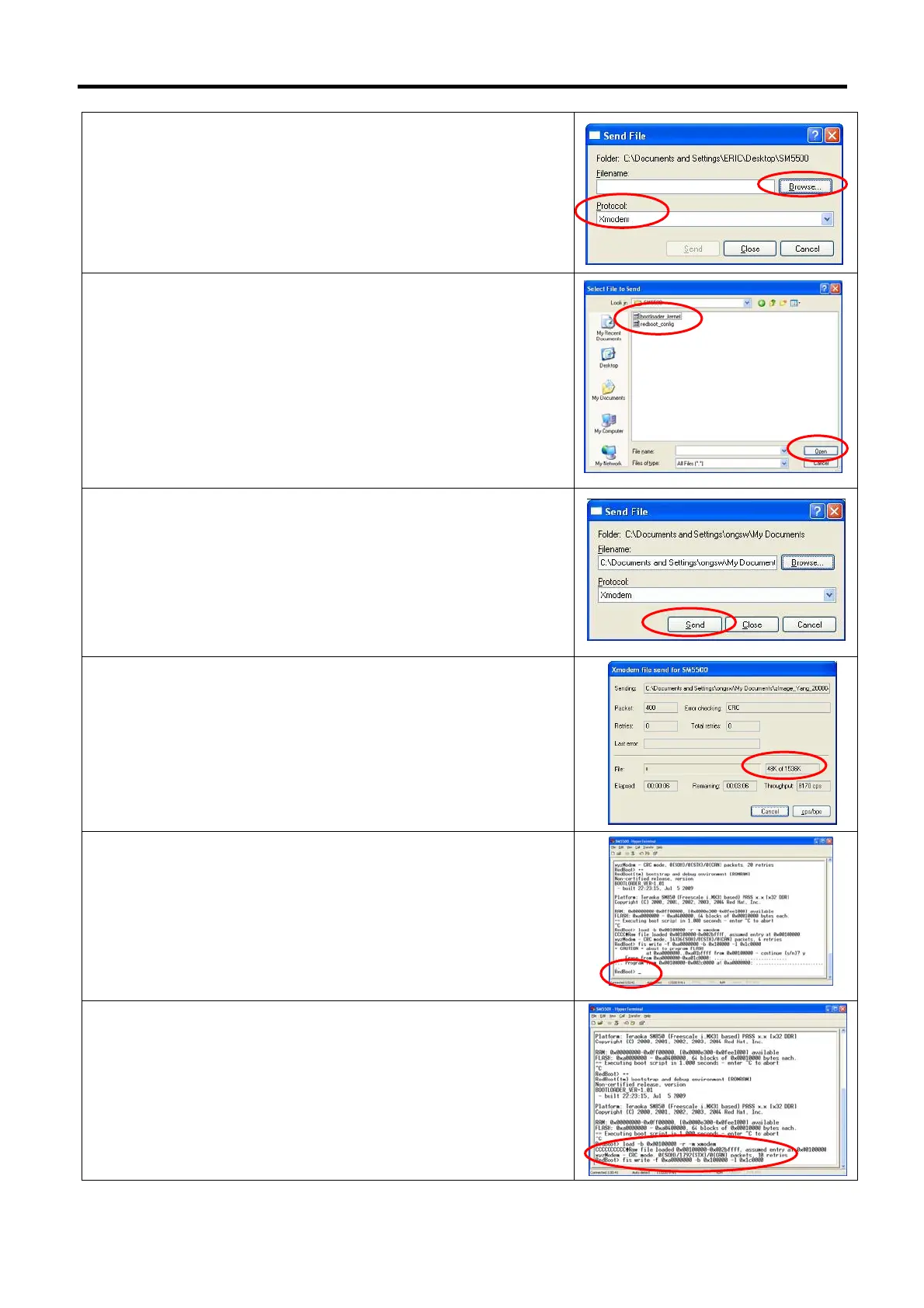
9) Change the Protocol to [Xmodem] then click [Browse…] button.
10) Search and open the bootloader file.
Example: bootloader_kernel.bin
11) Click [Send] button.
12) Waiting for process sending file until completed.
13) When completed, monitor will show RedBoot>.
14) Keying command [fis write -f 0xa0000000 -b 0x100000 -l
0x1c0000] and press [Enter].



 To Next Page
 Loading...
