DI-5000_DP-5000_DPS-5000 Service Manual Edition 2
77
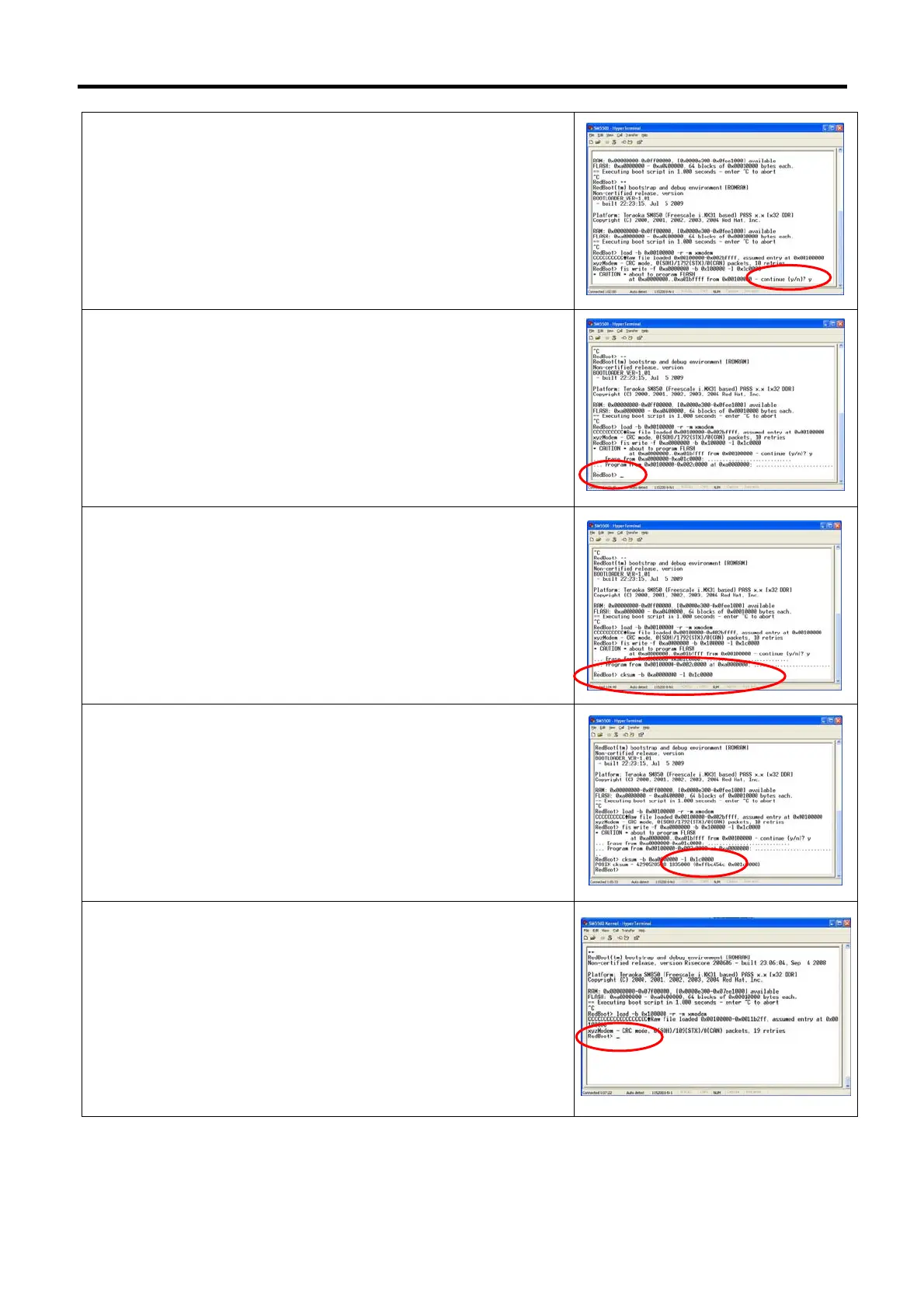
15) When confirmation displayed, keying [y] and press keyboard
[Enter].
16) Waiting for process, once completed, the monitor will show
RedBoot>
17) Keying command [cksum -b 0xa0000000 –l 0x1c0000] and
press [Enter].
18) Checksum should be [0xffbc454c].
Note: If cannot get the correctly checksum, please redo the
procedure again.
19) Turn “Off” the DP-5000 machine power and turn “On” again, then
press [Ctrl] [C] on the keyboard. (Monitor will show RedBoot)
Note: Ctrl C must be press within 1 second. (approx.) after turn
“ON” the machine.
Note: From step 19 ~ 30 is the procedure to downloading
redboot_config.bin



 To Next Page
 Loading...
