5 HOW TO USE YOUR SYSTEM (BASIC FEATURES)
In this basic section you will learn how to turn on your system and play back the complimentary tracks
included in the aria.
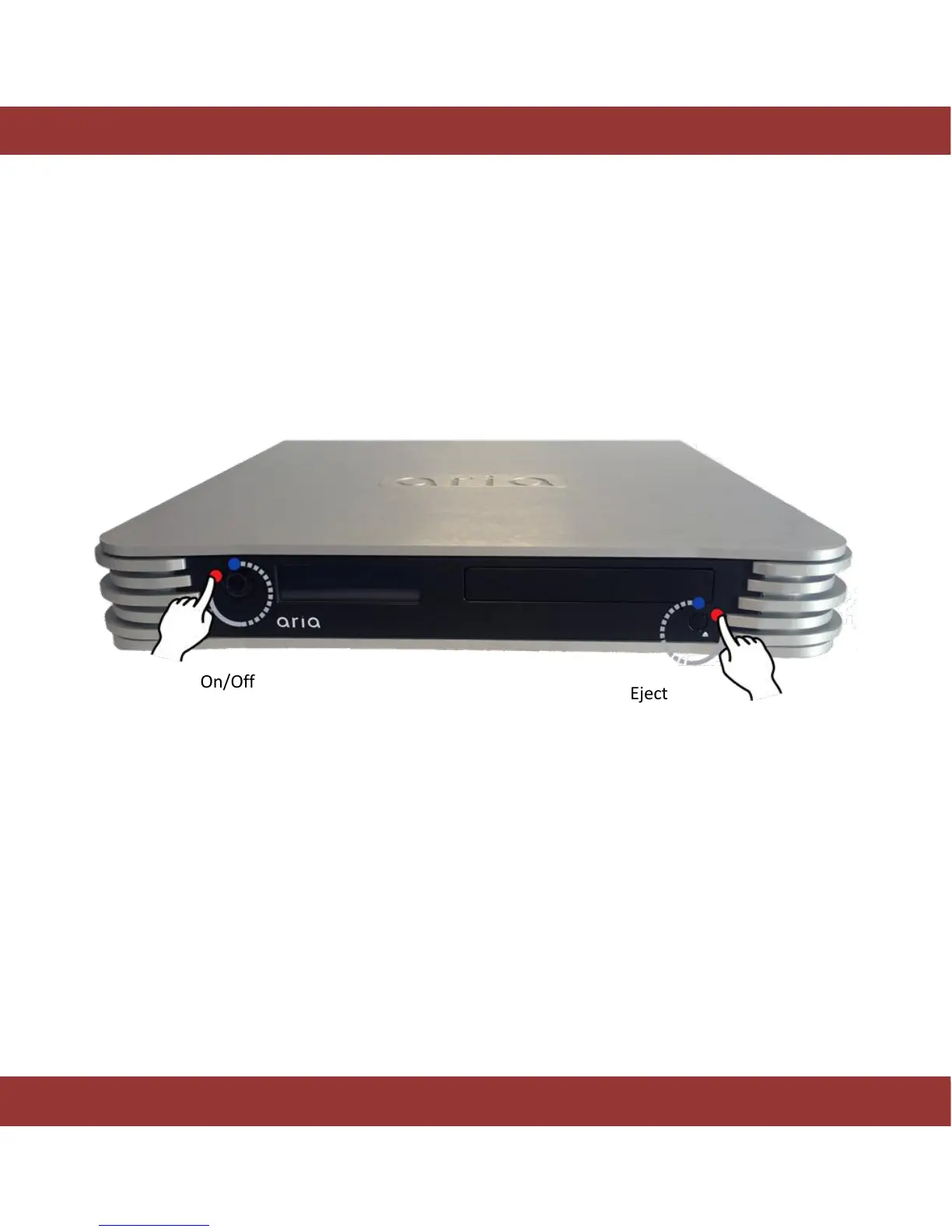
Once the system is correctly connected, turn on the aria by pushing the power switch on the back to the
‘On’ position and then press the ‘On/Off’ button on the front panel for one second. Please wait around 4
minutes to finish the start process.
Figure 5. The aria ON/OFF button
There are two ways to shut down the aria system:
1. Shutdown the system using the aria´s Android™ application.
2. Press the ‘On/Off’ button for 3 seconds on the front panel and then wait until the blue led turns off
After approximately three minutes, run iaria app in your Android™ device. The first screen you see
allows you to select the aria system to control.


 To Next Page