Playing and adding tracks to the queue
There are several places to play an album or track of your choice: In the main menu or from inside an
album:
In the main menu
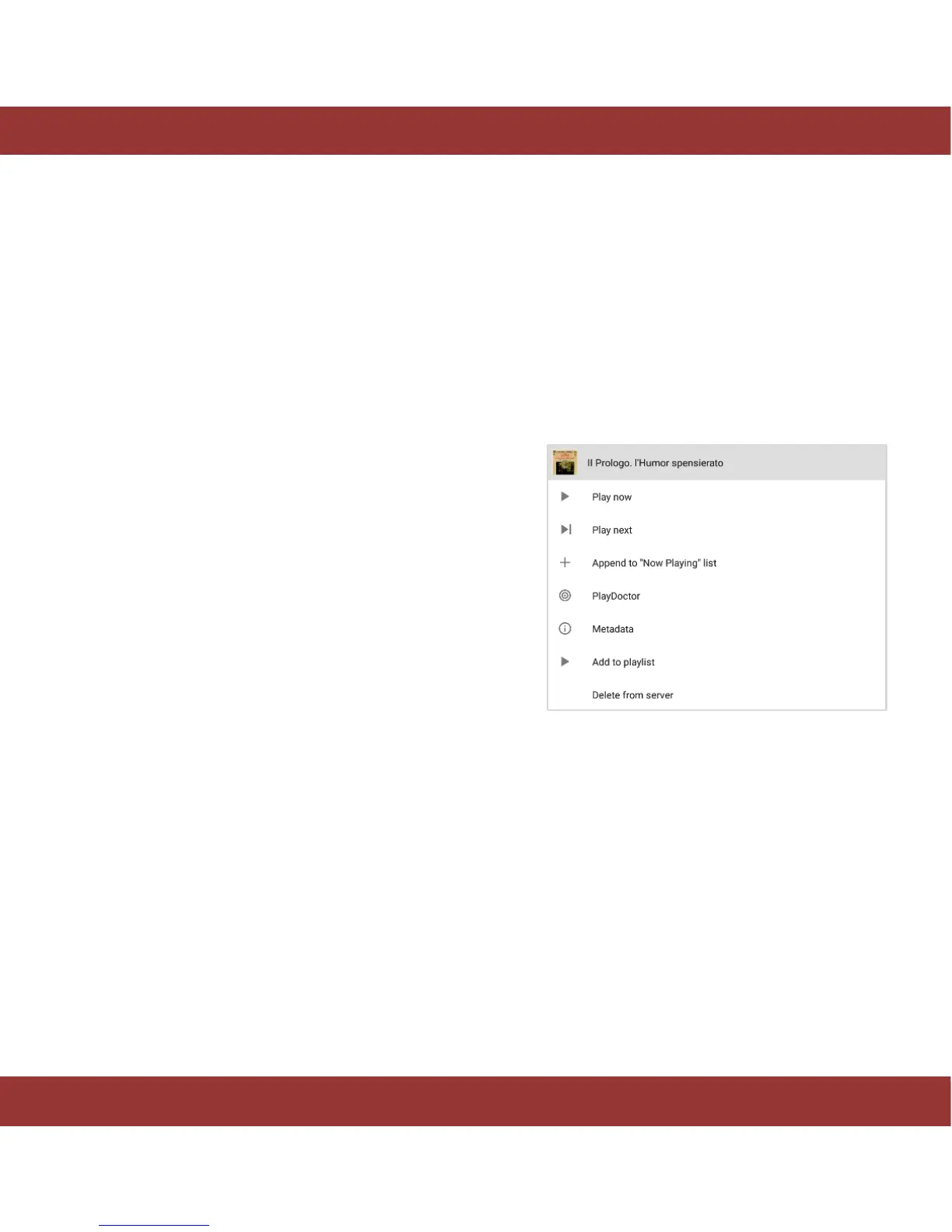
Press and hold your selection for a few seconds. A pop up menu will appear with several alternatives to
play the music:
Play Now: It stops the music being played in that
moment and starts playing the selection.
Play next: It adds the selection to the ‘playing
now’ list just after the current track that is being
played.
Add to the playlist: It adds the selection to a
playlist.
Shuffle and play: It shuffles the selection and
starts playing it.
Play Doctor: is an exclusive feature of the aria
which intelligently creates playlists from your library
and favorite tracks.
Figure 19. iaria playback & add to playlist options


 To Next Page