Operator’s Manual DigiPump LP8 Infusion Pump - Digicare Biomedical Technology Inc.
- 14
3.5 Setting the flow rate and volume to be infused
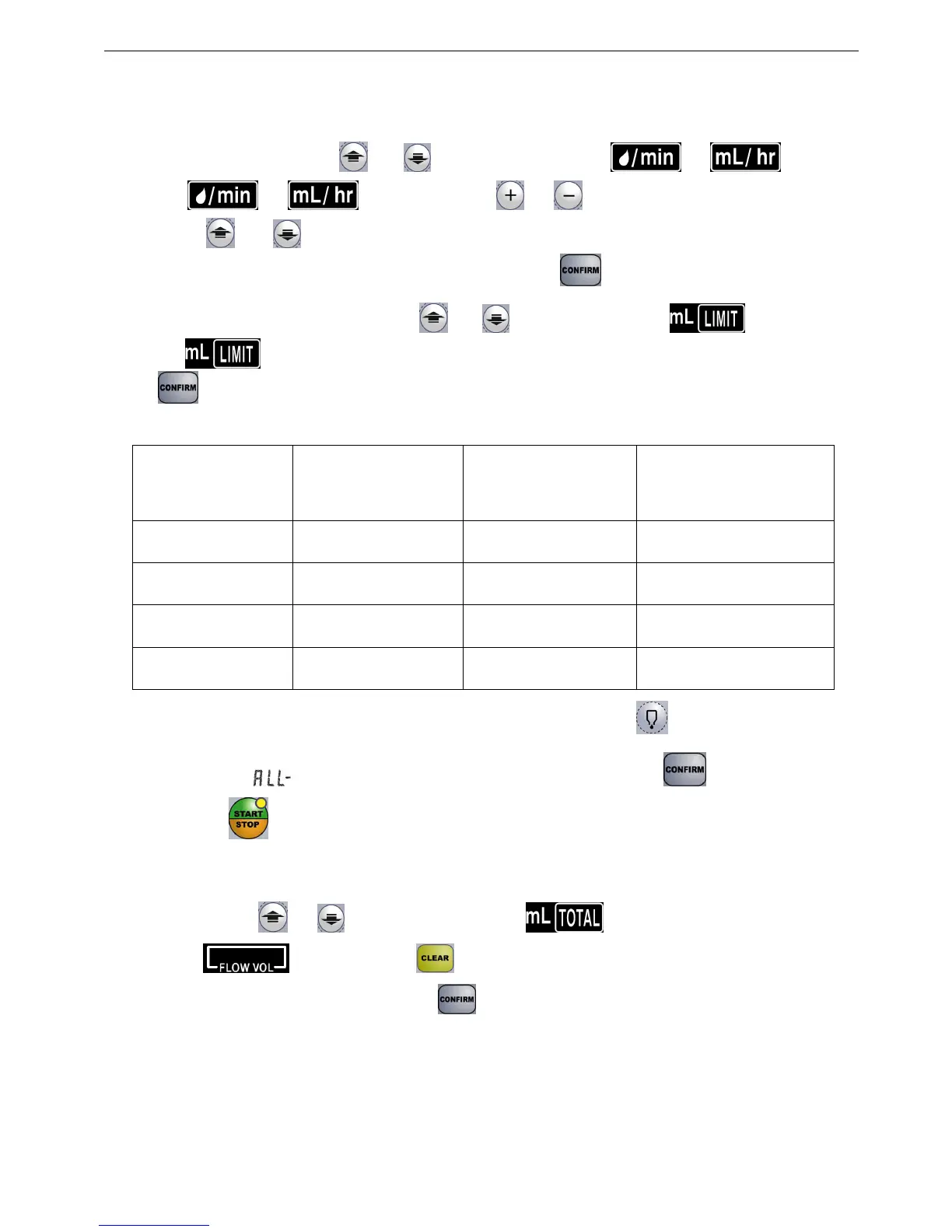
1. Flow rate setting: press“ ”or “ ”to move the cursor to “ ”or“ ”; At this
time, “ ”or“ ”will light. Press “ ”or“ ”to set the digit. Move to next digit
pressing “ ”or “ ” and move the cursor on the digit you want to set. Continue with this
procedure until you finish the rate value setting, then press “ ”.
2. Volume to be infused setting: press “ ”or “ ”, point the cursor on “ ”.
The“ ”will light. Set the volume digits following the same procedure as above, then press
“ ”.
3.
Rate and Volume Setting Range
IV set Ml/H Drops/Min
Volume Limit
Setting Range
10drops/ML 1.0-999.9 1.0-166.6 1-9999ml
15drops/ML 1.0-999.9 1.0-249.9 1-9999ml
20drops/ML 1.0-999.9 1.0-333.3 1-9999ml
60drops/ML 1.0-150.0 1.0-150.0 1-9999ml
4. Empty bottle mode:
When setting the Volume Limit, press the“ ”. The volume setting
will indicate and will go to the “Empty” bottle mode, then press” ”to confirm.
Pressing “ ” start infusion and the pump will infuse all liquid in the bottle automatically.
5.
Volume Infused Display
: This indicator display the total volume infused. To clear this
indicator press“ ”or“ ” and point the cursor on“ ”.
The“ ”will flash. Press“ ”for 0.5 seconds. The device will sound a beep and reset
total volume indicator to “0”, then press to confirm.
3.6 Starting Infusion
1. Make sure all settings are correct;
2. Make sure there is no bubble in the IV set , then perform venipuncture.;


 To Next Page