Mbox 2 Mini Getting Started Guide68
L
latency
see monitoring
M
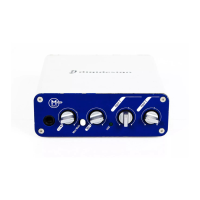
Mbox 2 Mini
back panel 31
connecting (Mac) 21
connecting (Windows) 10
features 3
front panel 29
MIDI
setup (Mac) 51
setup (Windows) 47
MIDI Input selector 43
MIDI Studio Setup (MSS) (Windows) 47
mix control (Mbox 2 Mini) 30
monitoring
zero latency 30
N
network connections 64
O
optimizing hard drives 59
P
partitioning hard drives 58
Patch Select dialog
Mac 54
Windows 50
phantom power 35
indicator 31
when to use 32, 35
power management settings
Mac 20
Windows 8
Pro Tools
demo session 22
removing 27
Pro Tools LE
capabilities 4
configuration (Mac) 23
configuration (Windows) 13
installing (Mac) 21
installing (Windows) 10
Q
QuickTime
installing (Windows) 12
R
ratio control (Mbox 2 Mini) 30
registration 5
removing Pro Tools 27
RTAS Processors setting 13, 23
S
Sample Rate 15, 25
screen savers 64
SCSI requirements 56
sources
selecting 31
system optimization
Mac 19, 20
Windows 7, 8, 9, 10
system requirements 4
system settings
CPU Usage Limit 14, 24
DAE Playback Buffer Size 15, 25
Hardware Buffer Size 13, 23
I/O Setup 16, 26
RTAS Processors 13, 23
Sample Rate 15, 25
T
technical support
product registration required 65
TRS 34
U
USB connection indicator 30
W
WaveDriver (Windows) 17


 To Next Page
 Loading...