
 Need help?
Do you have a question about the DIGITAL DELAY Mega 475 and is the answer not in the manual?
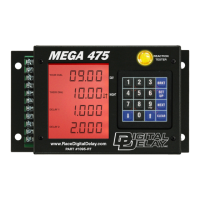
Explains the structure of screens and keypad functions for operation.
Details on setting dial-in and delay times in Bracket Mode Screen 1.
Configuration options for Tap features, P.B. Mode, and S.F.O. Mode.
Settings for S.L.E., P.T.S.O., and Timer ranges in Bracket Mode.
Configuration of 4-Stage Timer screens in Bracket Mode.
Settings for engine shifts, tachometer, and number of cylinders.
Adjusting display brightness for Day and Night modes.
How to use the feature to test driver reaction time.
Reviewing recorded engine RPM and pass data.
Configuration of 4-Stage Timer screens in Pro Mode.
Settings for engine shifts, tachometer, and number of cylinders in Pro Mode.
How to use the feature to test driver reaction time in Pro Mode.
Reviewing recorded engine RPM and pass data in Pro Mode.
Instructions on how to cancel timing cycles using the Clear key.
Explanation of Tach and Peak RPM display and clearing.
Details on setting and validating shift points for up to 5 shifts.
Selecting the shift output mode (HI/LO) for the shifter.
Choosing whether shifts are triggered by RPM or time.
Instructions to disable the Dial Controller to avoid error messages.
Explains common error codes like E-01 and E-02 related to the Dial Display.
Steps to arm the Mega 475 and record a pass for later review.
Instructions for reviewing previously recorded passes using the Replay Tach.
Explains the functions of Push-button 1 in different modes.
Specific functions of Button 1 when the Mega 475 is in Bracket Mode.
Usage of Button 1 and 2 for two hits at the tree in Bracket Mode.
Usage of one button for two hits at the tree in Bracket Mode.
Handling of flinches and multiple hits with one button in Bracket Mode.
Set and Go mode for Transbrake activation and delay timing in Bracket/Pro Mode.
Specific functions of push-buttons when the Mega 475 is in Pro Mode.
Functions of Push-button 2 in various modes and modes.
Button 2 functions in Bracket Mode, including backup and delay 2.
Functions of the Tap button for S.L.E. and P.T.S.O. features.
Functions of the Line Lock button for burn-outs and Replay Tach.
Description of the terminal strip and its connections for inputs and outputs.
Connection details for the Transbrake and 2-Step outputs.
Connecting devices to the Selectable Function Output terminal.
Connection details for the main 4-Stage timer (Timer 1) output.
Connection details for the Shift solenoid output.
Instructions for connecting the ground terminal to a suitable point.
Connection details for the primary Push-button 1 input.
Connection details for the optional Push-button 2 input.
Connection details for the Tap push-button input.
Connection details for the Line Lock push-button input.
Connection details for the Tach input terminal.
Guidance on using three-wire push-buttons with the unit.
Wiring instructions for external relays for high current loads.
Wiring instructions for external relays requiring ground control.
Information on using a bypass button for Transbrake engagement.
Guidance on proper physical mounting of the Mega 475 unit.
 General
| Brand | DIGITAL DELAY |
|---|---|
| Model | Mega 475 |
| Category | Automobile Accessories |
| Language | English |

 To Next Page
